Sharp CD-BA2600H Specifiche Pagina 86
- Pagina / 112
- Indice
- RISOLUZIONE PROBLEMI
- SEGNALIBRI

- CD-BA250H 1
- CD-BA2600H 1
- CD-BA250H(H)-COMMON.fm01/1/23 2
- Einführung 7
- Zur Beachtung 8
- Allgemeine Informationen 10
- Anschluß des Systems 12
- Anschluß der Antennen 13
- Anschluß der Lautsprecher 13
- - Anschluß des Systems 14
- Fernbedienung 15
- Klangregelung 16
- Einstellen der Uhr 17
- CD-Wiedergabe 18
- Beginn der Wiedergabe ab 20
- Wiederholte Wiedergabe und 20
- Zufallswiedergabe 20
- Programmierte Wiedergabe 21
- Rundfunkempfang 22
- Rundfunk 23
- RDS-Rundfunk 24
- Bandwiedergabe 32
- Aufnahme von Radio 33
- Aufnahme von CD (CDs) 34
- Überspielen von Band auf Band 35
- Timer- und Sleep-Funktion 36
- Fortgeschrittene Funktionen 37
- Erhöhen des Systems 38
- Fehlersuchtabelle 39
- Referenzen 40
- Technische Daten 41
- Introduction 42
- Accessoires 42
- Table des matières 42
- Précautions 43
- Commandes et voyants 44
- Informations générales 45
- Raccordement du système 47
- Avant l'utilisation 48
- Télécommande 50
- Réglage du son 51
- Réglage de l'horloge 52
- Écoute de CD 53
- Lecture CD 54
- Écoute de la radio 57
- FRANÇAIS 58
- Radio Data System (RDS) 59
- Radio RDS 60
- Lecture de la cassette 67
- Enregistrement de CD 69
- Copie entre cassettes 70
- Fonctions avancées 71
- Enrichissement du système 73
- Dépannage 74
- Entretien 75
- Fiche technique 76
- Accessories 77
- Contents 77
- Precautions 78
- Controls and Indicators 79
- General Information 80
- System Connections 82
- Preparation for Use 83
- Remote Control 85
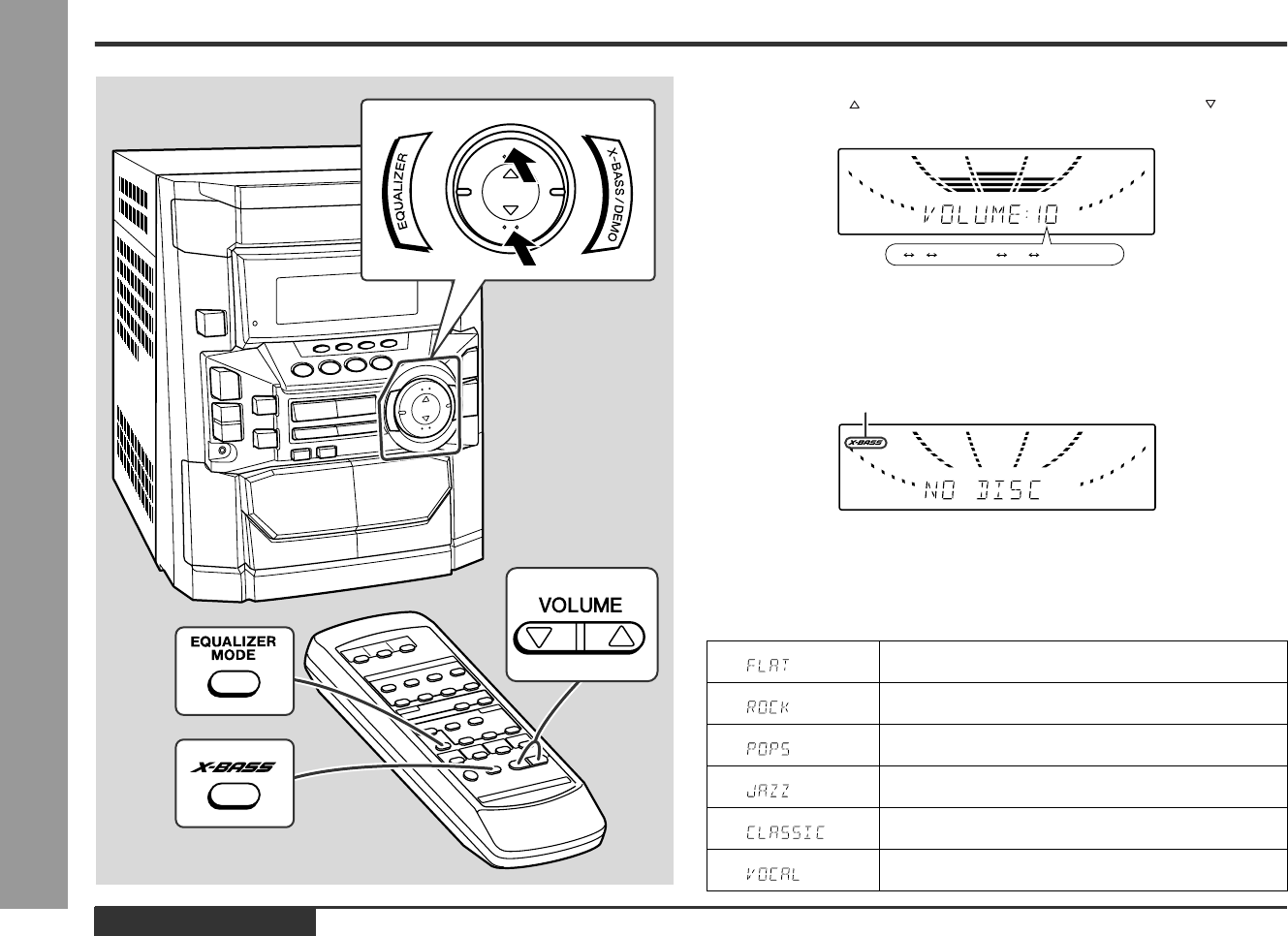
- Sound Control 86
- Setting the Clock 87
- Listening to a CD (CDs) 88
- CD Playback 89
- Starting Playback with a 90
- Desired Track 90
- Repeat or Random Play 90
- Programmed Play 91
- Listening to the Radio 92
- CD-BA250H(H)E2.fm01/2/9 93
- RDS Radio 100
- Tape Playback 102
- Recording from the Radio 103
- Recording from a CD (CDs) 104
- Dubbing from Tape to Tape 105
- Timer and Sleep Operation 106
- Advanced Features 107
- Enhancing Your System 108
- Troubleshooting Chart 109
- Maintenance 110
- Specifications 111
- SHARP CORPORATION 112
Prodotti e manuali riguardandi Lettori di cassette Sharp CD-BA2600H

 (33 pagine)

 (124 pagine)
(48 pagine)
(36 pagine)
(53 pagine)
(45 pagine)
(32 pagine)
(53 pagine)
(41 pagine)
(28 pagine)
(52 pagine)
(35 pagine)
(32 pagine)
(32 pagine)
(40 pagine)
(32 pagine)
(124 pagine)
(48 pagine)
(36 pagine)
(53 pagine)
(45 pagine)
(32 pagine)
(53 pagine)
(41 pagine)
(28 pagine)
(52 pagine)
(35 pagine)
(32 pagine)
(32 pagine)
(40 pagine)
(32 pagine)
© 2020, manymanuals.it. Tutti i diritti riservati | 0.039 s |
 Manymanuals.com
 Manymanuals.de
 Manymanuals.fr
 Manymanuals.it
 Manymanuals.pl
 Manymanuals.cz
 Manymanuals.es
 Manymanuals-pt.com
Commenti su questo manuale