Sharp CD-XP120W Specifiche Pagina 23

  • Scaricare
  • Aggiungi ai miei manuali
  • Stampa
  • Pagina
    / 32
  • Indice
  • SEGNALIBRI
  • Valutato. / 5. Basato su recensioni clienti
Vedere la pagina 22
02/5/27 CD-XP120W(A)3.fm
E-22
ENGLISH
CD-XP120W
Tape Recording
- Recording to a cassette tape -
Recording to a cassette tape
Before recording:
!
When recording important selections, make a preliminary test to
ensure that the desired material is properly recorded.
!
SHARP is not liable for damage or loss of your recording arising
from malfunction of this unit.
!
The volume and sound controls can be adjusted with no effect on
the recorded signal (Variable Sound Monitor).
!
For recording, use only normal tapes. Do not use metal or
CrO tapes.
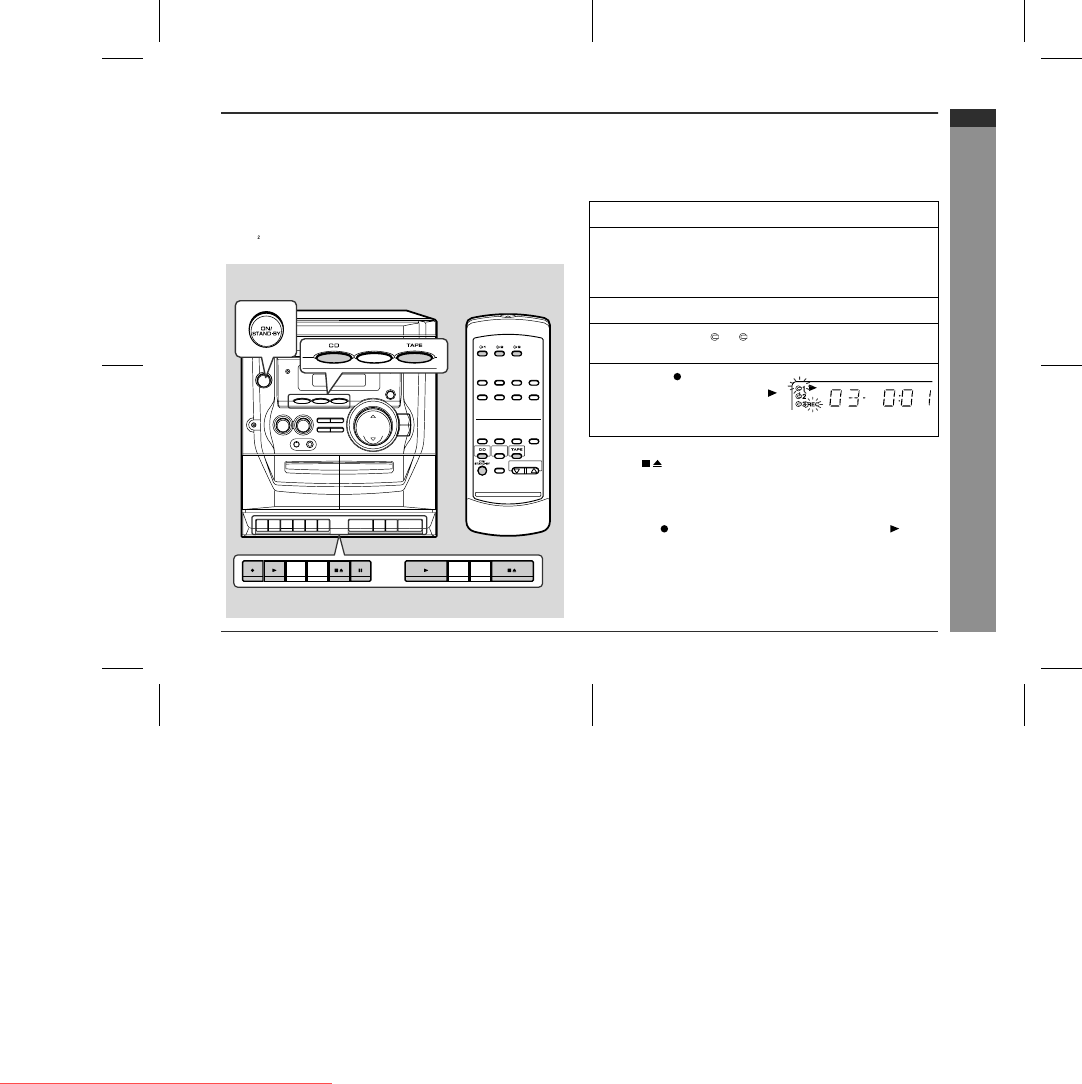
Recording can be operated in the TAPE 1 compartment. The TAPE
2 is for playback only.
"
Recording from a CD (CDs)
You can record 3 CDs continuously.
To stop recording:
Press the button of TAPE 1.
To perform programmed recording:
1
Press the ON/STAND-BY button to turn the power on.
2
Load a cassette into the TAPE 1 cassette compartment
with the side to be recorded on facing you.
Wind past the leader of the tape, on which recording cannot be
performed.
3
Press the CD button and load the desired disc.
4
Press one of the 1 - 3 buttons on the remote control
to select the disc to be recorded first.
5
Press the button of TAPE
1, which also engages the
button.
CD playback and tape recording will start.
1 Press the CD button.
2 Programme discs and tracks. (See page 17.)
3 Press the button of TAPE 1, which also engages the button.
Downloaded from www.Manualslib.com manuals search engine
Downloaded From Disc-Player.com Sharp Manuals
Vedere la pagina 22
1 2 ... 18 19 20 21 22 23 24 25 26 27 28 ... 31 32

Commenti su questo manuale

Nessun commento