Sharp XL-HP535E Specifiche
Navigare online o scaricare Specifiche per Lettori CD Sharp XL-HP535E. Sharp XL-HP535E Specifications Manuale Utente
- Pagina / 40
- Indice
- SEGNALIBRI

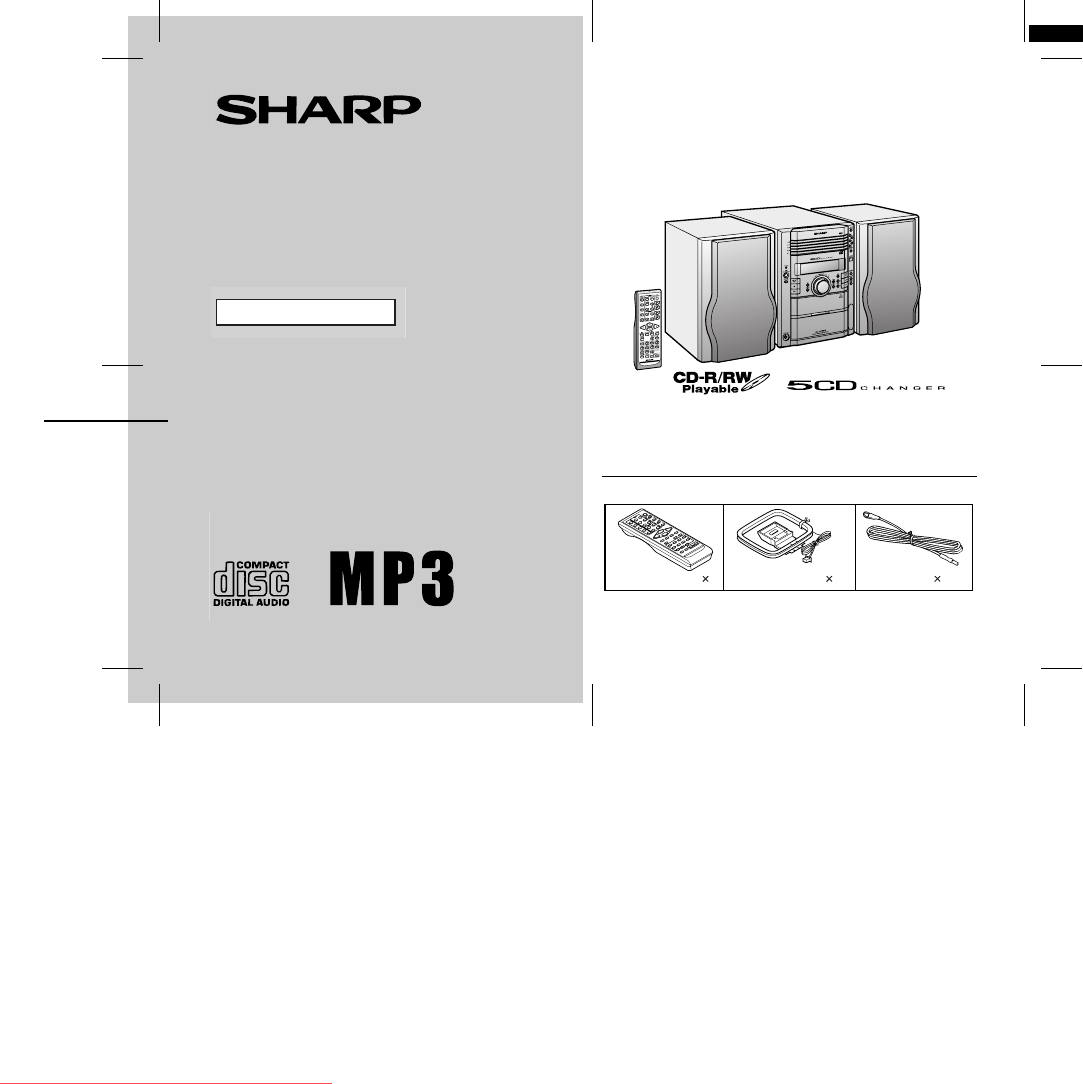
- XL-HP535E 1
- manuals search engine 10
- WARRANTY 39
Sommario
03/12/19 XL-HP535E(A)_FR.fmTINSEA042AWZZThank you for purchasing this SHARP product. To obtain the best performance from this product, please read thi
03/12/19 XL-HP535E(A)1.fm10XL-HP535ETINSEA042AWZZPreparation for UseSystem connections (continued)" AC power connectionAfter checking all the con
03/12/19 XL-HP535E(A)1.fm11XL-HP535ETINSEA042AWZZPreparation for UseRemote control" Battery installation Precautions for battery use:!Replace all
03/12/19 XL-HP535E(A)2.fm12XL-HP535ETINSEA042AWZZBasic OperationGeneral control ! To turn the power onPress the ON/STAND-BY button to turn the power
03/12/19 XL-HP535E(A)2.fm13XL-HP535ETINSEA042AWZZBasic OperationSetting the clock In this example, the clock is set for the 24-hour (0:00) display.To
03/12/19 XL-HP535E(A)2.fm14XL-HP535ETINSEA042AWZZCD or MP3 disc PlaybackListening to a CD or MP3 disc This system can also play audio CD-R and CD-RW
03/12/19 XL-HP535E(A)2.fm15XL-HP535ETINSEA042AWZZCD or MP3 disc Playback "Playback will begin from track 1 on the DISC 1. After that disc fin-ish
03/12/19 XL-HP535E(A)2.fm16XL-HP535ETINSEA042AWZZCD or MP3 disc PlaybackListening to a CD or MP3 disc (continued)! Various disc functionsNotes:"T
03/12/19 XL-HP535E(A)2.fm17XL-HP535ETINSEA042AWZZCD or MP3 disc PlaybackAdvanced CD or MP3 disc playback ! To specify a disc to playYou can play a di
03/12/19 XL-HP535E(A)2.fm18XL-HP535ETINSEA042AWZZCD or MP3 disc PlaybackAdvanced CD or MP3 disc playback (continued)! Repeat playRepeat play can play
03/12/19 XL-HP535E(A)2.fm19XL-HP535ETINSEA042AWZZCD or MP3 disc Playback ! Programmed playYou can choose up to 32 selections for playback in the order
203/12/19 XL-HP535E(A)1.fmXL-HP535ETINSEA042AWZZImportant InstructionSpecial notesWarning:!When the ON/STAND-BY button is set at STAND-BY position,mai
03/12/19 XL-HP535E(A)2.fm20XL-HP535ETINSEA042AWZZCD or MP3 disc PlaybackMP3 navigation (only for MP3 files) MP3 navigation:You can search and play fi
03/12/19 XL-HP535E(A)2.fm21XL-HP535ETINSEA042AWZZCD or MP3 disc Playback ! File search (by folder or title 1/2/3)You can search and play files by fold
03/12/19 XL-HP535E(A)3.fm22XL-HP535ETINSEA042AWZZCD or MP3 disc PlaybackMP3 navigation (only for MP3 files) (continued)! Character search (for folder
03/12/19 XL-HP535E(A)3.fm23XL-HP535ETINSEA042AWZZCD or MP3 disc Playback ! Programmed play (for folder, title 1/2/3)Folders or titles can be programme
03/12/19 XL-HP535E(A)3.fm24XL-HP535ETINSEA042AWZZRadioListening to the radio Auto power on function:When you press any of the following buttons, the u
03/12/19 XL-HP535E(A)3.fm25XL-HP535ETINSEA042AWZZRadio ! Memorising a stationYou can store 40 AM and FM stations in memory and recall them atthe push
03/12/19 XL-HP535E(A)3.fm26XL-HP535ETINSEA042AWZZTape PlaybackListening to a cassette tape ! Tape playbackAuto power on function:When you press any o
03/12/19 XL-HP535E(A)3.fm27XL-HP535ETINSEA042AWZZTape Recording ! Various tape functions Caution:"To remove the cassette, press the (TAPE ) bu
03/12/19 XL-HP535E(A)3.fm28XL-HP535ETINSEA042AWZZTape RecordingRecording on a cassette tape (continued)! Recording from a CD or MP3 disc You can reco
03/12/19 XL-HP535E(A)3.fm29XL-HP535ETINSEA042AWZZTape Recording Sequential recording from several discs:To perform programmed recording:To stop record
03/12/19 XL-HP535E(A)1.fm3XL-HP535ETINSEA042AWZZGeneral InformationPrecautions" General!Please ensure that the equipment is positioned in a well
03/12/19 XL-HP535E(A)4.fm30XL-HP535ETINSEA042AWZZAdvanced FeaturesTimer and sleep operationTimer playback:The unit turns on and plays the desired sour
03/12/19 XL-HP535E(A)4.fm31XL-HP535ETINSEA042AWZZAdvanced Features Continued to the next page4Within 10 seconds, press the or button to se-lec
03/12/19 XL-HP535E(A)4.fm32XL-HP535ETINSEA042AWZZAdvanced FeaturesTimer and sleep operation (continued)Note:Checking the timer setting in the timer st
03/12/19 XL-HP535E(A)4.fm33XL-HP535ETINSEA042AWZZAdvanced Features ! Sleep operationThe radio, CD, MP3 disc and cassette tape can all be turned offaut
03/12/19 XL-HP535E(A)4.fm34XL-HP535ETINSEA042AWZZAdvanced FeaturesEnhancing your systemThe connection lead is not included. Purchase a commercially av
03/12/19 XL-HP535E(A)4.fm35XL-HP535ETINSEA042AWZZReferences ! Subwoofer connectionWhen a commercially available speaker with a built-in amplifier isco
03/12/19 XL-HP535E(A)4.fm36XL-HP535ETINSEA042AWZZReferencesTroubleshooting chart (continued)! Cassette deck ! Remote control! Tuner ! If trouble occur
03/12/19 XL-HP535E(A)4.fm37XL-HP535ETINSEA042AWZZReferences ! CondensationSudden temperature changes, storage or operation in an extremelyhumid enviro
03/12/19 XL-HP535E(A)4.fm38XL-HP535ETINSEA042AWZZReferencesSpecificationsAs part of our policy of continuous improvement, SHARP reservesthe right to m
03/12/19 XL-HP535E(A)_WA.fmTINSEA042AWZZWARRANTYConsumer Electronic ProductsCongratulations on Your Purchase!This Sharp product is warranted against f
03/12/19 XL-HP535E(A)1.fm4XL-HP535ETINSEA042AWZZGeneral InformationControls and indicators" Front panelReference page1. Disc Trays . . . . . . .
03/12/19 XL-HP535E(A)_BA.fmTINSEA042AWZZIMPORTANTDO NOT RETURN THIS PAGE TO SHARPFor your reference, please enter the particulars of your purchase bel
03/12/19 XL-HP535E(A)1.fm5XL-HP535ETINSEA042AWZZGeneral Information" DisplayReference page1. Disc Number Indicators . . . . . . . . . . . . . . .
03/12/19 XL-HP535E(A)1.fm6XL-HP535ETINSEA042AWZZGeneral InformationControls and indicators (continued)" Rear panelReference page1. Cooling Fan .
03/12/19 XL-HP535E(A)1.fm7XL-HP535ETINSEA042AWZZGeneral Information " Remote controlReference page1. Remote Control Transmitter . . . . . . . .
03/12/19 XL-HP535E(A)1.fm8XL-HP535ETINSEA042AWZZPreparation for UseSystem connections Left speakerRight speaker Speaker connection (see page 9)AM loo
03/12/19 XL-HP535E(A)1.fm9XL-HP535ETINSEA042AWZZPreparation for Use " Aerial connectionSupplied FM aerial:Connect the FM aerial wire to the FM 75
Prodotti e manuali riguardandi Lettori CD Sharp XL-HP535E


 (35 pagine)
 (12 pagine)
(40 pagine)
(28 pagine)
(12 pagine)
(40 pagine)
(28 pagine)
 (28 pagine)
(23 pagine)
(40 pagine)
(48 pagine)
(31 pagine)
(25 pagine)
(19 pagine)
(55 pagine)
(45 pagine)
(37 pagine)
(44 pagine)
(28 pagine)
(23 pagine)
(40 pagine)
(48 pagine)
(31 pagine)
(25 pagine)
(19 pagine)
(55 pagine)
(45 pagine)
(37 pagine)
(44 pagine)
 (61 pagine)
(56 pagine)
(60 pagine)
(61 pagine)
(56 pagine)
(60 pagine)
© 2020, manymanuals.it. Tutti i diritti riservati | 0.038 s |
 Manymanuals.com
 Manymanuals.de
 Manymanuals.fr
 Manymanuals.it
 Manymanuals.pl
 Manymanuals.cz
 Manymanuals.es
 Manymanuals-pt.com
Commenti su questo manuale