Sharp SW330 Specifiche Pagina 45
- Pagina / 61
- Indice
- RISOLUZIONE PROBLEMI
- SEGNALIBRI

- CD-SW330H 1
- PL - WAŻNE INFORMACJE 2
- CZ - ŮLEŽITÉ INFORMACE 4
- SK - DÔLEŽITÉ INFORMÁCIE 6
- HU - SPECIÁLIS MEGJEGYZÉSEK 8
- UA - ВАЖЛИВА ІНФОРМАЦІЯ 10
- ENG - SPECIAL NOTES 12
- Introduction 14
- Special Note 14
- Accessories 14
- Contents 14
- Precautions 15
- Controls and indicators 16
- General Information 17
- System connections 20
- Preparation for Use 21
- Remote control 23
- General control 24
- Basic Operation 25
- CD or MP3/WMA disc Playback 26
- Listening to the radio 36
- Memorising a station 37
- To scan the preset stations 37
- Tape Playback 38
- Recording on a cassette tape 39
- Tape Recording 40
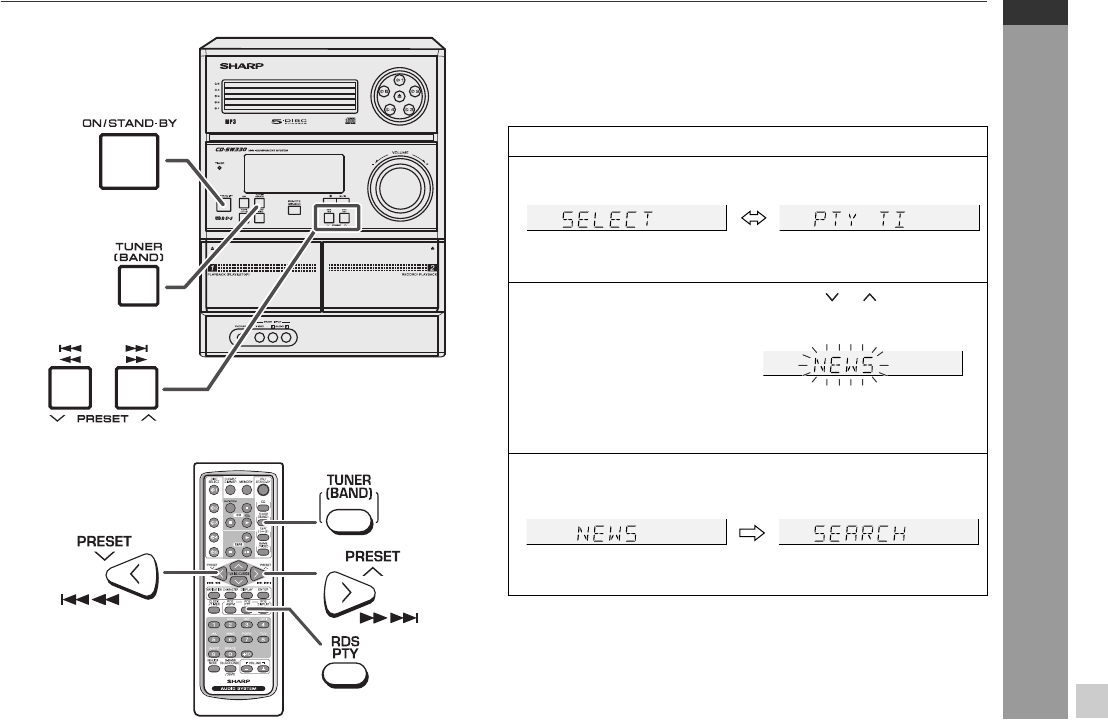
- NO PS NO PTY 42
- FM 98.80 MHz 42
- Advanced Features 43
- AC INPUT 52
- Troubleshooting chart 53
- References 54
- Maintenance 56
- Specifications 56
- SHARP CORPORATION 60
Prodotti e manuali riguardandi Lettori CD Sharp SW330
 (56 pagine)
(60 pagine)
(56 pagine)
(60 pagine)
 (59 pagine)
 (39 pagine)
(64 pagine)
(84 pagine)
(112 pagine)
(72 pagine)
(88 pagine)
(64 pagine)
(60 pagine)
(90 pagine)
(16 pagine)
(64 pagine)
(39 pagine)
(64 pagine)
(84 pagine)
(112 pagine)
(72 pagine)
(88 pagine)
(64 pagine)
(60 pagine)
(90 pagine)
(16 pagine)
(64 pagine)
© 2020, manymanuals.it. Tutti i diritti riservati | 0.036 s |
 Manymanuals.com
 Manymanuals.de
 Manymanuals.fr
 Manymanuals.it
 Manymanuals.pl
 Manymanuals.cz
 Manymanuals.es
 Manymanuals-pt.com
Commenti su questo manuale