Sharp SD-AS10W Specifiche Pagina 20
- Pagina / 65
- Indice
- RISOLUZIONE PROBLEMI
- SEGNALIBRI

- SD-AS10W 1
- Introduction 2
- Special notes 2
- Accessories 3
- Contents 4
- Precautions 5
- Description of discs 6
- Controls and indicators 8
- General Information 10
- System installation 12
- Main unit preparation 13
- System connections 14
- Aerial connection 15
- Speaker connection 16
- TV connection 17
- Setting the AM/FM interval 18
- AC power connection 18
- To turn the power on 19
- Remote control 19
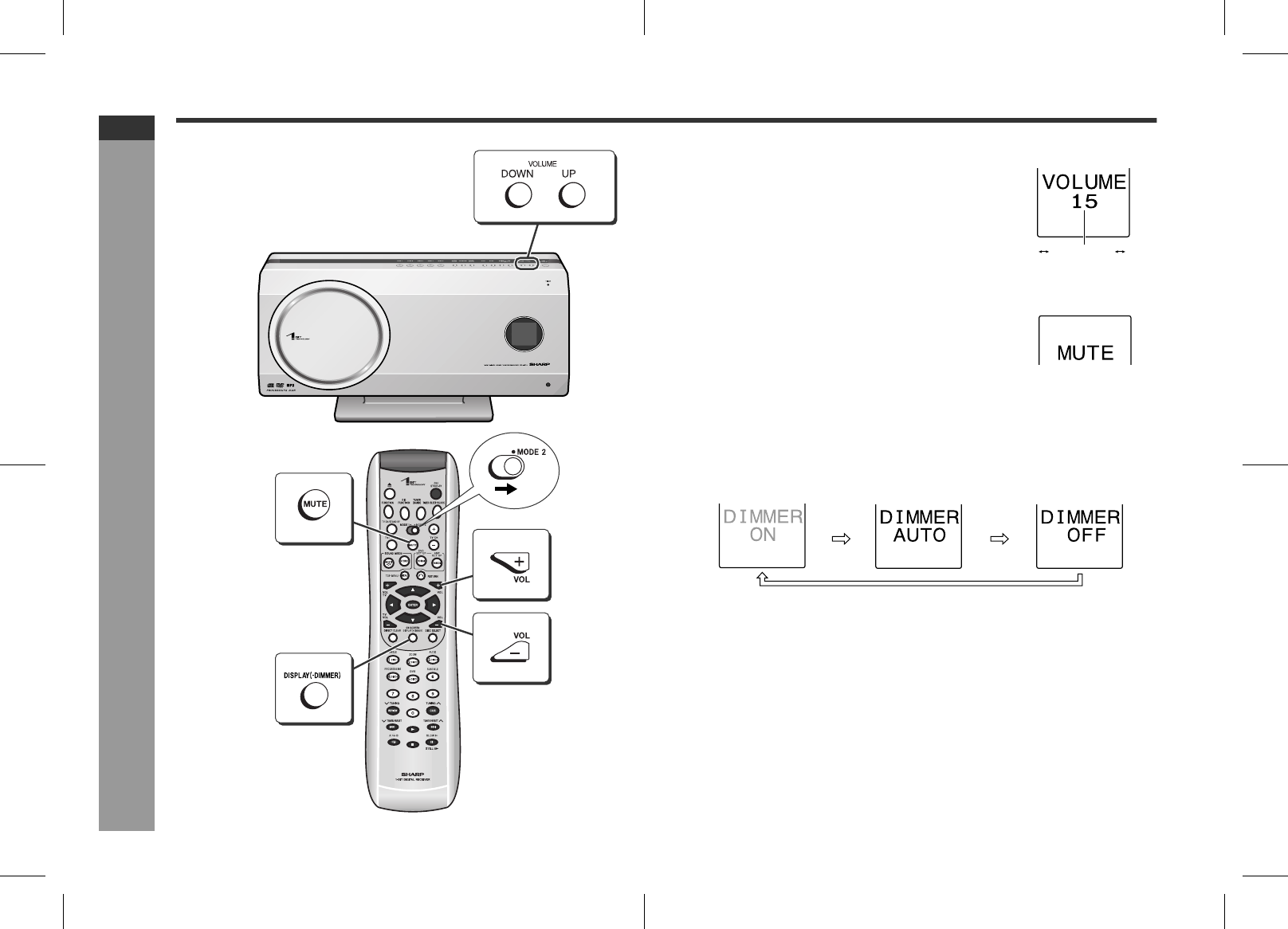
- General control 20
- Setting the clock 21
- DVD Operation 22
- Playing a disc 24
- Basic operation 26
- Useful operation 28
- SD-AS10W_EX_E.fm05/3/18 32
- TINSZA124AWZZ 32
- CD, CD-R and CD-RW Operation 35
- Listening to the radio 38
- Radio Operation 39
- Advanced Features 40
- MAIN PAGE 46
- Setting the timer 50
- Sleep timer 53
- Operating the connected TV 54
- AUDIO OUT 56
- Digital tuner, etc 57
- DIGITAL OUT 57
- (commercially available) 57
- References 59
- Troubleshooting chart 60
- Maintenance 62
- Optional accessory 62
- Specifications 62
- SHARP CORPORATION 64
Prodotti e manuali riguardandi Lettori DVD Sharp SD-AS10W
 (24 pagine)
 (109 pagine)
(100 pagine)
(44 pagine)
(41 pagine)
(41 pagine)
(58 pagine)
(55 pagine)
(63 pagine)
(8 pagine)
(109 pagine)
(22 pagine)
(24 pagine)
(109 pagine)
(100 pagine)
(44 pagine)
(41 pagine)
(41 pagine)
(58 pagine)
(55 pagine)
(63 pagine)
(8 pagine)
(109 pagine)
(22 pagine)
(24 pagine)
© 2020, manymanuals.it. Tutti i diritti riservati | 0.041 s |
 Manymanuals.com
 Manymanuals.de
 Manymanuals.fr
 Manymanuals.it
 Manymanuals.pl
 Manymanuals.cz
 Manymanuals.es
 Manymanuals-pt.com
Commenti su questo manuale