Sharp FO-150 Specifiche Pagina 81
- Pagina / 152
- Indice
- RISOLUZIONE PROBLEMI
- SEGNALIBRI

- FO-2950M 1
- Introduction 3
- Important safety information 5
- Table of Contents 7
- A Look at the Operation Panel 9
- 1. Installation 11
- 1. Installation 12
- Connections 13
- Connecting the Handset 14
- Loading Printing Paper 23
- Important: 24
- To enable the multifunction 26
- Press these keys: 30
- The display will show: 30
- OWN NUMBER SET 31
- PRESS START KEY 31
- ENTER FAX # 31
- ENTER YOUR NAME 31
- Press the START key 33
- Setting the Date and Time 34
- Setting the Reception Mode 37
- RECEIVE UNIT 38
- 1=FAX, 2=PC 38
- Volume Adjustment 40
- 2. Sending Documents 44
- Letters in the 45
- Loading the Document 46
- If you need to remove a 47
- Remove the document 48
- Resolution settings 49
- Contrast settings 49
- RESOLUTION 50
- 2. Sending 53
- Documents 53
- Rapid Keys 54
- SPEED DIAL key 54
- AUTO-DIAL E-MAIL 63
- 3. Receiving Documents 69
- Using TEL Reception Mode 71
- Phone goes dead 72
- RECEIVING 72
- 3. Receiving 77
- Making Copies 79
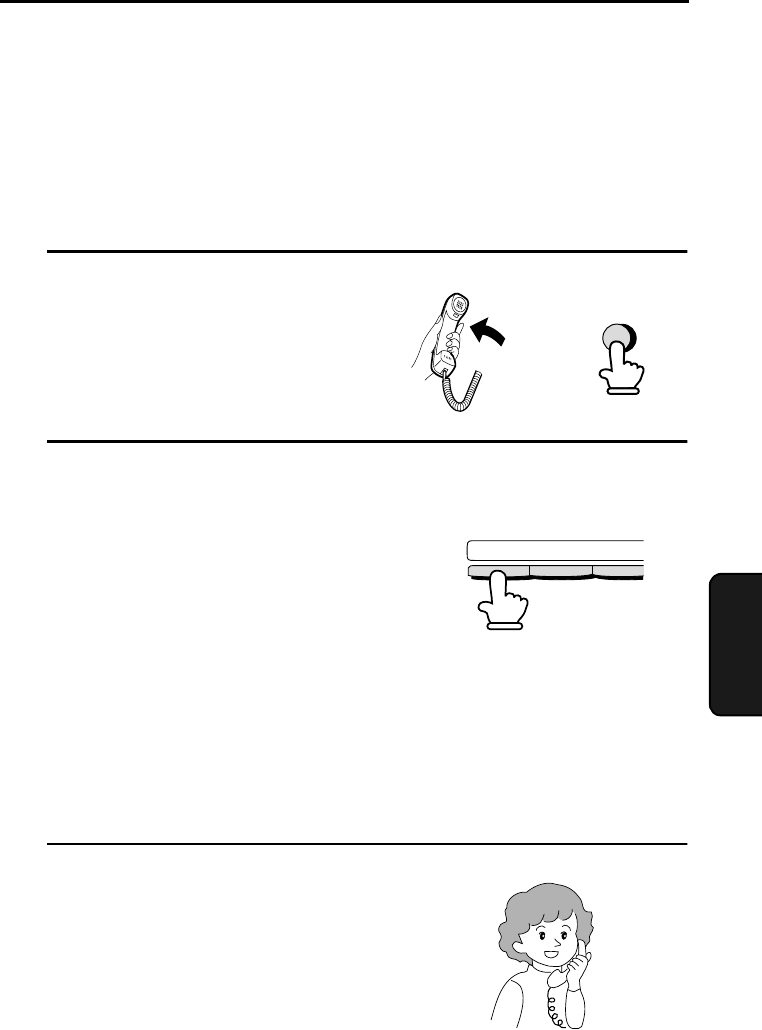
- 5. Making Telephone Calls 81
- Making Telephone Calls 82
- 6. Answering Machine Hookup 83
- RECEPTION 84
- 6. Answering 85
- 7. Special Functions 88
- SET RESOLUTION 89
- PRESS RESO. KEY 89
- Step 3 or 92
- Distinctive Ring 95
- Comments: 100
- FUNCTION 101
- Rapid Dial Key 104
- (Example) 104
- Timer Operations 110
- Explanation of headings 113
- Printing Lists 115
- Option Setting List 116
- Junk Fax Number List 116
- 9. Maintenance 119
- Replacing the toner cartridge 120
- Maintenance 122
- Cleaning the drum cartridge 124
- 10. Troubleshooting 126
- Problems and Solutions 127
- Answering machine connection 129
- General problems 130
- Messages and Signals 132
- Audible signals 134
- Clearing Paper Jams 135
- Fusing unit 138
- FCC Regulatory Information 139
- Section 3. Ingredients 140
- Sending Faxes 143
- Receiving Faxes 143
- Transmisión de mensajes 145
- Recepción de mensajes 145
- Transaction Report 148
- SHARP CORPORATION 152
Prodotti e manuali riguardandi Macchina per mandare i fax Sharp FO-150


 (100 pagine)
 (108 pagine)
(104 pagine)
(108 pagine)
(104 pagine)
 (130 pagine)
 (198 pagine)
(107 pagine)
(114 pagine)
(198 pagine)
(107 pagine)
(114 pagine)
© 2020, manymanuals.it. Tutti i diritti riservati | 0.039 s |
 Manymanuals.com
 Manymanuals.de
 Manymanuals.fr
 Manymanuals.it
 Manymanuals.pl
 Manymanuals.cz
 Manymanuals.es
 Manymanuals-pt.com
Commenti su questo manuale