Sharp FO-276 Specifiche Pagina 20
- Pagina / 101
- Indice
- RISOLUZIONE PROBLEMI
- SEGNALIBRI

- FACSIMILE 1
- WARRANTY 2
- Introduction 3
- Important safety information 5
- Table of Contents 7
- A Look at the Operation Panel 9
- 1. Installation 12
- Connections 13
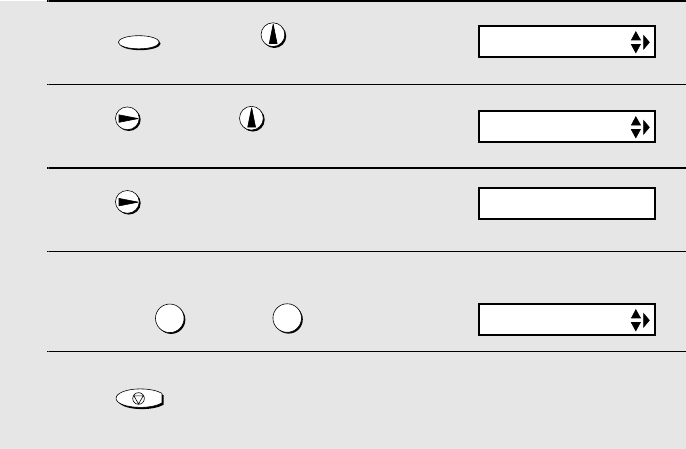
- 5 Press to exit 14
- 1 Press once and once 14
- 2 Press once and 3 times 14
- 3 Press once 14
- 4 Select the dial mode: 14
- Extension phone (optional) 16
- Loading the Imaging Film 17
- 5 Insert the green gears 18
- Loading Printing Paper 19
- 2 Press once and twice 20
- 4 Select the print contrast: 20
- 1 Press once and twice 21
- 2 Press once 21
- 7 Press 22
- Setting the Date and Time 23
- 8 Press to start the clock 24
- Setting the Reception Mode 25
- Volume Adjustment 26
- START/MEMORY 27
- RINGER: HIGH 27
- RINGER: MIDDLE 27
- RINGER: LOW 27
- RINGER: OFF OK ? 27
- OGM1(GENERAL) 28
- LIFT HANDSET OR 28
- PLAY: PLAYBACK 28
- Toll Saver Toll Saver 30
- 1 Press 31
- 2 The messages will play 31
- 2 Press once and once 33
- 3 Press 33
- OGM only mode 34
- Transfer Function 35
- OGM2(TRANSFER) 36
- A.M. SETTING 38
- OVERRIDE CODE 39
- REMOTE CODE 40
- Retrieving your messages 41
- Remote Operations 42
- Other remote operations 43
- Recording a "Memo" 45
- 3. Sending Faxes 46
- Loading the Document 47
- Resolution settings 48
- 1 Load the document(s) 49
- READY TO SEND 50
- ENTER FAX # 51
- <NEW NUMBER> 51
- 6 Press 52
- 1=EDIT, 2=CLEAR 53
- 2 Press once and 4 times 57
- Memory transmission 59
- If the memory becomes full 59
- OPTION SETTING 60
- Using A.M. Mode 61
- Using TEL Mode 63
- RECEIVING 64
- FAX SIGNAL RX 65
- Optional Reception Settings 66
- RATIO: 125% 69
- 6. Special Functions 71
- JOHN DOE 525-8693 72
- <REVIEW CALLS> 73
- Priority Call 74
- Blocking voice calls 75
- Service) 76
- 6. Special 77
- Functions 77
- LISTING MODE 78
- TEL # LIST 78
- PRESS START KEY 78
- Telephone Number List 79
- Setup List 79
- Message List 79
- Caller-ID List 79
- Transaction Report 80
- 8. Maintenance 82
- Scanning glass and rollers 83
- The housing 84
- 9. Troubleshooting 85
- Problems and Solutions 86
- General problems 88
- Messages and Signals 90
- Audible signals 92
- Clearing Paper Jams 94
- Quick Reference Guide 95
- REMOTE OPERATION CARD 99
- REMOTE COMMANDS 100
- SHARP CORPORATION 101
Prodotti e manuali riguardandi Macchina per mandare i fax Sharp FO-276
 (136 pagine)
(156 pagine)
(104 pagine)
(119 pagine)
(136 pagine)
(156 pagine)
(104 pagine)
(119 pagine)
© 2020, manymanuals.it. Tutti i diritti riservati | 0.049 s |
 Manymanuals.com
 Manymanuals.de
 Manymanuals.fr
 Manymanuals.it
 Manymanuals.pl
 Manymanuals.cz
 Manymanuals.es
 Manymanuals-pt.com
Commenti su questo manuale