Sharp HT-DV50H Specifiche
Navigare online o scaricare Specifiche per Sistemi per home cinema Sharp HT-DV50H. Sharp HT-DV50H Specifications Manuale Utente
- Pagina / 68
- Indice
- RISOLUZIONE PROBLEMI
- SEGNALIBRI

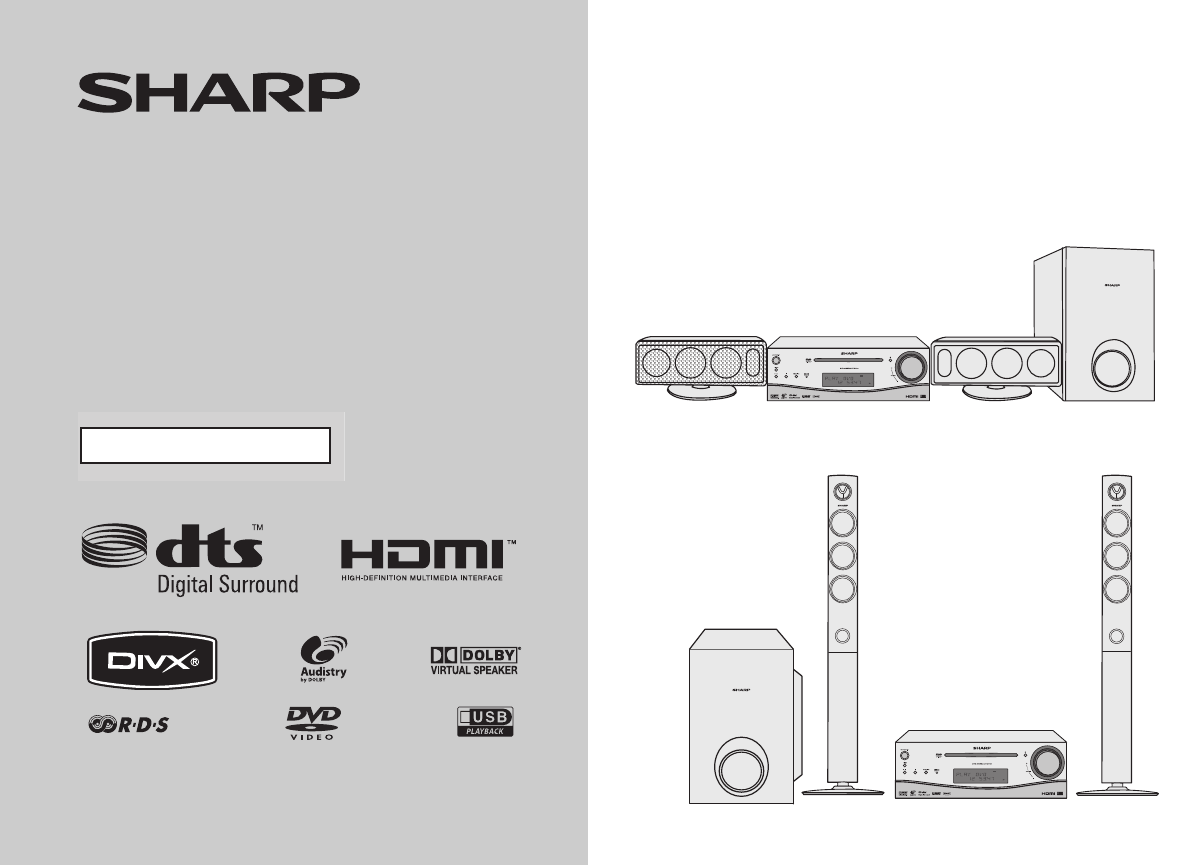
- HT-DV40H 1
- HT-DV50H 1
- Important Instruction 2
- Special Note 3
- Accessories 3
- Contents 4
- Precautions 5
- Controls and indicators 6
- General Information 10
- Description of discs 11
- System connections 14
- Preparation for Use 15
- Remote control 22
- Changing the set up menu 23
- ******** 25
- General control 30
- Basic Operation 31
- Playing a disc 36
- DVD Operation 37
- Playing a disc (continued) 38
- Basic operation 39
- Basic operation (continued) 40
- Useful operation 41
- Useful operation (continued) 42
- CD, CD-R and CD-RW Operation 46
- (direct play) 47
- DivX and JPEG disc operation 48
- Zoom function 49
- Rotating a picture 49
- Playback on USB memory device 50
- To remove USB memory device 50
- Advanced USB playback 51
- Listening to the radio 52
- Radio Operation 53
- Advanced Features 54
- Headphone connection 62
- Troubleshooting chart 63
- References 64
- Maintenance 65
- Specifications 66
- 03/12/17 HT-CN40_50_BACK.fm 68
Sommario
Thank you for purchasing this SHARP product. To obtain the bestperformance from this product, please read this manual carefully. Itwill guide you in
10 HT-DV40HHT-DV50H General Information Controls and indicators (continued) 35. Cursor Right Button . . . . . . . . . . 23, 36, 40, 42, 43, 48, 49,
11HT-DV40HHT-DV50HGeneral InformationDescription of discs Types of playable discsThe DVD player can play back discs bearing any of the following mark
12HT-DV40HHT-DV50HGeneral InformationDescription of discs (continued) Discs that cannot be played The discs above cannot be played at all, or no sou
13HT-DV40HHT-DV50HPreparation for UseSystem installation Magnetically shielded speakersThe speakers can be placed beside or near the TV as they arema
14HT-DV40HHT-DV50HPreparation for UseSystem connectionsLEFTRIGHTHT-DV40HRight speakerLeft speakerFM aerialSubwooferTo a wall socketLeft speakerRedRedP
15HT-DV40HHT-DV50HPreparation for UseHT-DV50HRight speaker Left speakerFM aerialSubwooferTo a wall socketLeft speakerRedRedPurple
16HT-DV40HHT-DV50HPreparation for UseSystem connections (continued)To prevent accidental short circuits between + and - terminals, connect the speaker
17HT-DV40HHT-DV50HPreparation for Use Installing the speakers1 Horizontal position : Fix the pattern paper and fix twoscrews into the wal
18HT-DV40HHT-DV50HPreparation for UseSystem connections (continued) CP-DV50HWarning: Fix the speaker stand properly according to this manual. Improp
19HT-DV40HHT-DV50HPreparation for Use SubwooferCaution: Aerial connection External FM aerialUse an external FM aerial if you require better recepti
2 HT-DV40HHT-DV50H Important Instruction Special Notes
20HT-DV40HHT-DV50HPreparation for UseConnecting to a conventional TV/monitor If the TV/monitor has video input, connect it to the VIDEO OUT socket o
21HT-DV40HHT-DV50HPreparation for UseAudio connection to other equipmentYou can hear the sound of other equipment via this product. Connectthe DVD pla
22HT-DV40HHT-DV50HPreparation for UseRemote control Battery installationPrecautions for battery use: Replace all old batteries with new ones at the
23HT-DV40HHT-DV50HPreparation for UseChanging the set up menuNotes: The setting are stored even if the unit is set to stand-by mode. The backup func
24HT-DV40HHT-DV50HPreparation for UseChanging the set up menu (continued)Set up menu Selectable parameters (* indicates default setting) DescriptionS
25HT-DV40HHT-DV50HPreparation for UseSet up menu Selectable parameters (* indicates default setting) DescriptionLANGUAGE SET UPAUDIO LANGENGLISH*FREN
26HT-DV40HHT-DV50HPreparation for UseChanging the set up menu (continued)Set up menu Selectable parameters (* indicates default setting) DescriptionV
27HT-DV40HHT-DV50HPreparation for UseSet up menu Selectable parameters (* indicates default setting) DescriptionSATURATION To adjust TV screen satura
28HT-DV40HHT-DV50HPreparation for UseChanging the set up menu (continued) TV display settingNote:When playing disc with a fixed video format, the dis
29HT-DV40HHT-DV50HPreparation for Use Rating setting1 Select “SYSTEM SET UP” on the Set up menu screen (seesteps 1 - 6 on page 23).2 Before setting “
3 HT-DV40HHT-DV50H General Information Special Note Supply of this product does not convey a license nor imply any rightto distribute content created
30HT-DV40HHT-DV50HBasic OperationGeneral control To turn the power onPress the ON/STAND-BY button to turn the power on. Illumination light control
31HT-DV40HHT-DV50HBasic OperationSetting the clock (Remote Control only) In this example, the clock is set for the 24-hour (0:00) display.To confirm th
32HT-DV40HHT-DV50HBasic OperationEnjoying surround sound (sound mode) Preset sound modes and sound imageYou can enjoy normal stereo sounds.Enjoy a
33HT-DV40HHT-DV50HBasic Operation Preset sound modeSelect any of the 8 preset modes already set to the optimal soundquality levels.Select a desired s
34HT-DV40HHT-DV50HBasic OperationEnjoying surround sound (sound mode) (continued) Audistry sound modeEnjoy a variety of sounds by each or any combina
35HT-DV40HHT-DV50HBasic OperationNotes: When setting each mode of Audistry to “ON”, the preset soundmode setting is cancelled. When setting the SOUN
36HT-DV40HHT-DV50HDVD OperationPlaying a discTurn on the TV, and switch the input to the “VIDEO 1”, “VIDEO2”, etc. accordingly. Playback 1 2 34 5 67
37HT-DV40HHT-DV50HDVD Operation Playback will begin from track 1. After the last track on the disc is played, the unit will stopautomatically.Cautio
38HT-DV40HHT-DV50HDVD OperationPlaying a disc (continued)To interrupt playbackPress the (DVD/CD ) button. To resume playback from the same poi
39HT-DV40HHT-DV50HDVD OperationBasic operation To locate the beginning of a chapter track (skip)You can move to other tracks with simple operations.N
4 HT-DV40HHT-DV50H General Information Contents Page General Information Precautions . . . . . . . . . . . . . . . . . . . . . . . . . . . . . . .
40HT-DV40HHT-DV50HDVD OperationBasic operation (continued) To start playback from the desired point (direct play) To select and play the desired tit
41HT-DV40HHT-DV50HDVD OperationUseful operation Still picture/Frame advance You can freeze the picture during playback.Note: The sound is muted duri
42HT-DV40HHT-DV50HDVD OperationUseful operation (continued) To change the angle You can change the angle of view when playing a DVD disc that contain
43HT-DV40HHT-DV50HDVD Operation To play in the desired order (programmed play) You can play back the desired tracks in a specific order. Maximum of 1
44HT-DV40HHT-DV50HDVD OperationUseful operation (continued) To play repeatedly (repeat play) You can play a chapter (track) or a title repeatedly b
45HT-DV40HHT-DV50HDVD OperationMP3/WMA: Title, Artist and Album name is displayed if it is recorded on the disc. Display content can be chan
46HT-DV40HHT-DV50HCD, CD-R and CD-RW OperationListening to a CD or MP3/WMA disc This system can play back a standard CD, CD-R/RW in the CD formatand C
47HT-DV40HHT-DV50HCD, CD-R and CD-RW OperationAdvanced CD or MP3/WMA disc playback To play in random order (random play) The tracks on the d
48HT-DV40HHT-DV50HCD, CD-R and CD-RW OperationDivX and JPEG disc operation
49HT-DV40HHT-DV50HCD, CD-R and CD-RW Operation Zoom function To return to normal view:Press the ZOOM button again, “ZOOM:OFF” will appear on the scr
5 HT-DV40HHT-DV50H General Information Precautions General Please ensure that the equipment is positioned in a well-ventilatedarea and ensure tha
50HT-DV40HHT-DV50HUSB Memory PlaybackPlayback on USB memory device Playback on USB memory device You can play USB recorded in JPEG, MP3 and WMA for
51HT-DV40HHT-DV50HUSB Memory Playback Notes: SHARP will not be held liable for the loss of data whilst the USBmemory device is connected to the audio
52HT-DV40HHT-DV50HUSB Memory PlaybackAdvanced USB playback (continued)To cancel random playback, press again the SHIFT and RANDOMbuttons, so that the
53HT-DV40HHT-DV50HRadio OperationNotes: When radio interference occurs, auto scan tuning may stopautomatically at that point. Auto scan tuning will
54HT-DV40HHT-DV50HAdvanced FeaturesUsing the Radio Data System (RDS)RDS is a broadcasting service which a growing number of FMstations provide. These
55HT-DV40HHT-DV50HAdvanced Features Using the Auto Station Programme Memory (ASPM)Whilst in the ASPM operation mode, the tuner will automaticallysear
56HT-DV40HHT-DV50HAdvanced FeaturesUsing the Radio Data System (RDS) (continued)Notes: The same station name can be stored in different channels. In
57HT-DV40HHT-DV50HAdvanced FeaturesNotes: If the display has stopped flashing, start again from step 2. If theunit finds a desired programme type, th
58HT-DV40HHT-DV50HAdvanced FeaturesUsing the Radio Data System (RDS) (continued)LIGHT M Classical music for general, rather than specialistappreciatio
59HT-DV40HHT-DV50HAdvanced FeaturesTimer and sleep operation (Remote Control only)Timer playback:The unit turns on and plays the desired source (DVD/C
6 HT-DV40HHT-DV50H General Information Controls and indicators Front panel Reference page1. CD Compartment . . . . . . . . . . . . . . . . . . . .
60HT-DV40HHT-DV50HAdvanced FeaturesTimer and sleep operation (Remote Control only) (continued)4 Within 10 seconds, press the or button to select“O
61HT-DV40HHT-DV50HAdvanced FeaturesNote:Checking the timer setting in the timer stand-by mode:Cancelling the timer setting in the timer stand-by mode:
62HT-DV40HHT-DV50HAdvanced FeaturesTimer and sleep operation (Remote Control only) (continued)To cancel the sleep operation:Press the ON/STAND-BY butt
63HT-DV40HHT-DV50HReferencesTroubleshooting chartMany potential problems can be resolved by the owner withoutcalling a service technician.If something
64HT-DV40HHT-DV50HReferencesTroubleshooting chart (continued) USB Remote control Tuner CondensationSudden temperature changes, storage or operatio
65HT-DV40HHT-DV50HReferences Error indicators and warningWhen you load an unplayable disc or fail to perform operationsproperly, the follow
66HT-DV40HHT-DV50HReferencesSpecificationsAs part of our policy of continuous improvement, SHARP reservesthe right to make design and specification cha
67HT-DV40HHT-DV50HReferences DVD player CP-DV40H Speaker CP-DV50H Speaker SubwooferSignal system PAL/NTSC colourSupported disc typesDVD (with the
03/12/17 HT-CN40_50_BACK.fmTINSEA226AWZZ07M R AS 1
7 HT-DV40HHT-DV50H General Information Display Reference page1. Chapter Indicator . . . . . . . . . . . . . . . . . . . . . . . . . . . . . . . .
8 HT-DV40HHT-DV50H General Information Controls and indicators (continued) Speaker system (CP-DV40H) 1. Tweeter2. Woofers3. Bass Reflex Duct4. Spea
9 HT-DV40HHT-DV50H General Information Remote control Reference page1. Remote Control Transmitter . . . . . . . . . . . . . . . . . . . . . . . .
Prodotti e manuali riguardandi Sistemi per home cinema Sharp HT-DV50H
 (68 pagine)
© 2020, manymanuals.it. Tutti i diritti riservati | 0.079 s |
 Manymanuals.com
 Manymanuals.de
 Manymanuals.fr
 Manymanuals.it
 Manymanuals.pl
 Manymanuals.cz
 Manymanuals.es
 Manymanuals-pt.com
Commenti su questo manuale