Sharp LC-50LE651V Specifiche Pagina 10
- Pagina / 64
- Indice
- RISOLUZIONE PROBLEMI
- SEGNALIBRI


- SHARP CORPORATION 1
- 50”: [ ] 2
- 60”: [( )] 2
- 39”: ( ) 2
- OPERATION MANUAL 3
- Introduction 4
- Remote control unit 5
- TV (Front view) 6
- TV (Side and rear view) 6
- Preparation 7
- Inserting the batteries 8
- Using the remote control unit 8
- Quick guide 10
- Initial auto installation 11
- Positioning / aligning DVB-T 16
- Menu operation 17
- Operation with the TV panel 18
- Favourites 18
- Watching TV 19
- EPG operation 20
- Other EPG functions 21
- Using the MHEG-5 application 22
- (UK only) 22
- Teletext 22
- Basic adjustment 23
- Stations settings 24
- Control settings 26
- Software update via Internet 29
- Software update via USB 29
- Connections settings 30
- Channel list 31
- Selecting the channel 31
- Channel information display 31
- (DVB-T /DVB-C only) 31
- Useful viewing functions 33
- TV menu options 34
- (Recording) 35
- Detailed information 35
- Video function 36
- Audio/Radio function 37
- USB / HOME MEDIA device 38
- Photo function 38
- AQUOS NET+ function 39
- What is AQUOS NET+? 39
- Operations in AQUOS NET 39
- Advance Operation 40
- Extras function 41
- Setup function 42
- Connecting external devices 43
- SCART connection 45
- Speaker/amplifier connector 45
- HDMI devices 46
- Connecting a PC 47
- PC compatibility chart 48
- Adjusting the PC image 48
- Multimedia/Network Setup 49
- USB REC function 51
- Manual recording 52
- skip/wind 54
- TV viewing with time shift 55
- Enjoying 3D image viewing 56
- Watching 2D images in 3D 57
- (AN-3DG20-B glasses) 57
- Troubleshooting - 3D Images 58
- Appendix 60
- Specifications 61
- End of life disposal 62
- Trademarks 62
Prodotti e manuali riguardandi TV a cristalli liquidi Sharp LC-50LE651V
 (93 pagine)
 (26 pagine)
LG HT355SD manuels
Manuels d'utilisation et guides de l'utilisateur pour Systèmes de cinéma à domicile LG HT355SD.
Nous fournissons des manuels en pdf 1 LG HT355SD à télécharger gratuitement par type de document : Manuel du propriétaire
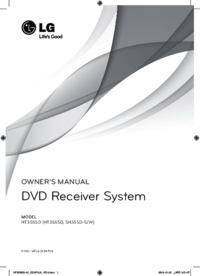
Lg HT355SD Manuel du propriétaire (32 pages)
marque: Lg | Catégorie: Home cinema systems | Taille: 2.28 MB |

Table des matières
Plus de produits et de manuels pour Systèmes de cinéma à domicile LG
| Modèles | Type de document |
|---|---|
| DH3130S |
Manuel du propriétaire
LG DH3130S Owner's manual,
36 pages
|
| BH6220C |
Manuel du propriétaire
LG BH6220C Owner's manual,
66 pages
|
| BH9430PW |
Manuel du propriétaire
LG BH9430PW home cinema system,
84 pages
|
| BH7520TW |
Manuel du propriétaire
LG BH7520TW Owner's manual,
74 pages
|
| DH6520T |
Manuel de l'utilisateur
LG DH6520T Owner's manual,
48 pages
|
| HX806SG |
Manuel de l'utilisateur
LG HX806SG Owner's manual,
60 pages
|
| BH6220S |
Manuel de l'utilisateur
LG BH6320H Owner's manual,
75 pages
|
| BH7540TW |
Manuel de l'utilisateur
LG BH7540TW Owner's manual,
80 pages
|
| HT905TA |
Manuel de l'utilisateur
LG HT905TA Owner's manual,
50 pages
|
| HX806SG |
Manuel de l'utilisateur
LG HX806SG Owner's manual,
60 pages
|
| BH7535TW |
Manuel de l'utilisateur
LG BH7530TW Owner's manual,
80 pages
|
| HX806SH |
Manuel de l'utilisateur
LG HX806SH Owner's manual,
60 pages
|
| BH9530TW |
Manuel de l'utilisateur
LG BH9530TW Owner's manual,
82 pages
|
| BH7540TW |
Manuel de l'utilisateur
LG BH7540TW Owner's manual,
80 pages
|
| BH6330H |
Manuel de l'utilisateur
LG BH6330H Owner’s Manual [en] ,
72 pages
|
| HX806PH |
Manuel de l'utilisateur
LG HX806PH Owner's manual,
62 pages
|
| BH6420P |
Manuel de l'utilisateur
LG BH6420P Owner’s Manual [en] ,
74 pages
|
| DH4430P |
Manuel de l'utilisateur
LG DH4430P Owner’s Manual,
46 pages
|
| HB806PE |
Manuel de l'utilisateur
LG HB806PE Owner's manual,
62 pages
|
| BH6340H |
Manuel de l'utilisateur
LG BH6340H Owner’s Manual,
76 pages
|
© 2020, manymanuals.it. Tutti i diritti riservati | 0.018 s |
 Manymanuals.com
 Manymanuals.de
 Manymanuals.fr
 Manymanuals.it
 Manymanuals.pl
 Manymanuals.cz
 Manymanuals.es
 Manymanuals-pt.com
Commenti su questo manuale