E-4
2009 September 25
DK-E7P_A6_EN_SCEE.mif
DK-E7P
ENGLISH
Preparation for Use
System connections
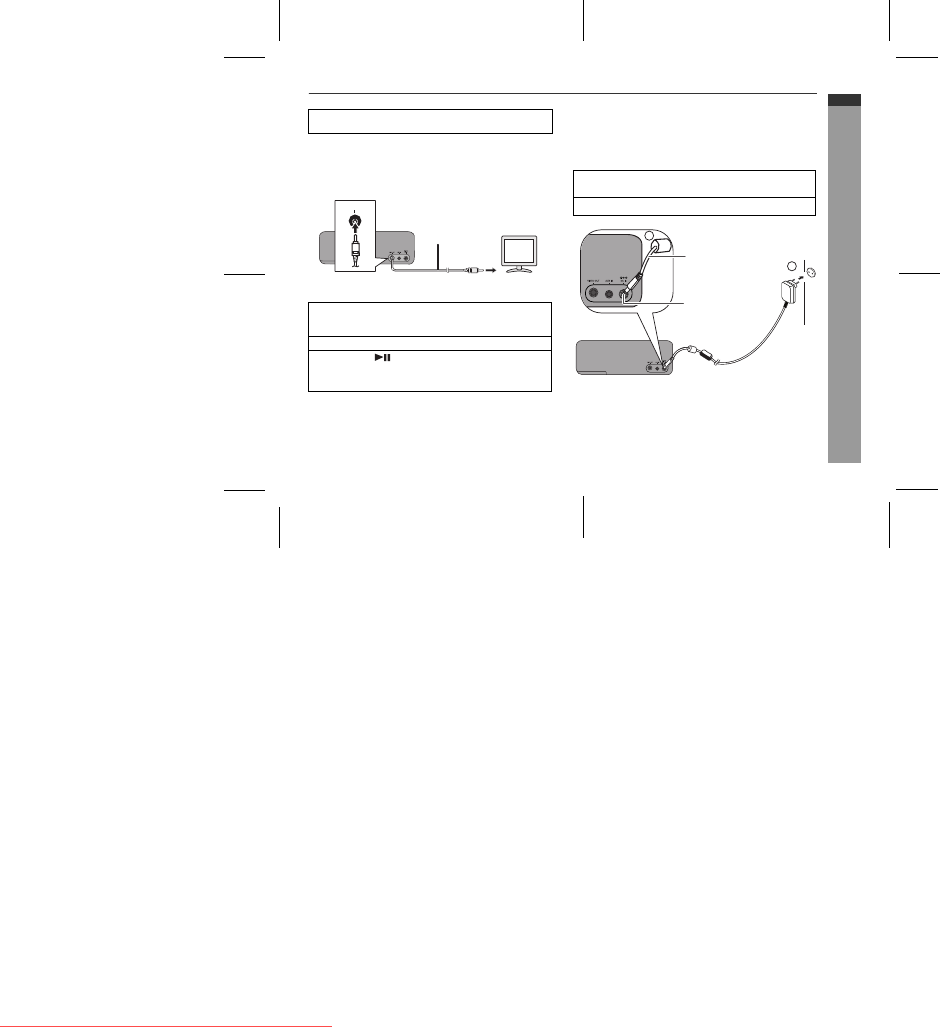
Connecting iPod or iPhone to TV
Photo and video files from iPod or iPhone can be viewed by
connecting the system to TV/monitor.
If the TV/monitor has a video input, connect it to the VIDEO OUT
socket at the back of the unit and set the TV Out on the iPod unit
to “ON” position.
Watching videos on a TV connected to iPod or
iPhone
Notes:
z If the TV Out setting is already turned ON at video menu, the
video is automatically displayed on the TV screen when iPod
or iPhone starts playback.
z To return to watching video on iPod or iPhone screen, repeat
steps 1 to 3.
z During iPod or iPhone video playback, pressing the ESOUND
(TV OUT) button until the ESOUND LED blinks twice will not
toggle video out display between iPod and TV.
z Please make sure to set iPod or iPhone unit to either NTSC
or PAL to match your TV signal. Please visit Apple’s home
page for further information.
z Customer should also refer iPod or iPhone operation manual
before making video out setting.
Using with the AC/DC adaptor
Notes:
z Unplug the AC/DC adaptor from the wall socket if the unit will
not be used for a prolonged period of time.
z Connecting the AC/DC adaptor to the unit disconnects the
batteries.
z Use only the supplied AC/DC adaptor. Using other AC/DC
adaptor may cause an electric shock or fire.
Make sure to unplug the AC/DC adaptor before making
any connections.
1 Enter the iPod or iPhone menu.
Press the ESOUND (TV OUT) button until the ESOUND
LED blinks twice to display video on the TV screen.
2 Select the desired video from the iPod or iPhone unit.
3 Press the button on the iPod unit to start
playback.
For iPod touch and iPhone, playback will automatically
start once the desired video is selected.
VT
TUO OE
D
IV
To video
input socket
Video cable
(not supplied)
1 Plug the AC/DC adaptor cable into the DC IN socket on
the unit.
2 Plug the AC/DC adaptor into a wall socket.
2
1
DC IN socket
(DC 6V)
AC/DC Adaptor Cable
Wall socket
(AC 100 - 240 V, 50/60 Hz)

 (22 pagine)
 (27 pagine)
 Manymanuals.com
 Manymanuals.de
 Manymanuals.fr
 Manymanuals.it
 Manymanuals.pl
 Manymanuals.cz
 Manymanuals.es
 Manymanuals-pt.com
Commenti su questo manuale