Sharp MX-4101N Specifiche Pagina 49: INSTALLING THE SCANNER DRIVER
 1
 2
 3
 4
 5
 6
 7
 8
 9
 10
 11
 12
 13
 14
 15
 16
 17
 18
 19
 20
 21
 22
 23
 24
 25
 26
 27
 28
 29
 30
 31
 32
 33
 34
 35
 36
 37
 38
 39
 40
 41
 42
 43
 44
 45
 46
 47
 48
 49
 50
 51
 52
 53
 54
 55
 56
 57
 58
 59
 60
 61
 62
 63
 64
 65
 66
 67
 68
 69
 70
 71
 72
 73
 74
 75
 76
26
INSTALLING THE SCANNER DRIVER
The scanner driver (TWAIN driver) can only be used when the machine is connected to a network. When the scanner
driver is installed, PC scan mode of the image send function can be used.
Supported operating systems: Windows 98/Me/2000
*
/XP
*
/Server 2003
*
/Vista
*
/Server 2008
*
* Administrator's rights are required to install the software.
After performing step 1 through step 5 of "OPENING THE SOFTWARE SELECTION SCREEN (FOR ALL
SOFTWARE)" (page 8), continue the steps below.
1
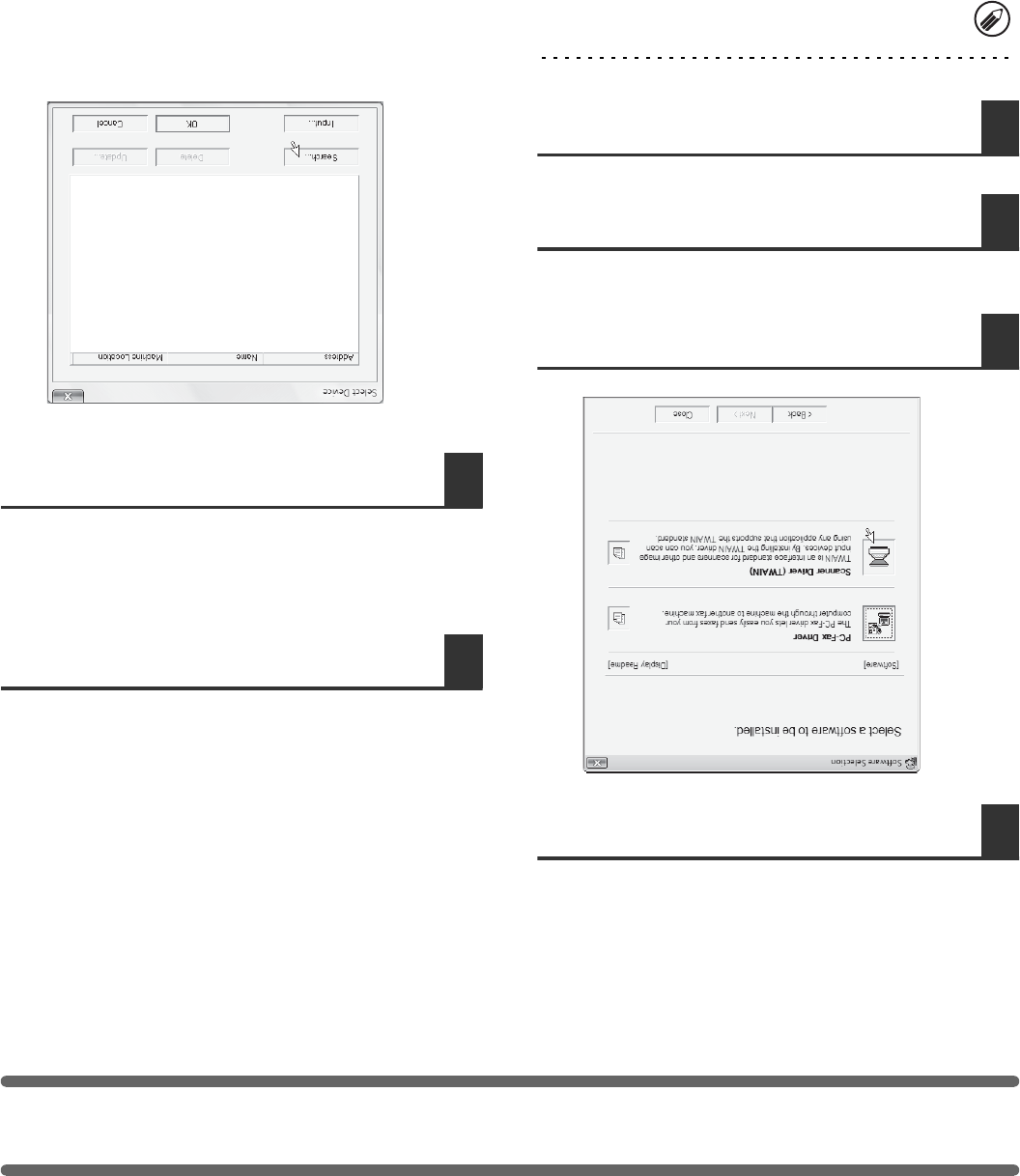
Click the [Scanner Driver (TWAIN)]
button.
2
Follow the on-screen instructions.
Read the message in the window that appears and click
the [Next] button.
3
When the finish setup window appears,
click the [OK] button.
4
Click the [Close] button in the window
of step 1.
This completes the installation. Next, configure the
IP address of the machine in the scanner driver.
When the scanner driver is installed, the "Select Device"
utility is also installed.
The IP address of the machine is configured in the
scanner driver using "Select Device".
5
Click the [start] button, select [All
Programs] ([Programs] in Windows
98/Me/2000), select [SHARP MFP
TWAIN K], and then select [Select
Device].
6
Click the [Search] button.
If you know the IP address, you can click the [Input] key
and enter the IP address without searching.
After the installation, a message prompting you to
restart your computer may appear. If this message
appears, click the [Yes] button to restart your
computer.
File PDF · ·
Domande su Sharp MX-4101N
Non ci sono ancora domande su questo manuale. Fate la prima.
Prodotti e manuali riguardanti Apparecchi multifunzione Sharp MX-4101N
- Apparecchi multifunzione Sharp JW-20FLT Manuale Utente
 (197 pagine)
- Apparecchi multifunzione Sharp MX-C381 Specifiche
(148 pagine)
- Apparecchi multifunzione Sharp MX-M260 Manuale Utente
 (160 pagine)
- Apparecchi multifunzione Sharp MX-4101N Specifiche
(12 pagine)
- Apparecchi multifunzione Sharp MX-M564N Manuale Utente
(8 pagine)
- Apparecchi multifunzione Sharp MX-M564N Manuale Utente
(8 pagine)
- Apparecchi multifunzione Sharp CPD-3830 Manuale Utente
(1 pagine)
- Apparecchi multifunzione Sharp MX-2010U Manuale Utente
(12 pagine)
- Apparecchi multifunzione Sharp MX-B381 Manuale Utente
(12 pagine)
- Apparecchi multifunzione Sharp MX-7500N Manuale Utente
(30 pagine)
- Apparecchi multifunzione Sharp AL-2021 Specifiche
(91 pagine)
- Apparecchi multifunzione Sharp MX-B402 Manuale Utente
(50 pagine)
- Apparecchi multifunzione Sharp FO-155 Specifiche

 (165 pagine)
- Apparecchi multifunzione Sharp MX-4140N Manuale di Installazione
(19 pagine)
- Apparecchi multifunzione Sharp JW-50FL Manuale Utente
(201 pagine)
- Apparecchi multifunzione Sharp MX-4140N Manuale Utente
(12 pagine)
- Apparecchi multifunzione Sharp CPD-3830 Manuale Utente
(12 pagine)
- Apparecchi multifunzione Sharp CD600 - B/W - Fax Manuale Utente
(23 pagine)
- Apparecchi multifunzione Sharp AR-810 Manuale delle Istruzioni
(178 pagine)
- Apparecchi multifunzione Sharp AL-1566 Specifiche
(116 pagine)