Sharp UX-A255 Manuale Utente
Navigare online o scaricare Manuale Utente per Stampanti per fotografie Sharp UX-A255. Sharp UX-A255 User Manual Manuale Utente
- Pagina / 112
- Indice
- RISOLUZIONE PROBLEMI
- SEGNALIBRI

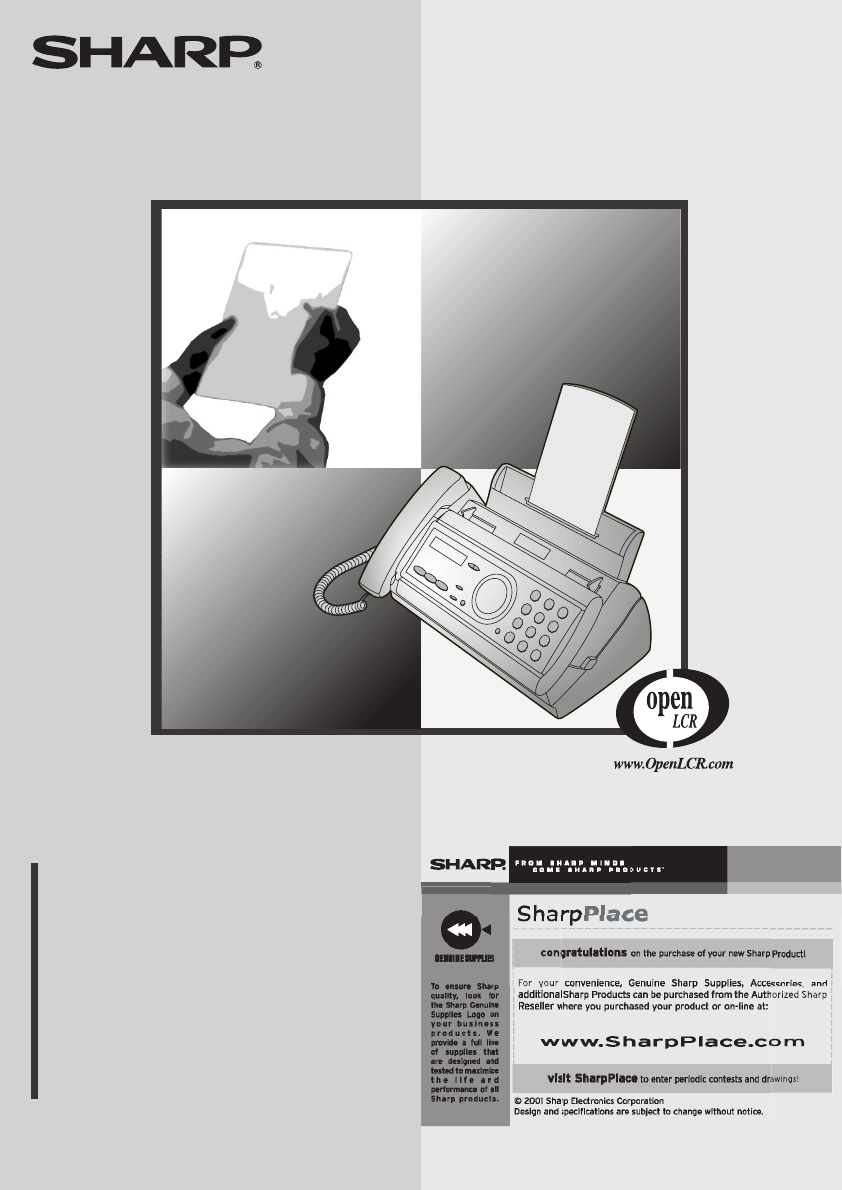
- FACSIMILE 1
- ENERGY STA R 2
- Introduction 3
- Important safety information 5
- Table of Contents 6
- A Look at the Operation Panel 8
- 1. Installation 10
- Connections 11
- 1 Press once and twice 12
- 2 Press once and twice 12
- 3 Press once 12
- 4 Select the dial mode: 12
- 5 Press to exit 12
- Loading the Imaging Film 14
- 5 Insert the green gears 15
- Loading Printing Paper 16
- Print contrast setting 17
- Setting the paper size 17
- 1 Press once and 3 times 18
- 2 Press once 18
- 7 Press 19
- Setting the Date and Time 20
- Daylight Saving Time 21
- Setting the Reception Mode 22
- Volume Adjustment 23
- 1 Press or 24
- 2. Setting Up 25
- 2 Press , , and then 26
- 2 Press and then 26
- START/MEMORY 27
- SET OWN NUMBER 27
- 10 DIGITS 27
- JAN-19 02:16 28
- Setting Up and Using OpenLCR 29
- 1 Press once and once 30
- Changing your user profile 31
- 1 Press , 33
- Recording an Outgoing Message 35
- Toll Saver Toll Saver 37
- 1 Press 38
- 2 The messages will play 38
- 2 Press once and once 40
- 3 Press 40
- OGM only mode 41
- Transfer Function 42
- Override Ringing 45
- Remote Operations 47
- Retrieving your messages 48
- Other remote operations 50
- Recording a "Memo" 52
- 4. Sending Faxes 53
- Loading the Document 54
- Resolution settings 55
- 1 Load the document(s) 56
- 4 Press 58
- 6 Press 59
- 1=EDIT, 2=CLEAR 60
- <NEW NUMBER> 60
- 8 Press 61
- Automatic redialing 63
- 2 Press once and 6 times 64
- Sending a Fax From Memory 65
- Memory transmission 66
- If the memory becomes full 66
- 5. Receiving Faxes 67
- Using TEL Mode 68
- Optional Reception Settings 70
- Reception Ratio 71
- 6. Making Copies 73
- 7. Special Functions 75
- How Caller ID operates 76
- Display messages 76
- 1 Press twice 77
- Priority Call 78
- Blocking voice calls 79
- Service) 80
- 7. Special 81
- Functions 81
- 8. Printing Lists 82
- Message List 83
- Caller-ID List 83
- Telephone Number List 83
- Setup List 83
- Transaction Report 84
- 9. Maintenance 86
- Scanning glass and rollers 87
- The housing 88
- 10. Troubleshooting 89
- Problems and Solutions 90
- General problems 92
- Messages and Signals 93
- Audible signals 95
- Clearing Paper Jams 96
- Ordering Parts 98
- FCC Regulatory Information 99
- Section 2. Ingredients 100
- Section 4. First-Aid Measures 100
- Quick Reference Guide 102
- Guía de referencia rápida 103
- REMOTE OPERATION CARD 109
- (Tel. #) 110
- REMOTE COMMANDS 110
- LIMITED WARRANTY 111
- SHARP CORPORATION 112
Sommario
MODELUX-A255OPERATION MANUALFACSIMILE 1. Installation 2. Setting Up and Using OpenLCR 3. Sending Faxes 4. Receiving Faxes 5. Maki
81. InstallationUnpacking ChecklistPoints to keep in mind when setting upDo not place the machine in direct sunlight.Do not place the machine near he
98SHARPDate Revised: .Date Issued :July. 3. 2001MATERIAL SAFETY DATA SHEET (1/2)MSDS No. B-1026Section 1. Product and Company IdentificationProduct Na
99SHARPDate Revised: .Date Issued :July. 3. 2001MATERIAL SAFETY DATA SHEET (2/2)MSDS No. B-1026Section 6. Accidental Release MeasuresRumpling the prod
100Quick Reference GuideSending FaxesPlace your document (up to 10 pages) face down in the document feeder.Normal Dialing 1. Lift the handset or press
101Guía de referencia rápidaTransmisión de mensajes telefaxColoque el original (hasta 10 páginas) cara abajo en el alimentador de documentos.Marcación
102AAnti Junk Fax, 79Audible signals, 93Auto-dial numbersStoring, 34, 56Using, 59CCaller ID, 73-77Caller ID List, 81Contrast, 54Copies, 71Copy cut-off
Index103Override Ringing, 43PPaper jams, clearing, 94-95Paper size setting, 15Paper tray extension, 11Paper, loading, 14Power cord, 9Print contrast se
all.bookPage104Tuesday,October9,20016:14PM
all.bookPage105Tuesday,October9,20016:14PM
all.bookPage106Tuesday,October9,20016:14PM
1. Call your fax from a touch-tone telephone, and press # when the outgoing message begins. 2. Enter your remote code: . 3. Pres
Connections91. InstallationConnectionsConnecting the handsetConnect the handset as shown and place it on the handset rest.♦ The ends of the handset co
REMOTE COMMANDS• FAX RECEPTION MODES TAD mode... 81#FAX mode... 82#TEL mode... 83#•
LIMITED WARRANTY SHARP ELECTRONICS CORPORATION warrants to the first end user purchaser that this Sharpbrand product (the "Product"), when s
PRINTED IN THAILAND(TINSE4265XHTZ)SHARP ELECTRONICS CORPORATIONSharp Plaza, Mahwah, New Jersey 07430-2135SHARP CORPORATIONall.bookPage110Tuesday,
Connections10Connecting the telephone line cordInsert one end of the line cord into the jack on the back of the machine marked TEL. LINE. Insert the o
Connections111. InstallationComments:♦ The fax machine is not designed for use on a line which has call waiting, call forwarding, or certain other spe
Loading the Imaging Film12Loading the Imaging FilmYour fax uses a roll of imaging film to create printed text and images. The print head in the fax ap
Loading the Imaging Film131. Installation4 Remove the new roll of imaging film from its packaging.• Cut the band that holds the rolls together.5 Inser
Loading Printing Paper141 Fan the paper, and then tap the edge against a flat surface to even the stack. Make sure the stack edges are even.2 Insert t
Loading Printing Paper151. Installation1 Press once and twice.2 Press once and twice.3 Press once.4 Select the paper size:LETTER: LEGAL
Entering Your Name and Fax Number16Entering Your Name and Fax NumberOnce you enter this information, it will automatically appear at the top of each f
Entering Your Name and Fax Number171. Installation4 Enter your fax number by pressing the number keys (max. 20 digits). • To insert a space between di
WARNING - FCC Regulations state that any unauthorized changes or modifications to this equipment not expressly approved by the manufacturer could void
Setting the Date and Time18Setting the Date and Time1 Press once and 3 times.2 Press once and once.3 Press . 4 Enter a two-digit number for th
Setting the Date and Time191. Installation1 Press once and twice.2 Press once and 5 times.3 Press once.4 Press to select YES, or to sele
Setting the Reception Mode20Setting the Reception ModeYour fax has three modes for receiving incoming faxes:FAX mode:Select this mode when you only wa
Volume Adjustment211. InstallationVolume AdjustmentYou can adjust the volume of the speaker, handset, and ringer using the up and down arrow keys.1 Pr
Volume Adjustment221 Press or . (Make sure has not been pressed, the handset is not lifted, and a document is not loaded in the feeder.)• The ringe
232. Setting Up OpenLCR2. Setting Up and Using OpenLCRYour fax machine features OpenLCR technology, which helps you save money on long distance and i
Setting Up and Using OpenLCR24 1 Place the form with the side you wrote on face down, and push it gently into the document feeder of the fax machine.
Setting Up and Using OpenLCR252. Setting Up OpenLCR3 If the display shows the alternating messages at right, press the number keys to enter your fax/p
Setting Up and Using OpenLCR26Note: If you wish to connect more than one OpenLCR-enabled device to the same line, please call OpenLCR at 970-206-1207.
Setting Up and Using OpenLCR272. Setting Up OpenLCRCaution! If you unplug the fax machine or an interruption occurs in your power supply, the rate dat
1Introduction*Based on Sharp Standard No. 1 Chart at standard resolution in Sharp special mode, excluding time for protocol signals (i.e., ITU-T phase
Setting Up and Using OpenLCR28Temporarily turning off OpenLCRIf needed, you can temporarily turn off OpenLCR.♦ When you temporarily turn off OpenLCR,
Setting Up and Using OpenLCR292. Setting Up OpenLCRChanging your user profileIf you need to change your user profile, pick up the handset on the fax m
Setting Up and Using OpenLCR301 Press once and once. 2 Press once and once.3 Press once.4 Press (SET) to set the new phone number.• Note: I
Setting Up and Using OpenLCR312. Setting Up OpenLCRSelecting a long or short callBefore you make a long distance or international phone/fax call, sele
Setting Up and Using OpenLCR321 Press once and once. 2 Press once and once.3 Press 4 Enter a 2-digit number (“01” to “ 29”) for the number of
333. Answering Machine1 Press once and once.2 Press once.3 Lift the handset.(If you have already recorded a message, you can press to listen to
Operating the Answering Machine34To listen to the outgoing messageTo listen to the outgoing message, follow Steps 1 and 2 of the above procedure and t
Operating the Answering Machine353. Answering MachineNote: In TAD mode, the machine will automatically switch to fax reception if it detects six secon
Operating the Answering Machine36Listening to received messagesWhen you return, the display will show the number of messages recorded. Follow the step
Operating the Answering Machine373. Answering MachineErasing received messagesIt is important to erase received messages after you listen to them to e
2Display 16-digit LCD displayApplicable telephone line Public switched telephone networkPaper tray capacity Letter: Approx. 50 sheets (20-lb. copier p
Optional Answering Machine Settings381 Press once and once.2 Press once and once.3 Press .4 Press a number from 1 to 4 to select the desired I
Optional Answering Machine Settings393. Answering Machine1 Press once and once.2 Press once and twice.3 Press .4 Press to turn on automatic
Transfer Function403 Press .4 Press to turn on OGM only mode, or to turn it off.5 Press to return to the date and time display.12STOPThe display
Transfer Function413. Answering Machine4 Press the number keys to enter the transfer number.• To insert a pause between any two digits of the number,
Transfer Function424 Press and speak into the handset to record the message.• The transfer message can be up to 15 seconds long. While recording, th
Override Ringing433. Answering Machine6 Each time the machine receives an incoming message, it will call your programmed transfer number. When you ans
Override Ringing442 Press once and 3 times.3 Press .4 Press the number keys to enter a 3-digit override code.5 Press to store the override code,
Remote Operations453. Answering Machine1 Press once and once.2 Press once and twice.3 Press .4 Press the number keys to enter a 3-digit remote
Remote Operations461 Press once and once.2 Press once.3 Press once.4 Press to turn on the Toll Saver function, or to turn it off.5 Press t
Remote Operations473. Answering Machine3 While the messages are playing, you can do any of the following:• Repeat: To listen to a message a second tim
3As a part of our policy of continuous improvement, SHARP reserves the right to make design and specification changes for product improvement without
Remote Operations48Note: You can also call the machine and perform remote operations when the reception mode is set to FAX. In this case, when you cal
Remote Operations493. Answering MachineRecording a new outgoing message1 Press and on the telephone.2 When you hear a short beep, speak into the t
Remote Operations50Recording a "Memo"You can record a "memo" for yourself or other users of the machine. The memo will be played b
514. Sending Faxes4. Sending FaxesTransmittable DocumentsSize and weightThe size and weight of documents that you can load in the document feeder dep
Loading the Document52Other restrictions♦ The scanner cannot recognize yellow, greenish yellow, or light blue ink.♦ Ink, glue, and correcting fluid on
Adjusting the Resolution and Contrast534. Sending FaxesAdjusting the Resolution and ContrastIf desired, you can adjust the resolution and contrast bef
Adjusting the Resolution and Contrast54Note: In order to transmit in SUPER FINE resolution, the receiving fax machine must also have that resolution.
Sending a Fax by Normal Dialing554. Sending Faxes1 Load the document(s).• If desired, press to set the resolution and/or contrast.2 Pick up the hand
Sending a Fax by Automatic Dialing56Sending a Fax by Automatic DialingYou can store up to 30 fax or phone numbers in the machine for automatic dialing
Sending a Fax by Automatic Dialing574. Sending Faxes5 Enter a name by pressing number keys for each letter as shown in the chart below. Up to 15 chara
4Table of ContentsA Look at the Operation Panel 61. Installation 8Unpacking Checklist . . . . . . . . . . . . . . . . . . . . . . . . . . . . . . . .
Sending a Fax by Automatic Dialing58Editing and clearing auto-dial numbersIf you need to make changes to a previously stored auto-dial number, or clea
Sending a Fax by Automatic Dialing594. Sending Faxes8 Press .9 Return to Step 2 to edit or clear another number, or press to return to the date and
Sending a Fax by Automatic Dialing60Sending a fax by Direct Keypad DialingYou can also enter a full number with the number keys and then press the ke
Sending a Fax by Automatic Dialing614. Sending Faxes1 If you are sending a fax, load the document(s).• If desired, press to set the resolution and/o
Sending a Fax by Automatic Dialing62Error Correction ModeThe fax machine is set to automatically correct any distortions in a transmission due to nois
Sending a Fax From Memory634. Sending FaxesSending a Fax From MemoryYou can scan a document into the fax’s memory and send the document from memory. T
Sending a Fax From Memory64Memory transmissionYou can also send a fax through memory when sending to a single location. This is convenient when sendin
655. Receiving FaxesWhen the reception mode is set to FAX, the fax machine will automatically answer all calls on four rings and receive incoming faxe
Using TEL Mode662 Press once.3 Press once.4 Enter the desired number of rings (any number from 2 to 5).Example: 3 rings 5 Press to return to the
Using TEL Mode675. Receiving Faxes1 When the fax machine rings, pick up the handset.2 If you hear a fax tone, wait until the display shows RECEIVING a
Table of Contents56. Making Copies 717. Special Functions 73Caller ID (Requires Subscription to Service) . . . . . . . . . . . . . . . . . . 73Dist
Optional Reception Settings682 If you hear a soft fax tone, wait until your fax responds (you will hear pronounced, high-pitched tones), then hang up.
Optional Reception Settings695. Receiving Faxes4 Press to turn on the function, or to turn it off. 5 Press to return to the date and time displ
Substitute Reception to Memory70Substitute Reception to MemoryIn situations where printing is not possible, such as when your fax runs out of paper, t
716. MakingCopies6. Making CopiesYour fax machine can also be used to make copies. Single and multiple copies (up to 99 per original) can be made, en
Making Copies721 Press once and twice.2 Press once and once.3 Press once.4 Press to set copy cut-off to YES (the remaining part of the docu
737. Special Functions7. Special FunctionsCaller ID (Requires Subscription to Service)If you subscribe to a caller identification service from your t
Caller ID (Requires Subscription to Service)747 Press to store your area code.8 Press to return to the date and time display.START/MEMORYSTOPHow C
Caller ID (Requires Subscription to Service)757. Special FunctionsViewing the Caller ID listIf you subscribe to a Caller ID service and have turned on
Caller ID (Requires Subscription to Service)761 Press once and 3 times.2 Press once and once.3 Press once.4 Press to store a number. (To cl
Caller ID (Requires Subscription to Service)777. Special FunctionsBlocking voice callsWith Caller ID turned on, you can use the Anti Junk Fax function
6DisplayThis displays messages and prompts to help you operate the machine.REC/MEMO keyPress this key to record an outgoing message, phone conversatio
Distinctive Ring (Requires Subscription to Service)78Distinctive Ring (Requires Subscription to Service)Important:♦ To use distinctive ring, you must
Blocking Reception of Unwanted Faxes797. Special Functions5 Press to return to the date and time display.6 Set the reception mode to FAX.♦ When usin
808. Printing ListsYou can print lists showing settings and information entered in the fax machine. The lists are described below. To print a list, f
Printing Lists818. Printing ListsMessage ListThis list shows information about the messages currently recorded in the answering machine, including the
Printing Lists82Transaction ReportThis report is printed out automatically after an operation is completed to allow you to check the result. Your fax
Printing Lists838. Printing ListsTransaction Report print conditionYou can change the condition under which a Transaction Report is printed out. Follo
849. MaintenancePrint headClean the print head frequently to ensure optimum printing performance.Note: Remove the paper from the paper tray before cl
Maintenance859. Maintenance4 Place the imaging film back in the print compartment.5 Rotate the front gear until the film is taut, and then close the o
Maintenance862 Flip up the green levers on each side of the white roller.3 Wipe the scanning glass (under the white roller) and rollers with a cotton
8710. Trouble-shooting10. TroubleshootingProblems and SolutionsIf you have any problems with your fax, first refer to the following troubleshooting g
7START/MEMORY keyPress this key after dialing to begin fax transmission. Press this key before dialing to send a fax through memory. The key can also
Problems and Solutions88Dialing and transmission problemsProblem SolutionNo dial tone when you pick up the handset or press the SPEAKER key.• Make sur
Problems and Solutions8910. Trouble-shootingReception and copying problemsProblem SolutionThe fax machine doesn't receive documents automatically
Problems and Solutions90The quality of copies is poor and/or dark vertical lines appear.• Any dirt or material on the scanning glass will cause spots
Messages and Signals9110. Trouble-shootingMessages and SignalsDisplay messagesNote: If you have turned on the Caller ID function, see page 74 for disp
Messages and Signals92LCR DOWNLOADING The fax machine has called OpenLCR and is receiving carrier rate data. This message only appears if you have reg
Messages and Signals9310. Trouble-shootingPRINT HEAD FAIL/YOU NEED SERVICE(alternating messages)The print head has failed and requires service.READY T
Clearing Paper Jams94Clearing Paper JamsClearing a jammed documentIf the original document doesn’t feed properly during transmission or copying, or DO
Clearing Paper Jams9510. Trouble-shooting1 Open the operation panel (press ➊).2 Gently pull the jammed paper out of the machine, making sure no torn p
Ordering Parts96Ordering PartsTo order parts, contact the parts distribution center located nearest you. When ordering a part, use the part order numb
FCC Regulatory Information97FCC Regulatory InformationThis equipment complies with FCC rules, Part 68. On this equipment is a label that contains, amo
Prodotti e manuali riguardandi Stampanti per fotografie Sharp UX-A255
 (178 pagine)
(104 pagine)
(311 pagine)
(178 pagine)
(104 pagine)
(311 pagine)
© 2020, manymanuals.it. Tutti i diritti riservati | 0.047 s |
 Manymanuals.com
 Manymanuals.de
 Manymanuals.fr
 Manymanuals.it
 Manymanuals.pl
 Manymanuals.cz
 Manymanuals.es
 Manymanuals-pt.com
Commenti su questo manuale