Sharp AL-1340 Manuale Utente Pagina 13
- Pagina / 46
- Indice
- RISOLUZIONE PROBLEMI
- SEGNALIBRI

- Digital Laser Copier/Printer 1
- FOR YOUR PROTECTION 2
- 1-(630)378-3590 in the USA 2
- CONTENTS 3
- 7 APPENDIX 4
- GETTING STARTED 5
- MAIN FEATURES 6
- Substantial copying functions 7
- Scan once/ Print many 7
- Printer feature 7
- PART NAMES 8
- OPERATION PANEL 9
- INSTALLATION 10
- CAUTIONS ON HANDLING 11
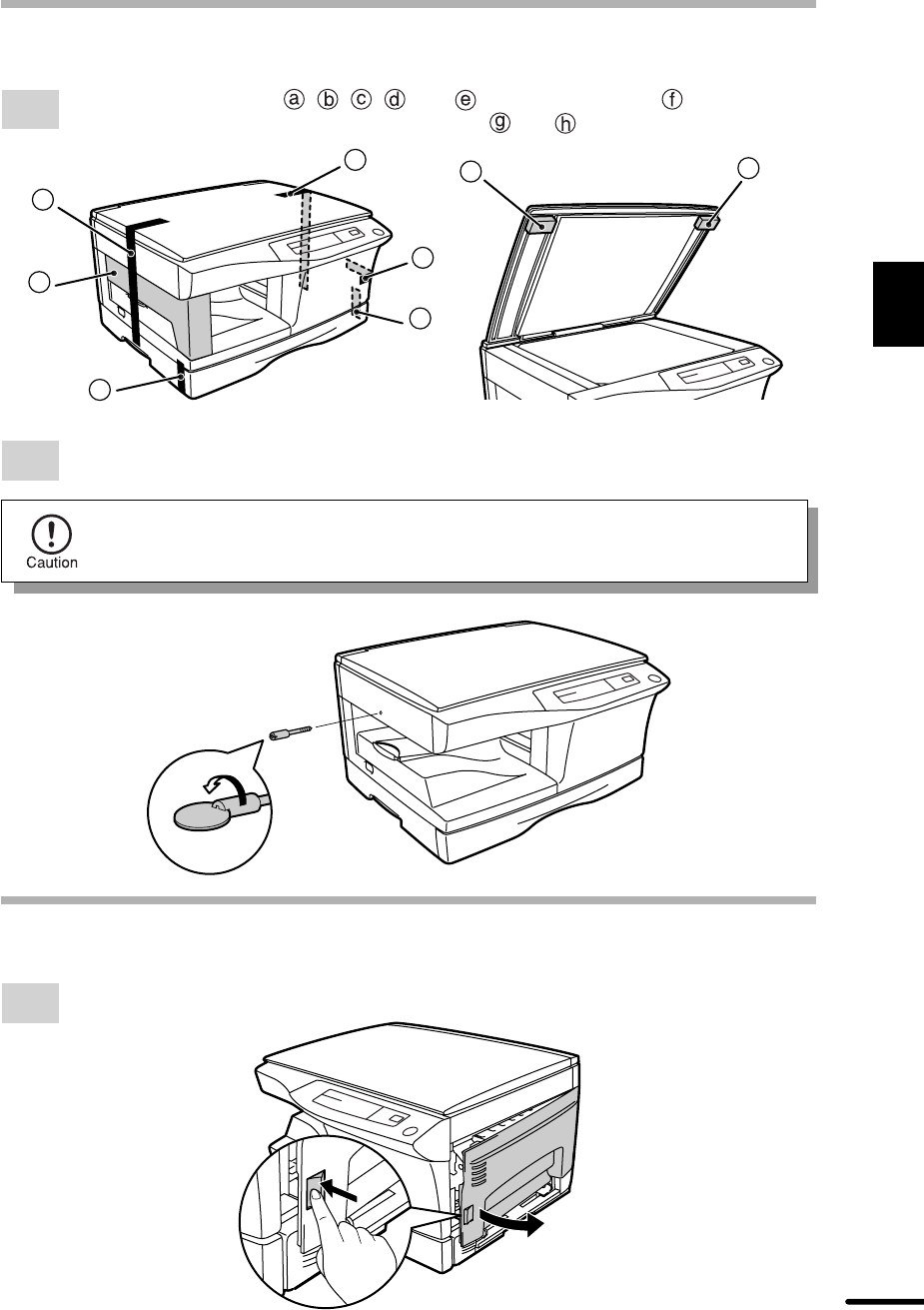
- ACCESSORIES 12
- UNPACKING 12
- INSTALLING THE TD CARTRIDGE 13
- Protective pins 14
- CAUTION tape 14
- ScrewPressure plate lock 16
- Paper guide B 16
- Paper guide A 16
- LOADING COPY PAPER 16
- POWER TO COPIER 17
- POWER ON 18
- MAKING COPIES 19
- NORMAL COPYING 20
- Tens digit Unit digit 21
- REDUCTION/ENLARGEMENT/ZOOM 22
- BYPASS FEED (special paper) 23
- First original 24
- Second original 24
- Face up or face down 24
- Face down 24
- SPECIAL FUNCTIONS 25
- USER PROGRAMS 26
- Lock release button 28
- DRUM CARTRIDGE REPLACEMENT 29
- USER MAINTENANCE 30
- Transfer charger 31
- When copier is not in use 32
- COPIER TROUBLE? 33
- Fusing unit release lever 34
- TROUBLESHOOTING 36
- STATUS INDICATORS 37
- AUTOMATIC EXPOSURE ADJUSTMENT 38
- WA (1B=10dB) 39
- PA (bystander positions) 39
- Appendix 40
- MOVING INSTRUCTIONS 41
- For users in the USA 45
- SHARP ELECTRONICS CORPORATION 46
- SHARP CORPORATION 46
Prodotti e manuali riguardandi Stampanti per fotografie Sharp AL-1340
 (47 pagine)
© 2020, manymanuals.it. Tutti i diritti riservati | 0.034 s |
 Manymanuals.com
 Manymanuals.de
 Manymanuals.fr
 Manymanuals.it
 Manymanuals.pl
 Manymanuals.cz
 Manymanuals.es
 Manymanuals-pt.com
Commenti su questo manuale