Sharp AR-650 Manuale Utente Pagina 53
- Pagina / 181
- Indice
- RISOLUZIONE PROBLEMI
- SEGNALIBRI

- DIGITAL COPYING MACHINE 1
- OPERATION MANUAL 1
- FOR YOUR RECORDS 2
- FCC NOTICE 3
- CONTENTS 5
- Features of the AR-650 copier 6
- TABLE OF CONTENTS 7
- TABLE OF CONTENTS (Cont.) 8
- PRECAUTIONS 10
- (Cont.) 10
- DESCRIPTION 11
- OF THE DIGITAL 11
- 1. NAMES OF MAIN COMPONENTS 12
- ALL CLEAR 15
- Message 16
- Reproduction Ratio 16
- Copy Quantity 16
- HOW TO MAKE COPIES 19
- Turning ON the Power Switch 20
- Auto Job Start Mode 21
- Insert the original 26
- Select the exposure 29
- Press the ZOOM ORG.→COPY key 31
- Select the copy size 31
- Using the Zoom Keys 36
- Press the 1→1 key 38
- Procedure 43
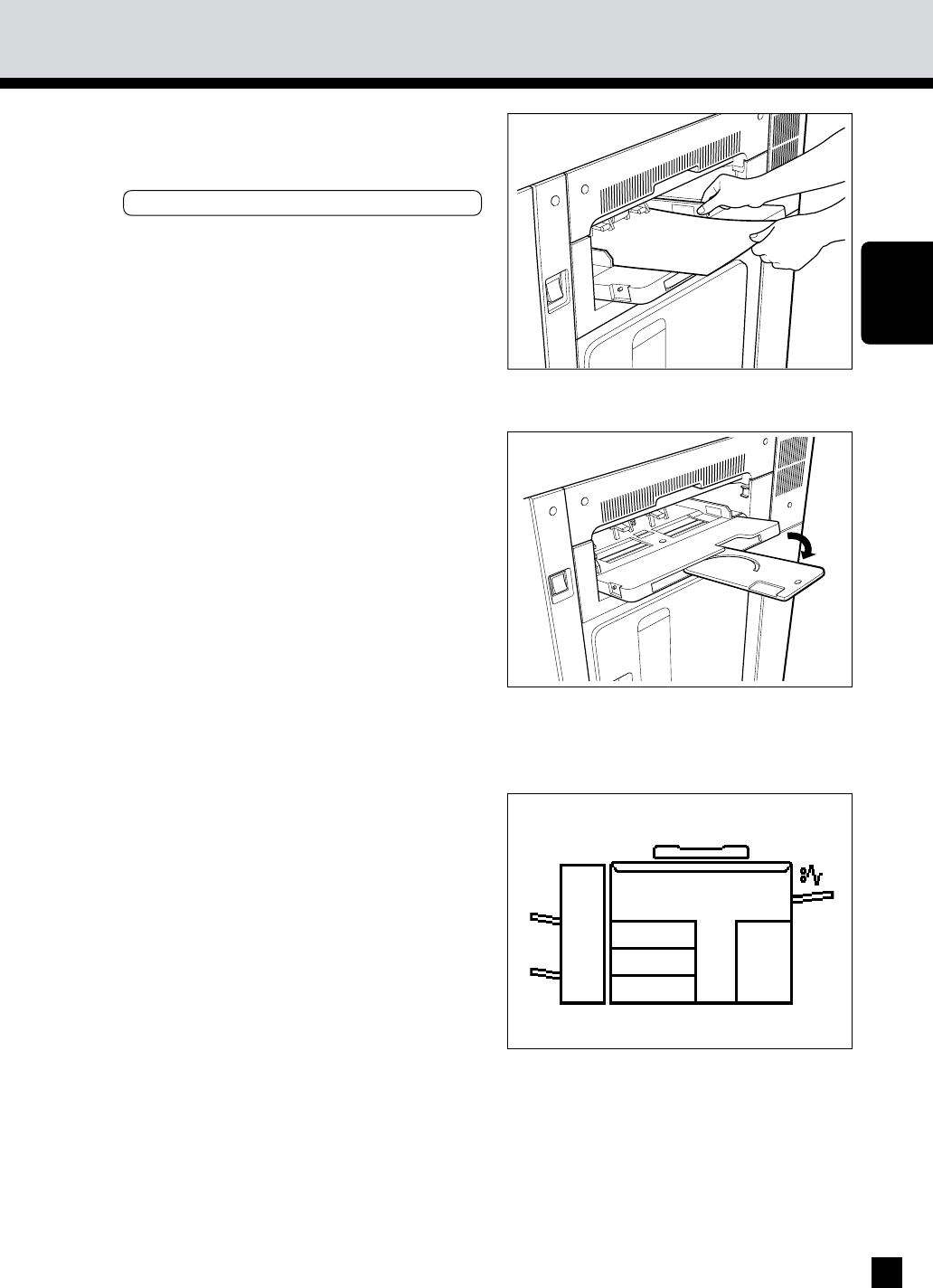
- 12. BYPASS COPYING 52
- . INTERRUPT COPYING 56
- 15. PRESETTING OF COPY MODES 57
- 16. ALL CLEAR KEY 58
- USING THE EDITING FUNCTIONS 59
- 1. IMAGE SHIFT COPYING 60
- 2. EDGE ERASE COPYING 62
- 3. DUAL-PAGE COPYING 64
- 4. X-Y ZOOM 65
- 5. TRIMMING/MASKING 66
- How to read areas 67
- 5. TRIMMING/MASKING (Cont.) 68
- 6. MIRROR IMAGE 70
- 7. NEGATIVE/POSITIVE REVERSAL 71
- 8. 2 IN 1 / 4 IN 1 73
- 8. 2 IN 1 / 4 IN 1 (Cont.) 74
- 9.ANNOTATION 77
- 9.ANNOTATION (Cont.) 78
- 10. PAGE NUMBER 79
- 10. PAGE NUMBER (Cont.) 80
- 11. MAGAZINE SORT 82
- 12. COVER SHEET COPYING 84
- Copying Procedure 85
- 13. SHEET INSERTION COPYING 88
- 13. SHEET INSERTION COPYING ( 90
- Setting Procedure 91
- 15. DOCUMENT STORAGE 93
- 15. DOCUMENT STORAGE (Cont.) 94
- USING THE SPECIAL FUNCTIONS 97
- 1. ACCOUNT NUMBER 98
- 2. JOB MEMORY 100
- Program menu 101
- 3. WEEKLY TIMER 103
- USING THE 105
- FUNCTIONS 105
- 5. SETTING THE DATE AND TIME 106
- CHANGE LANGUAGES key 109
- USING THE OPTIONAL FINISHER 111
- 2. NON-SORT COPYING 113
- 3. SORT COPYING 114
- OPTIONAL 115
- FINISHER 115
- 3. SORT COPYING (Cont.) 116
- 4. GROUP COPYING 118
- 4. GROUP COPYING (Cont.) 120
- 5. STAPLING 122
- Press the START key 123
- 5. STAPLING (Cont.) 124
- 6. HOLE PUNCHING MODE 126
- Copies exit onto the trays 127
- Place the originals 128
- STAPLE key 128
- WHEN THE 131
- GRAPHIC SYMBOLS 131
- 1. ADD PAPER SYMBOL 132
- 2. REPLACE TONER BAG SYMBOL 134
- 3. ADD TONER SYMBOL 136
- 3. ADD TONER SYMBOL (Cont.) 138
- Additional Explanation 139
- 4. CLEAR PAPER SYMBOL 140
- 5. CHECK ORIGINAL SYMBOL 151
- 7. SADDLE STITCHER JAM SYMBOL 156
- Finisher 158
- Saddle Stitcher (AR-FN9) 161
- 11. CALL SERVICE SYMBOL 169
- 12. PERIODIC MAINTENANCE 170
- MAINTENANCE 171
- 1. DAILY INSPECTION 172
- 2. SIMPLE TROUBLESHOOTING (1) 173
- 2. SIMPLE TROUBLESHOOTING (2) 174
- SPECIFICATIONS 175
- ACCESSORIES & 175
- 1. SPECIFICATIONS 176
- Staples loaded 178
- SHARP CORPORATION 180
- CORPORATION 181
- Jersey 07430-2135 181
- OF CANADA LTD 181
Prodotti e manuali riguardandi Stampanti per fotografie Sharp AR-650
 (118 pagine)
© 2020, manymanuals.it. Tutti i diritti riservati | 0.048 s |
 Manymanuals.com
 Manymanuals.de
 Manymanuals.fr
 Manymanuals.it
 Manymanuals.pl
 Manymanuals.cz
 Manymanuals.es
 Manymanuals-pt.com
Commenti su questo manuale