Sharp UX-460 Manuale Utente Pagina 79
- Pagina / 152
- Indice
- RISOLUZIONE PROBLEMI
- SEGNALIBRI

- UX-460 FACSIMILE 1
- ENERGY STAR 2
- Introduction 3
- Automatic feeding: 4
- Manual feeding: 4
- Important safety information 5
- Table of Contents 7
- Installation 9
- A Look at the Operation Panel 10
- 1. Installation 11
- Connections 13
- Power cord 15
- Telephone line cord 16
- Extension phone (optional) 18
- Loading the Imaging Film 19
- Loading Printing Paper 24
- Press these keys: 27
- The display will show: 27
- Setting the Date and Time 30
- Daylight Saving Time 32
- Selecting the Reception Mode 33
- Volume Adjustment 34
- Using the 36
- Answering Machine 36
- Recording an Outgoing Message 38
- 2. Answering 39
- Machine 39
- PLAY/SKIP 40
- Erasing received messages 41
- Using the REC/MEMO key 41
- Setting ICM time 43
- Fax reception on TAD failure 44
- OGM only mode 46
- Transfer Function 47
- 5 5 215 43 48
- T.A.D. SETTINGS 49
- TRANSFER FUNC 49
- Override Ringing 50
- Remote Operations 52
- Toll Saver 53
- Retrieving your messages 54
- Other remote operations 57
- Recording a "Memo" 59
- Documents 61
- Other restrictions 62
- Loading the Document 63
- Resolution and Contrast 65
- 3. Sending 67
- Using the REDIAL key 68
- Rapid keys 69
- SPEED DIAL key 69
- Step 3 or 71
- Rapid Key Dialing 73
- Speed Dialing 74
- Direct Keypad Dialing 75
- Using the HOLD/SEARCH key 76
- Automatic redialing 77
- Receiving 78
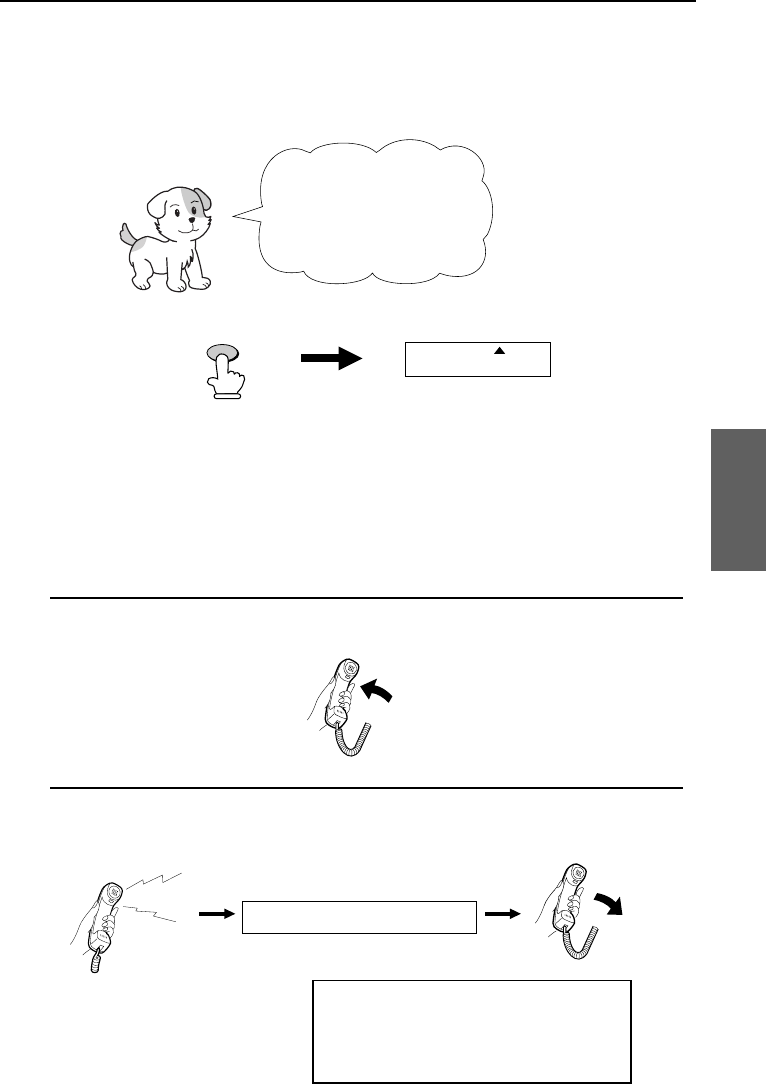
- Using TEL Mode 79
- Receiving Documents 83
- COPY/HELP 84
- 5. Making 85
- 6. Making 87
- Phone Calls 87
- Chain Dialing 88
- Making Telephone Calls 89
- How Caller ID operates 91
- Display messages 92
- Viewing the Caller ID list 92
- Priority Call 93
- Blocking voice calls 94
- RECEPTION 96
- MODE 96
- Broadcasting 97
- FUNCTION 100
- (Example) 101
- Cover Sheet 101
- Batch Page Numbering 102
- 7. Special 103
- Functions 103
- START/MEMORY 105
- Sending Documents From Memory 106
- RESOLUTION 106
- 01 02 03 107
- Requesting transmission 108
- Timer Operations 111
- Settings 113
- 01 to 15 114
- 00 to 10 114
- • Initial setting: 5 117
- • Initial setting: 1 117
- • Initial setting: 2 117
- 8. Option 117
- Printing 120
- Reports and Lists 120
- RECEIVER 121
- 9. Printing Lists 121
- Timer List 122
- Telephone Number List 122
- Passcode List 123
- Option Setting List 123
- Anti Junk Number List 124
- Caller ID List 124
- TAD Program List 125
- Message List 125
- Print Setup List 126
- Transaction Report 126
- Maintenance 127
- Scanning glass and rollers 130
- The housing 130
- Troubleshooting 131
- Distinctive Ring 133
- Fax print head 133
- Problems and Solutions 134
- General problems 135
- Messages and Signals 136
- Display Messages 137
- Audible signals 138
- Clearing Paper Jams 139
- Ordering parts 142
- FCC Regulatory Information 143
- Section 3. Ingredients 144
- REMOTE OPERATION CARD 149
- 1-800-BE SHARP 151
- SHARP ELECTRONICS CORPORATION 151
Prodotti e manuali riguardandi Stampanti per fotografie Sharp UX-460
 (178 pagine)
(104 pagine)
(178 pagine)
(104 pagine)
© 2020, manymanuals.it. Tutti i diritti riservati | 0.037 s |
 Manymanuals.com
 Manymanuals.de
 Manymanuals.fr
 Manymanuals.it
 Manymanuals.pl
 Manymanuals.cz
 Manymanuals.es
 Manymanuals-pt.com
Commenti su questo manuale