Sharp FO-10 Specifiche Pagina 1
Navigare online o scaricare Specifiche per Macchina per mandare i fax Sharp FO-10. Sharp FO-10 Specifications Manuale Utente
- Pagina / 162
- Indice
- SEGNALIBRI

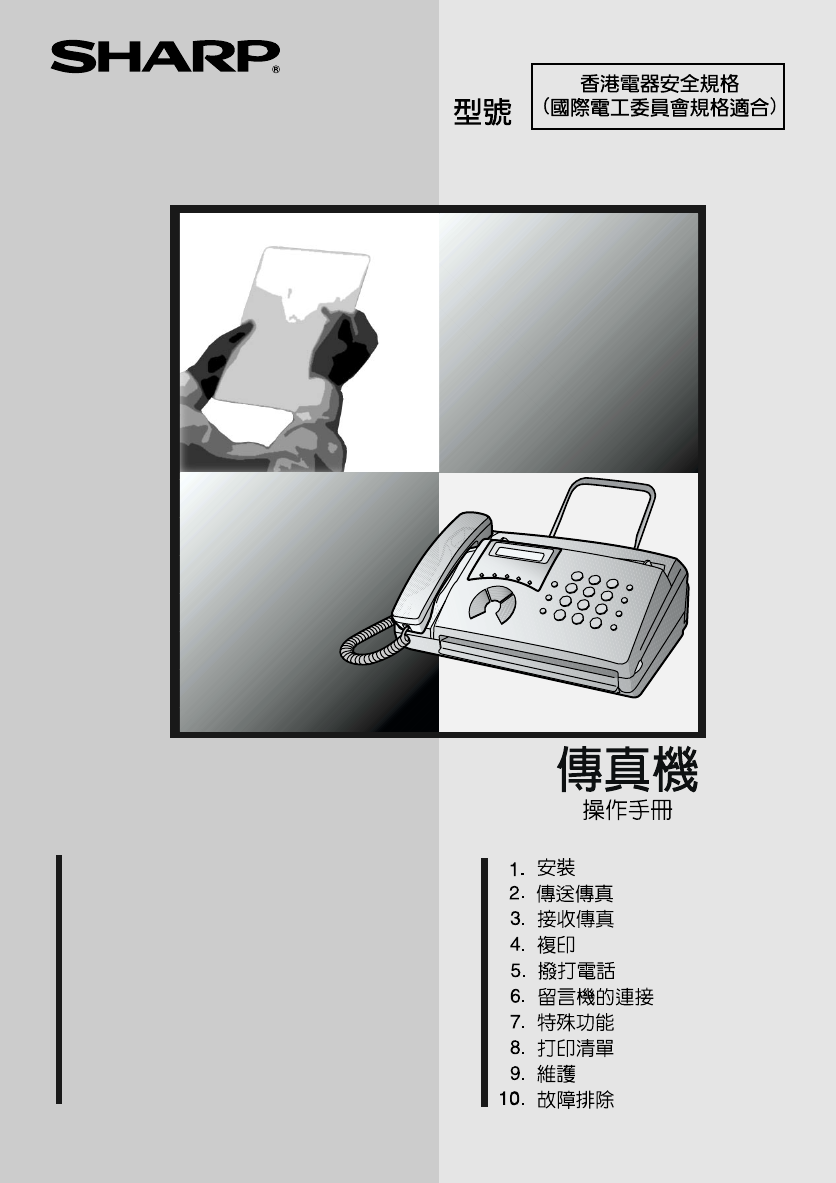
- FO-11/FO-51/FO-71 1
- Introduction 2
- Important safety information 4
- Table of Contents 5
- A Look at the Operation Panel 7
- Unpacking Checklist 9
- Connections 10
- 3 Remove the packing paper 11
- 1 Press once and once 12
- 2 Press 4 times 12
- 3 Select the dial mode: 12
- 4 Press to exit 12
- Extension phone (optional) 13
- Loading the Thermal Paper 14
- 2 Press twice 17
- 3 Press once 17
- 7 Press 18
- DATE & TIME SET 18
- Setting the Date and Time 19
- Setting the Reception Mode 21
- Volume Adjustment 22
- Transmittable Documents 24
- Loading the Document 25
- 2 Remove the document 26
- 3 Close the operation panel 26
- Resolution settings 27
- Contrast settings 27
- 2. Sending 30
- 8 Press 32
- Clearing auto-dial numbers 33
- Using the REDIAL key 38
- Automatic redialling 38
- 2 Press once 41
- Using TEL Mode 43
- Optional Reception Settings 44
- 5. Making Telephone Calls 47
- Chain Dialling 48
- Changing the outgoing message 50
- Optional A.M. Mode Settings 52
- Quiet Detect Start Time 53
- 2 Press 5 times 54
- 7. Special Functions 55
- Priority Call 58
- Blocking voice calls 59
- Service) 60
- 2 Press 63
- 3 Press to print the list 64
- Transaction Report 65
- 2 Press 3 times 66
- 9. Maintenance 67
- 7 Close the operation pane 68
- Caution! 68
- Problems and Solutions 69
- Answering machine connection 72
- General problems 72
- Messages and Signals 74
- Audible signals 75
- Clearing Paper Jams 76
- 3 Remove the document 76
- 5 Reload the paper 78
- 3 Remove the paper roll 78
- Quick Reference Guide 79
- LMNOPQR1ST 82
- UVWXNYZQR 82
- 1[\]^_` 82
- COPY/HELP 87
- Kþ:;6 97
- û.3 99
- ¬®ð>¬Ð 100
- !û.3 100
- RESOLUTION/ 101
- RECEPTION MODE 101
- ¬®ð>¬3 102
- 4=> 104
- READY TO SEND 109
- 4 110
- FAX/TEL # MODE 111
- ENTRY MODE 111
- :; f ²³6¹w 111
- 透過自動撥號傳送傳真 112
- §24 114
- I½4 115
- -·»³¼µ).® 118
- -²·µ ¼ 119
- )de . 119
- -¼¶)1. 120
- ϯ¿pÀ:;.¹w 121
- -²·µ)de. 122
- ϯ(¾ª²³.¹w 123
- Żx 125
- :> 126
- -1{ 129
- JÁ<ÄÅ 130
- 1J 131
- O-¼¶)1.ë 132
- ¦pD{DÁ<.¹w 133
- ¦pD{D Á<.¹w 134
- JOHN DOE 525-8693 136
- ²¬gß¡ 137
- ²¬ gß¡ 138
- ¢2£gß¡ 140
- ÀÁ{ 141
- ¦[ ߧ:>:; 142
- ¦[ߧ:>:; 143
- FUNCTION 144
- LISTING MODE 144
- -£¤¥¦ 149
- SHARP CORPORATION 162
Sommario
MODELOPERATION MANUALFACSIMILE 1. Installation 2. Sending Faxes 3. Receiving Faxes 4. Making Copies 5. Making Telephone Calls
Connections91. InstallationConnectionsConnecting the handsetConnect the handset as shown and place it on the handset rest.♦ The ends of the handset co
!-klW}~L½//¹)A.`"!-}--•/[\"ß®ðè»[\,<"!"K/e¾/!klWL½//¹)WWWT)g
Źwë<{|þ:;<§hÅ:>»:;W¹w3²·µ)de.¹w3ã¹wni¯&ÅÒ²/þ=¦Ï¯ã¹wÅ:;"jÓÔÕ:;<ÒÖäÄÅ»©3µ²³<WÒÖÅÒ¨§²/¼).¹w3ÇÈþ$¯
l2-E¸þ¦Ï¯ l¶·¸¹O2/VOLUME4U- `4UévUTO5V¸`-•#q® or¶·/SPEAKERVOLUMESPEAKERÇÈVOLUMETEL FAXGHIPQRSJKLABCDEFMNOWXYZTUVABCDE/STOP
l2?4U- -TO5V¸`)ð'p4U- -'pGÎÏ`.•¸¹Oð2¸¹q"!"¬®ðf !/HNO<-³°¡·-Æ¢)Ë£õ.?¤.4U- `VOLUMESPEAKE
-4-44=>mn]þ¦>NOë;KAqf"Xª&þq;KXäq;KoXNt/}":;<ð>ëì6p¾ä$/1ÞÊrs¥W¦§c=¹`52 g/m²157 g/m²80 g
;Kh¨+z♦ëìOÍÎt¤uk}vuwkävRkxû/♦ð>K>NOWÐ"xû}öûyÓUrzÿ/♦ð;K>NOWÐ"¨§{$|}}~|}UÓX/y":;<¦>zV56/♦
;K!-44âTU783]wx3VªE783] éwx3ë<«01¬--Vªu{|J1t`%k4?c=>ÛÜSÇȧ®L"ßàåðX"N¦>5>NO</ !
lE783]wx3ǧ"þ¦:>WÐl/}"£$i¯&:>"&ÅÍ/783ë<«](p«p|«. &"ßϯ]
l#-4}"ÇÈþϯ]);¾|¿'¾mi.:>"Åý:;<¡Ó§+©/y"þ:;<ðMJϯ5ni¯¦£/Ôl=>`•þÓ;K"!&
ÿ2:>:;Ôl=>`•Ç§"ß® f ä/GÎÏé4U- `²Î¸`ST4U/¹®u{|J1t`³´{`%µ,{|J1ë<«NÞÎjéwJ{ÎQ¸`•ÇÈýÅÒ"§ý®
10Connecting the power cordPlug the power cord into a 220 - 240 V, 50/60 Hz, earthed AC (3-prong) outlet.♦ When disconnecting the fax, unplug the tele
ÿMJ2:>:;-4ST4þ$ÿ®01¯ä® $Kð,¾"#¦2°:;ä²³6/♦ϯMJ2"þÓ:;<ë¼½Ç:;ä²³6/♦þ¼½:;ä²³6 "þ¦WW²5ð,7,2
ÿMJ2:>:;34U- -]- `4U- `4U- -TO5-º·²)ë<.`ST4U/¹®klL½/I½t)-A-!-,§2A--,I½.`!ST4U/¹®kl麸t`Nuvkl--½/)}"»¼
透過自動撥號傳送傳真312. 傳送傳真7 透過按下代表每個英文字母的數字鍵(如下圖所示)以輸入名稱。您最多可輸入 10 個字元(如果您不想輸入名稱,請直接移至步驟 8)。♦ 範例:SHARP = 77777 444 22 7777 77♦ 要連續輸入需要同一按鍵的兩個英文字母,請在輸入首字母後按下
ÿMJ2:>:;¦§t]¾%tf-þ¡¦01¯ä7,26ë¼½°6ä½X6/ϯã62"ߥ4nX2°²³ZëXÄ_2Z/}"$þrÔÕÒÖä2WЮ ¯"צϯ¼½01¯ä7,26ë°6ä½X6
ÿMJ2:>:;-4HN4Ôl=>`•Ç§"ß® f ä/4UVI½t§2®)UVW."I½-"§2®-¼I½-"§2®-ÃI½-"
ÿMJ2:>:;STI½4þ¦Ï¯7,22°r¼½WMJ26/Ôl=>`•Ç§"ß® f ä/4U-01ST4U/¹®klI½t`•K»Y¾"ßK?"!&quo
ÿMJ2:>:;!-4Ôl=>`•Ç§"ß® f ä/ST4U/¹®kl{|J1t`•ÇÈW0½XÑ´¡äÅx3V¾W!©¤"ß®/©¤ðľ¬£q©¤ð_ðd./þ¦&a
ÿMJ2:>:;Ôl=>`•Ç§"ß® f ä/34U- -]- `ST4UévUhÇ/¹®)ß=¹UJ4®.klȽ¾sX¹<jɹklßaWbî`HsXT¹étX4U- `•ÇÈþ²x`
ÿMJ2:>:;#-4-·»³¼µ).®þ¦® f2n"q2°6/:>"ßdµÄÅ$Òa:; ® /ß´µ3þ® "¶·ðMJJ/~ÇÈþ3µ¶· ϯMJ2µÃÅ®¯2
-{|-²·µ ¼)de .O5-²·µ ¼)de .4U<jaWbîÍRªE-²·µ ¼)de .`RESOLUTION/RECEPTION MODEŹwW(¾ªf¿pÀ²³ f :;. ":;<&g
Connections111. InstallationConnecting the telephone line cordInsert one end of the line cord into the socket on the back of the machine marked TEL. L
ϯpD{D Á<.¹w-{|pD{DÁ<.¹wë"ÇÈþrðÁ<ÄÅ»:;<":;<ð>MJÅÒÁbÅ:;«/ߥ[n@AoÁhp/-¼).ŹwW¿pÀ:;. &
ϯ¿pÀ:;.¹wÂ/ǧ"þ¦:;<¿pÀ:;.(¾ªf¿pÀ²³ f :;.¹wÅÒ:>»klW¸¹q/þ¦²C»4¾/34U- -]- `4U- `klV/)Î--A-!-/¹
ϯ(¾ª ²³.¹w-{|1ÎÏ{Îß15GÎÏ`HNÎj³jaWbîaW-·±·³´³°¡)øß{|.Ï1ÐÞÎÏÔ¸m`HwJ]NzYÑ·e1Ò4ß·e14U- )ßÓ>Ô4U¨Õ¾¿®wz4UÉ®.`-•
ϯ(¾ª²³.¹wde;1{Îßde;15{Î`HNÎjÖ׳´1Ç)de;1Þ»Ç.01ÒØîÎÏ`H1»ÇéÔwJz]N·e1Ò4ßde;1î4U-014LU- )*c,¸6de.`ÉÞ·Ù1¾¿{|`{ÚÒ
¦Å-{|O{|ë<{|ÇÈþÿ:;<ä²³<ÅÒkl"ÒaÅÆ:;":;<ðMJLÄÅ/ÇÈþ©Ç3µÏ¯²È:;<:>"þÓorãµ"É¥:;<
Å»x34U- -]- `4LU- `klV/¹)Î--A--/¹.`"-4U- -T}~]56aWb`FUNCTION43STOP¬®ð>¬3OPTION SETTINGTEL/FAX REMOTE #ÂÛÜ-tÇ
!-~v-~vþ:;<=¦¯ÈÉ/Þ=>ø`UÔl)uv-!-.`•Ç§"ß® f ä/ÈÉÏ£W¿'¾ÂhiÃ/.ßN°ì¾¿~v54U- `RESOLUTION/RECEPTION MOD
!-udeþ¦Ï¯²³"ϯ:;<2°²³bÅÒÂ2²/♦2°²³äÅÒÂ2²":;<²ÊÓL/GÎÏé4U- `²Î¸`TUhcÞJ¼"•¶·"ϯ¾¯KDz³6/•§2&
2°²³#!-udefÔÕÒÖ""þ¦2°2}012í7,26Ðõ6/Ç"ÇÈþr01¯ë¼½0Ñ¡°6ä½X6"þ¦®ø°6ä½X601¯"!"ÿ®01¯}®¾¯ä®$
-1{{1ǧ"þ¦ðÁ<ÄÅ»:;<²·µº·²)deë<.ò/Nð¦þx ÅÁ:;/♦ÛÜ"ÇÈBðÁ<ÄÅ»:;<²·µº·²)deë<.òǨ."ðÍ
Connections12Attaching the original document supportAttach the original document support as shown below.Extension phone (optional)If desired, you can
JÁ<ÄÅ-1Â{kÏþ&Á<xÁ«¶:¸{·":>:;²Ô®FñLį/Ç"þ¦yQÁ«3Xþ)"NÕÆpS-@/ÍöÅÒþ²/ߨ"Áä®þ
JÁ<ÄÅ!1Jþx "þÁ<ð>ÅÒ¨§²"$Û;xÁ«/²Ô¦Á/NÜ !'":;<ð>º»3µÞ/ÇÈþ:;<ma:;ähdÝÞ !"Wð>
¦pD{D Á<.¹w!-1O-¼¶)1.ë<ǧ"þ¦Ï¯£Á<²`&/àáâã56ÇÈ:;<Á<ÅÒ²"maÜÝÞ !"ãµ>Ï:;<è
¦pD{DÁ<.¹w!àáâ㾿56þ¦Ï¯ã£=éJÞãm !µ/Ç"ÇÈþÁ<xÁ«LÄøK©¤ !e:;<¬êüma:;"þ¦Ï¯ã£=éÝÞmLÄ"N:;<&g
¦pD{D Á<.¹w!-11kl£¤Lãµ""ÇÈÁ<zWºzVÍÎ4¸¹"ÅÒ²"ð>ô:;<ÅÒ/N¦eþ#ÏÁ<ì÷ryí'"äÁ<
!#-[\daW)*ÁÑçèß.ÇÈþϲ@ß²¬¡"þ¦:;<¸¹ ¬²Ô6/ÛÜ"♦ϯãµ"þÓϲ@ß²¬¡/♦þ:;<¦Í견¡ñõϯ/34U- -
²¬ gß¡.!!#-[\daW[\JþÅÒ² "¬®ðLÄ¥¸¹Ð"°²Ô²³6/ãp>ì"Ãa3µëW¥/}"º²¬¡¦>²Ô/N
²¬gß¡.!34U- -]- `4U- -é- -TÊ`HNucétÊ<jaWbîklÉt`•"ÇÈþ :>:;"ß;K"!"® /:;<ð>LÄ2:&
²¬ gß¡.!##-[\34U- -]- `4U- `4U- -T½¾t`)ó¦w½¾t4U-01BA¿À-!`.ST4U/¹®klt)uvkl--½/.`-!4U- -T½¾)éó¦.t`-4U- -T}~]56aWb`FU
²¬gß¡.!ÀÁ{|º¸dL²¬µ""þ¦Ï¯çnX¤¥Å:;Zë¨ì%gÅ:;µ"¤¥ÅMþÌ%gÅ6WÂ2²:;/N"ÇÈaÂ2²ä:;MþrÌWX%gÅ6Z6&
Loading the Thermal Paper131. InstallationLoading the Thermal Paper1 Grasp the finger hold as shown and pull up to open the operation panel.2 Flip up
¢2£gß¡.!#-[\34U- -]- `4--U- `4U- - T¾-)[\é4U-TÞhõ.`4U- -T}~]56aWb`FUNCTION412STOP¬®ð>¬3OPTION SETTINGDUPLEX RINGINGð¸ñ)*
¤¥Å:;34U- -]- `4LU- `4U- -T½¾+z{|té- -Tó¦w½¾t`kl"/¹®klA!- - ½/t`)/¹WNÞßU¿Àcklt`ó¦"kl--½//¹)/¹Nó¦t
¦[ ߧ:>:;.#-[\òó)4.¦[µ¦þÍÅ3÷±"kl:;<ðr;KE>NOë.:>»þ:;</±ÁW"NÆÅý:;<Vk:>ý:;<J:>é/ϯ¦
¦[ߧ:>:;.4TUhcÞJ¼uNòó1t"•ÔÕÒÖä®."®01¯/ÜÚ:;<`&/•® "!"KC,7,26/•Ï¯¾¯KÇ6/4U- `•ÇÈþϯÆ
-uv-uvþ¦°É¬rK:;<£pW/NºðtÁhs/°É"ßægîï/34U- -]- `4U- - TO5-¼ôõö-÷øôù-°øúûüý-µöþõ)+z{|t.é4U- -TO5²üÿüôü
°É$@:;<èéÇd">MJ°É:;xy"þGÈ/:;<ä W$É[\ ×°Éãxy/♦þÍÎ9 °É:;xy/$@º·°»· ·±·³´·)Ó>Ô |>Ô.:;éëý:;<¢ä:;
°É!-uv$@uv@>þ¦°É:;xyÇ/ßægîï/34U- -]- `4--U- `4UÎ--A--/¹TO5uv@>`4U- -T}~]56aWb`pªüp];|'(9 °É.£q:>}Åä[\&
-¡¢óôrs]pß0¬ëìí"eþ:>ïç§nB/ !o"CEîFTu¾`¾DpLD`rs]p`•er¬j¨§Çy."zWð>:>ï
ñ#-¡¢4UDpLD`!¾$ChUJp`2î$`#2î`•ðtåÐð56 ®"eEK,/óô1߯!z"U:;<x-Ct/ÙÚS•Làϯ#äMNO/Nº$O¦>Ï:;<5
-£¤¥¦]7µJ¼fg7µJ¼¬®ª'¾¾||:|3µ[\.«/åfægèé/ÇÈ[\1!½"ßô½3• ô½ÄÅ/²·µµ³°·)defg.òaþÄÅ3&ð@A/• e<â<
Loading the Thermal Paper144 Unwrap the roll of thermal paper and insert the paper shaft.5 Place the roll of thermal paper in the compartment, making
¨©ªýÎ-£¤¥¦]47µJ¼þÔÕÒÖ䮺·¼Æ·)ÇÈ.¯ Òa22/• eÒÖÄÅ3rÄÅ»/eò/ߥ YXXÄÅÒÖZ/ÍÎ2/• e²Ê3r/eK²Ê/• e²³3µr/eÄÅ» ²·µµ³°·)defg.ò
• !"#$%&'()*+•,!"-./0/12(0345%6+!&qu
¨©ªýÎ#-£¤¥¦1{7µJ¼Á<ÄÅÍÎ/0èé/• e:;<ŹwrWpD{DÁ<./• e:;< ²·µµ³°·)defg.òrÄÅ»þ/e:;<²·µº·²)deë<.òrÄ
¨©ªýÎ#7µJ¼¬®§«/• e²Ê3r/eK²Ê/•ðEF²Oâ<ÄÅ»ø²Ê"½¾Æy§²Ê/þ®®¯"":;<§/&/•ÇÈþ®®¯ ":;<§É¨"
«#-£¤¥¦Ï]aWbÏ}"ÇÈþrL²¬µ"ߥEnX²¬Z@A²¬+o¬®«/-~¾-R;p;¾|ô½Nt.vuN?áäB/e;K/XNt"!"f;Kߥ5X¬jNZ./-:
«#Q6:¿¿~::RÒÖBÃ. ÇÈþϯÒÖ2:>:;"²xðE;`ø"¬®>ã«/ßðÒÖ;`ø䮺²)ÀÁ.¯¬jã«/:~::R«'pªÜÚ2.þr®º·¼Æ·)ÇÈ.¯&q
¬jN#!-£¤¥¦ó¦ó¦!=>ÇÈ/ç:>äÈÉ §/e>K"䬮«:-){¾(Êp{{¾«?á.« "ßå® /ÇÈÍÎ4"ß®K¨ìX/ÛÜ"ÇÈB®K¨
¬jN# !o"CEîFTu¾`¾$`ó¦!uv4UDpLD`!2îCðhol<½`•ðtåÐð56 ®"eEK,/4UZ[\oTð]^$_`U`
¬jN##-£¤¥¦%k`•*c,- #"NëX¨§r7Nt/Ê`!YÔl`•"NÆô&/eü;KNtVcd/ße7K nX;KvuNZë¨ì;KNt/
#§2¨©ª«4ðno4X./tã;K>NO/¶·DÔÕÒÖä® /CD2°:;6/8DÜÚÅÇȧöÅÒ"ßý®E:;<Lį./PD® /§2®+&01¯/:;<ðMJLÄ:>/I½
Loading the Thermal Paper151. Installation8 Close the operation panel, making sure it clicks into place.• FO-11/FO-51: A short length of the paper wil
#=¹pD{DÁ<.Źw , C?, 8Y, PY¿pÀ:;.Źw , C?, 8Y¿pÀ:;.Źw¸¹q , P?(¾ªDª'¾²³3µ.ò , (¾ªD]¾(²³.ò , C, PQ(¾ªf¿pÀ²³ f :;.Źw ,
<= , C[!201¯ , 88, P[ÃÅ®¯ , 84Ä_ , 8C, PE , CQ, P[7, , 8P, P[2¹w , ©¤ , PEvuN , 8-43µ[\ , [QÈÉ , P4<9 Z¬, [Eù²³ , 4E7
泰國印製(TINSQ4271XHTA)SHARP CORPORATIONback.fm Page 81 Friday, July 19, 2002 8:15 AM
Entering Your Name and Fax Number16Entering Your Name and Fax NumberFUNCTIONSTARTSTOP1 Press once and once.2 Press twice.3 Press once.4 Enter yo
Entering Your Name and Fax Number171. Installation5 Press to enter the fax number in memory.6 Enter your name by pressing number keys for each lette
Setting the Date and Time18Setting the Date and Time1 Press once and once.2 Press 3 times.3 Press once.FUNCTION3STARTThe date and time appear in
1Introduction*Based on Sharp Standard No.1 Chart at standard resolution is Sharp special mode, excluding time for protocol signals (i.e., ITU-T phase
Setting the Date and Time191. Installation4 Enter a two-digit number for the day (“01” to “31”).Example: the 5th • To correct a mistake, press to
Setting the Reception Mode20Setting the Reception ModeYour fax has four modes for receiving incoming faxes:TEL mode:This mode is the most convenient f
Volume Adjustment211. InstallationVolume AdjustmentYou can adjust the volume of the speaker and ringer using .VOLUME1 Press 2 Press one or more tim
Volume Adjustment22Ringer1 Press to select the desired volume. (Make sure has not been pressed and the handset is not lifted.)• The ringer will r
232. Sending Faxes2. Sending FaxesTransmittable DocumentsSize and weightThe size and weight of documents that you can load in the document feeder dep
Loading the Document24Other restrictions♦ The scanner cannot recognise yellow, greenish yellow, or light blue ink.♦ Ink, glue, and correcting fluid on
Loading the Document252. Sending Faxes3 Adjust the resolution and/or contrast settings as explained in Resolution and Contrast below, then dial the re
Adjusting the Resolution and Contrast26Adjusting the Resolution and ContrastIf desired, you can adjust the resolution and contrast before sending a do
Adjusting the Resolution and Contrast272. Sending FaxesNote: In order to transmit in SUPER FINE resolution, the receiving fax machine must also have t
Sending a Fax by Normal Dialling281 Load the document(s).• If desired, press to set the resolution and/or contrast.2 Pick up the handset or press .
2As a part of our policy of continuous improvement, SHARP reserves the right to make design and specification changes for product improvement without
Sending a Fax by Automatic Dialling292. Sending FaxesSending a Fax by Automatic DiallingYou can dial a fax or telephone number by simply pressing a Ra
Sending a Fax by Automatic Dialling301 Press once and once.2 Press once.3 Press to select SET.4 Enter a two-digit Speed Dial number by pressing
Sending a Fax by Automatic Dialling312. Sending Faxes7 Enter a name by pressing number keys for each letter as shown in the chart below. Up to 10 char
Sending a Fax by Automatic Dialling32Chain Dialling for area and access codes You can also store an area code or access code in a Rapid Key or Speed D
Sending a Fax by Automatic Dialling332. Sending Faxes1 If you are sending a fax, load the document(s).• If desired, press to set the resolution and/
Sending a Fax by Automatic Dialling34Sending a fax by Speed DiallingSpeed Dialling can be used to dial any number that has been stored for Automatic D
Sending a Fax by Automatic Dialling352. Sending Faxes1 Load the document(s).• If desired, press to set the resolution and/or contrast.2 Enter the nu
361 Load the document(s).• If desired, press to set the resolution and/or contrast.2 Press and then .3 Enter the first letter of the stored nam
Sending a Fax by Automatic Dialling372. Sending FaxesUsing the REDIAL keyYou can press to redial the last number dialed. To send a document, press
383. Receiving FaxesUsing TEL/FAX ModeTo select TEL/FAX mode, press until the arrow in the display points to TEL/FAX.RESOLUTION/RECEPTION MODEWhen t
3Important safety informationDo not disassemble this machine or attempt any procedures not described in this manual. Refer all servicing to qualified
Using A.M. Mode393. Receiving FaxesIn A.M. mode, your fax will automatically receive voice and fax messages if you have connected an answering machine
Using FAX Mode40Changing the number of ringsIf desired, you can change the number of rings on which the fax machine answers incoming calls in FAX and
Using TEL Mode413. Receiving FaxesAnswering with the fax’s handset1 When the fax machine rings, pick up the handset.2 If you hear a fax tone, wait unt
Using TEL Mode42Answering on an extension phone1 Answer the extension phone when it rings.2 If you hear a soft fax tone, wait until your fax responds
Optional Reception Settings433. Receiving FaxesOptional Reception SettingsFax Signal ReceiveYour fax will automatically begin reception if you hear a
Substitute Reception to Memory441 Press once and once.2 Press twice.3 Enter the desired number (any number from 0 to 9).Example: 3 4 Press to
454. MakingCopies4. Making CopiesYour fax machine can also be used to make copies. 1 Load the document(s) face down. (Maximum of 5 pages.)• If desire
465. Making Telephone CallsYour fax machine can be used like a regular telephone to make and receive voice calls.♦ To make or receive a voice call, t
Making Telephone Calls475. MakingPhone CallsChain DiallingAfter lifting the handset, you can dial any combination of Normal Dialling, Rapid Key Dialli
486. Answering Machine ConnectionConnecting an Answering MachineIf desired, you can connect an answering machine to your fax machine's TEL. SET
4Table of ContentsA Look at the Operation Panel 61. Installation 8Unpacking Checklist . . . . . . . . . . . . . . . . . . . . . . . . . . . . . . . .
Using the Answering Machine Connection496. Answering MachineChanging the outgoing messageThe outgoing message (OGM) of your answering machine should b
Using the Answering Machine Connection50How answering machine mode operatesWhile you are out, all of your incoming calls will be answered by your answ
Optional A.M. Mode Settings516. Answering MachineOptional A.M. Mode SettingsIf necessary, you can use the following settings to improve the response o
Optional A.M. Mode Settings52Quiet Detect Start TimeThis setting can be used to delay the start of the Quiet Detect Time function. For example, if you
Optional A.M. Mode Settings536. Answering MachineOn A.M. FailureWhen this function is turned on, your fax will answer the call after 5 rings if the an
547. Special FunctionsCaller ID (Requires Subscription to Service)If you subscribe to a caller identification service from your telephone company, yo
Caller ID (Requires Subscription to Service)557. Special FunctionsHow Caller ID operatesWhen you receive a call, the name and phone number of the call
Caller ID (Requires Subscription to Service)561 Press once and once.2 Press or to scroll through the list.3 If you want to dial one of the nu
Caller ID (Requires Subscription to Service)577. Special Functions1 Press once and once.2 Press once.3 Press to store a number. (To clear a pre
Caller ID (Requires Subscription to Service)58Blocking voice callsWith Caller ID turned on, you can use the Anti Junk Fax function described in Blocki
Table of Contents56. Answering Machine Connection 48Connecting an Answering Machine . . . . . . . . . . . . . . . . . . . . . . . . . 48Using the An
Duplex Ringing (Requires Subscription to Service)597. Special Functions1 Press once and once.2 Press 4 times.3 Press to turn on the function,
Blocking Reception of Unwanted Faxes601 Press once and once.2 Press twice.3 Press to store an Anti Junk number, or to clear a previously sto
Polling (Requires a Fax Transmission)617. Special FunctionsPolling (Requires a Fax Transmission)Polling allows you to call another fax machine and hav
Polling (Requires a Fax Transmission)62Requesting transmission1 Dial the fax machine you want to poll using one of the following methods:• Pick up the
638. Printing Lists8. Printing ListsYou can print lists showing settings and information entered in the fax machine. The lists are described below. T
Printing Lists64Transaction ReportThis report is printed out automatically after an operation is completed to allow you to check the result. Your fax
Printing Lists658. Printing ListsTransaction Report print conditionYou can change the condition under which a Transaction Report is printed out. Follo
669. MaintenanceCleaning the scanning glass and rollersClean the scanning glass and rollers frequently to ensure the quality of your transmitted imag
Maintenance679. Maintenance4 Flip down the green levers on each side of the white roller.5 Flip up the front paper guide and wipe the roller under it.
6810. TroubleshootingProblems and SolutionsLine errorProblem SolutionLINE ERROR appears in the display.Try the transaction again. If the error persis
6Rapid Dial keysPress one of these keys to dial a fax number automatically.DisplayDisplays messages to help you operate the machine.FUNCTION keyPress
Problems and Solutions6910. Trouble-shootingDialling and transmission problemsProblem SolutionNo dial tone when you pick up the handset or press the S
Problems and Solutions70Reception and copying problemsProblem SolutionThe power is on, but no reception takes place.• Make sure that the telephone lin
Problems and Solutions7110. Trouble-shootingAnswering machine connectionGeneral problemsProblem SolutionThe answering machine connection does not oper
Problems and Solutions72Nothing appears in the display.• Make sure the power cord is properly plugged into a power outlet.• Connect another electrical
Messages and Signals7310. Trouble-shootingMessages and SignalsDisplay messagesNote: If you have turnen on the Caller ID funciton, see Caller ID in Cha
Messages and Signals74Audible signalsOFF HOOK This appears if you forgot to replace the handset after using it to dial and send a fax. Replace the han
Clearing Paper Jams7510. Trouble-shootingClearing Paper JamsClearing a jammed documentIf the original document doesn’t feed properly during transmissi
Clearing Paper Jams761 Grasp the finger hold and pull up to open the operation panel.2 Flip up the front paper guideClearing jammed printing paper4 Fl
Clearing Paper Jams7710. Trouble-shooting3 Remove the paper roll.• For FO-71 only: Remove any cut pieces of paper from the paper compartment.4 Cut of
78Quick Reference GuideSending FaxesPlace your document (up to 5 pages) face down in the document feeder.Normal Dialling 1. Lift the handset or press
7START keyPress this key to begin transmission when using Speed Dialling, Direct Keypad Dialling, or Normal Dialling.STOP keyPress this key to cancel
79AA.M. reception mode, 20, 39, 49Answering machine connectionActivating, 49Connecting, 48On A.M. Failure, 53Quiet Detect Start Time, 52Quiet Detect T
Index80RRapid Key Dialling, 33, 46Reception modeA.M. mode, 20, 39, 49FAX mode, 20, 39TEL mode, 20, 41TEL/FAX mode, 20, 38Redialling, 47Removing origin
!"#$%&'()*(+,- !./01234567,238456 9:;<=>.3?@AB=>.3
""g/UW¡¢£/5¤<O¥¦§¨©/aWb[,ª-«¬®cdefg@¯°±²³´µhij'()*(¶--'((·¸8
ßàáâã:;<äåægçèéIêëBìíîï/ßð:;<¨§ñòóé°ôõñòö÷øù/ßà=ú§ûüýäþØÿ âäϯ:;</Ç"}}}}Øüä=úϯ:;</ßàða:
@ - áG DDDDDDDDDDDDDDDDDDDDDDDDDDQÄÅ DDDDDDDDDDDDDDDDDDDDDDDDDDDDDDY;KvuN DD
y!-1{ ÄÅÁ<DDDDDDDDDDDDDDDDDDDDDDDDDD PQJÁ<ÄÅDDDDDDDDDDDDDDDDDDDDDDD PY¦pD{DÁ&
§2®®Eë5®¯MJ2°:;6/aWb¬«±þèé:;</¯°±²³°)[\.®®ã¯²³Ñ´µ/´µ¯¶·)¸.®®ã¯® l¶·2"T l¸¹O2//¹®Ï¯Nº¯»g2"$¼½MJ26 K
#º²)ÀÁ.®®ã¯XÅÆBÇdèé/±Â ÷µ)~v ÄÅ.®>NO⧠"®ã¯ÈÉ/EF"®ã¯°Éʱèé:;<01¥ËÌÍ./·ºµ¯²³° ·±·²³°-¶»·)783 {|
-Ö×ØwÙÚÛÜÝÞ1ÔÕßàá<{âãäJ`ÝÞ1ÔÕßåæçèÕéêEëìäJ`Ý1íîFï`ðÍ1ñòóô`õ,ö÷ÇÈð:;<bæçüýè»béêüý":;<ëìí¦§çî"N>ï¸:>
81. InstallationUnpacking ChecklistPoints to keep in mind when setting upDo not place the machine in direct sunlight.Do not place the machine near he
ÄÅ-{{ÎÏÄÅÒÖǨ.$ðE;<&ÒÖ`/♦ÒÖÄÅ3ðqU+©"zãWñ¦K5ò/ðÞÎÏ{fl1pÎÏSNÎÏudeéo4]{|` !o"u¾`#¾$
ÄÅ{dfð²Ê3KCC?»CP?ÐÑ}4?f[?ÓÔÅüB°Ò²8CD./♦ë:;<ÄÅ "ß²³3"!"#²Ê3/♦ÙÚ"ßàð²Ê3KEFGB/Nð56:;<"ø56ð
ÄÅ-{defð²³3qK:;<ýtW²·µµ³°·)defg.òë"!"ðqKþ²³/":;<rW2ÿw2/ÇÈþ/ϯw23µ"þÓð:;<Ww2/ß®èétå
ÄÅøù=>úûüâ/ç_`Ǩ./de;1)O.ǧ"þ¦ð²³<ÄÅ»:;<-²·µº·²)deë<.ò/♦ðÁ<ÄÅ»þ:;<"ߥPQX/%U=>-²·µº·²)deë&l
;KvuN-ÔlL !o")DVW.CEîFGTu¾`#¾$`HNÔlt3X--IJÞLÔßKL)ÙÚQRMNNt3X--IJO&PG¿Q.`•!"#$%&ã&
;KvuNu¾LCl`!ÞLÔlKaCðL_lKLKbc`•ÛÜ"ßðN(;<)"ÏNtÐp*L"Ǩ+§,t-.× ¦¯&°É/ÇÈN(;/0"°É"Ntð1Æ23
;KvuN!-2îCðhol<½`• !"ð4u5Nt/àáNt6p$ÏäðNtó/•#"ð7u5Nt/LNt89 "¬®ð>:)(:¿;p;¾| ÍN.«/:
Kþ:;6klNrs]t34U- -]- `4LU- `4U- `ST4U/¹®klNt)uv--½/.`-•¾W!K2"ß® /KXYZ"ß® /•¬j[\"ß® /FUNCTION3ST
Kþ:;6#-!4U- -TÞtkl$%&c`ST4U=¹/¹®)UDVW.klNrs`Nuvkl--¹`û3]~p|;^EEEEEPPPCCEEEE EE♦Ä_K©®¯ð5¿¾À"ßK`¾
!ë<}~]5634U- -]- `4--U- `4U- `FUNCTION3START}~]56ÞklßaWbîCuvß_`UVWë<}~]56`¬®ð>¬3¬®ð>¬Ðû.3ENTRY MO
Più documenti per Macchina per mandare i fax Sharp FO-10




Prodotti e manuali riguardandi Macchina per mandare i fax Sharp FO-10


 (162 pagine)
(152 pagine)
(162 pagine)
(152 pagine)

 (100 pagine) (108 pagine)
(104 pagine)
(100 pagine) (108 pagine)
(104 pagine)
 (130 pagine)
  (198 pagine)
(107 pagine)
(198 pagine)
(107 pagine)
© 2020, manymanuals.it. Tutti i diritti riservati | 0.038 s |
 Manymanuals.com
 Manymanuals.de
 Manymanuals.fr
 Manymanuals.it
 Manymanuals.pl
 Manymanuals.cz
 Manymanuals.es
 Manymanuals-pt.com
Commenti su questo manuale