Sharp MX-B402 Manuale Utente Pagina 17

  • Scaricare
  • Aggiungi ai miei manuali
  • Stampa
  • Pagina
    / 50
  • Indice
  • SEGNALIBRI
  • Valutato. / 5. Basato su recensioni clienti
Vedere la pagina 16
DOCUMENT WORKFLOW
Sharpdesk
®
Desktop Document Management
Intuitive Sharpdesk personal document management software enables users to easily manage their documents
and scanned les. The easy-to-use features help users organize, edit, OCR, and even combine scanned les for
maximum productivity. The innovative search and index feature enables users to retrieve archived documents.
Sharpdesk also supports “push” installation to multiple desktop PCs from a server, making it simple for IT
managers to get new users up and running quickly.
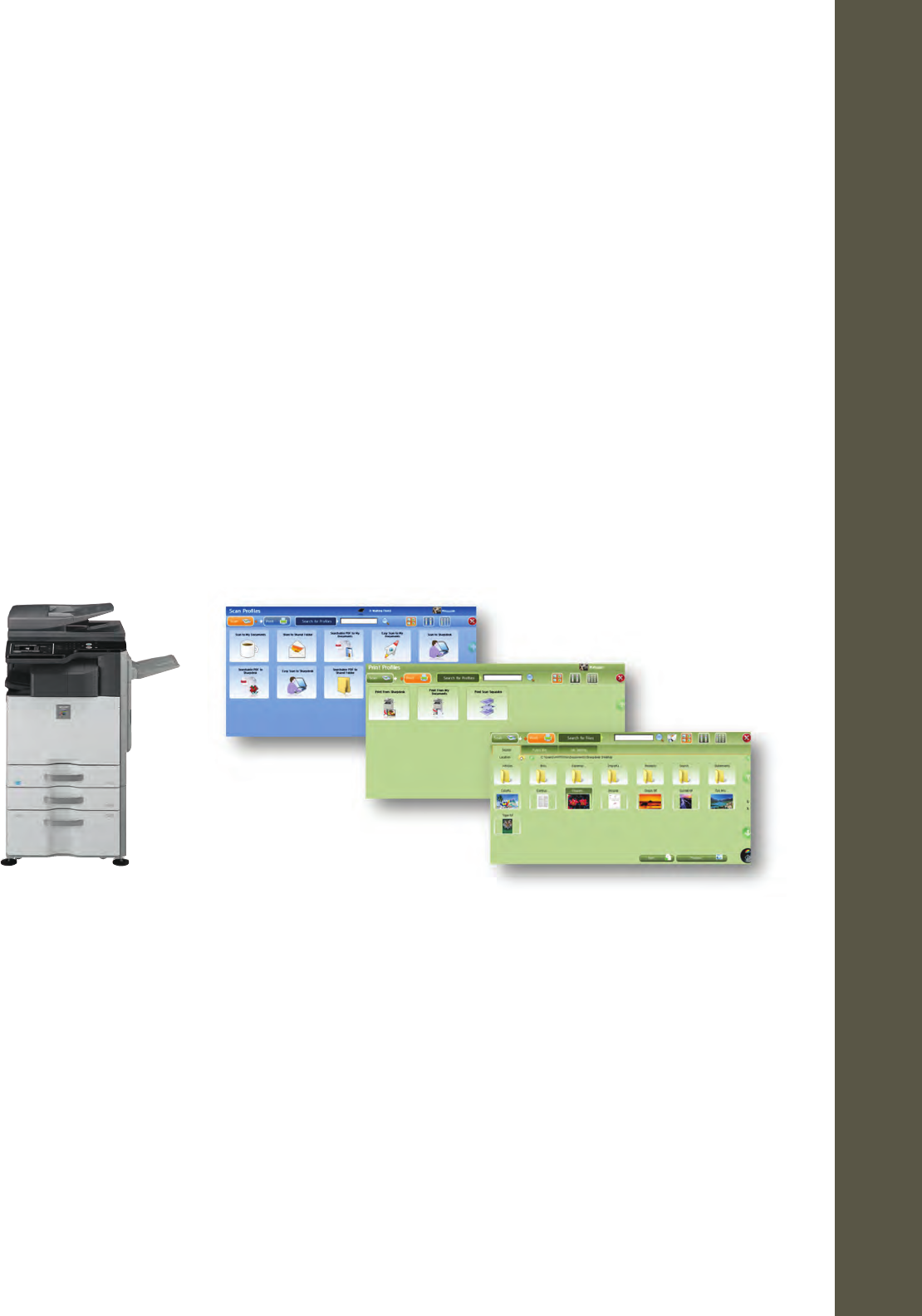
Sharp OSA Network Scanner Tool (NST)
Along with Sharpdesk or without it, Sharp OSA Network Scanner Tool (NST) delivers quick access to scan and print
workow on the Sharp MFP through a personalized interface designed for each user. Create custom shortcut buttons
on the Sharp MFP for direct access to your document workow or browse your “My Document” folder or other
preferred folders on your PC to scan the document to print from. Scanned documents can be “OCR’d” to create a
searchable PDF, PDF/A or encrypted PDF to meet various document workow needs. IT managers have complete
control over which PCs can be accessed using the centrally-managed Sharp OSA NST administration console.
Partner Program Document Workflow Applications
The Sharp Partner Program community offers a broad selection of tightly integrated document management and
workow software. Whether your workow is simple or complex, Sharp Partner Program Members can provide
the right software to help to meet your needs and streamline your document processing. For more information
on the products available from the program members please visit www.sharp-partners.com/validated.
Sharp OSA NST-enabled user interface
Scan Profiles
Print Options
Sharpdesk Folders and Files
15
Vedere la pagina 16
1 2 ... 12 13 14 15 16 17 18 19 20 21 22 ... 49 50

Commenti su questo manuale

Nessun commento