Sharp AR-651 Manuale Utente Pagina 66
- Pagina / 178
- Indice
- SEGNALIBRI

- SHARP CORPORATION 1
- FCC NOTICE 3
- ENERGY STAR ® (MFD) 4
- PREFACE (Cont.) 6
- TABLE OF CONTENTS (Cont.) 8
- 1. Installation 11
- PRECAUTIONS (Cont.) 12
- Explanatory Label 13
- Certification Label 13
- Identification Label 13
- Warning Label 13
- To unlock 14
- 1. BEFORE MAKING COPIES 15
- BEFORE MAKING COPIES 16
- Optional Equipment 17
- Touch Panel 20
- 2. HOW TO MAKE COPIES 25
- HOW TO MAKE COPIES 26
- Exiting Copy Papers 27
- Handling and Storing Paper 29
- 2. SETTING COPY PAPER (Cont.) 30
- 3. SETTING ORIGINALS (Cont.) 34
- Exiting Originals 35
- Press the START key 37
- SETTING OF BASIC COPY MODES 44
- Manual Paper Selection 45
- Original Copy 49
- 4. USING THE EDITING 57
- FUNCTIONS 57
- USING THE EDITING FUNCTIONS 58
- *25.4mm = 1" 59
- -12- -13- -12 61
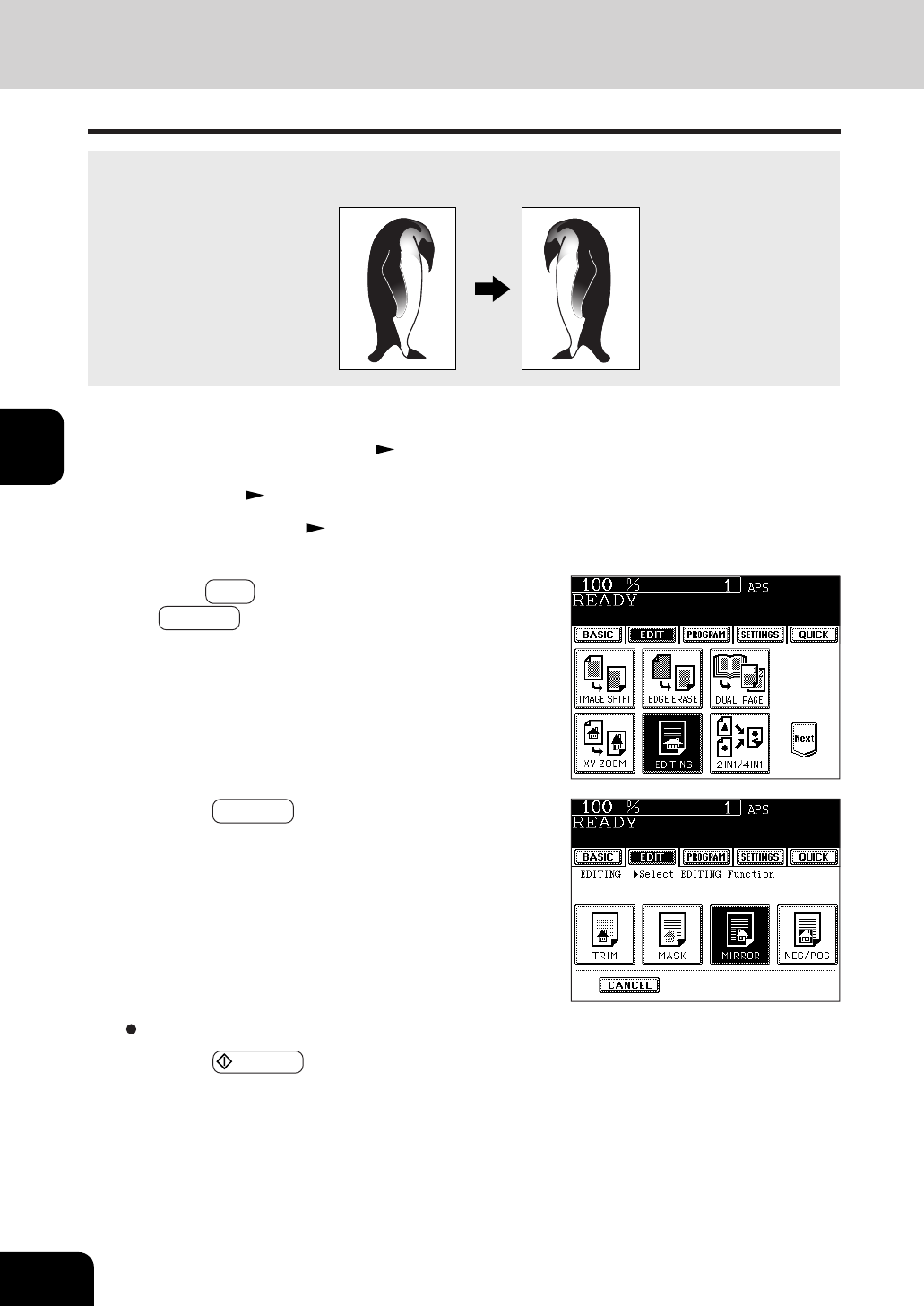
- 5. IMAGE EDITING (Cont.) 66
- Negative/Positive Reversal 67
- 2IN1 DUPLEX 68
- 4IN1 DUPLEX 68
- 11.15. 2002 14:54 70
- Select the paper type 72
- Tab paper back guide 78
- 12. TAB PAPER MODE(Cont.) 80
- Page 4-29 87
- 14. OVERLAY (Cont.) 88
- 5. USING THE SPECIAL 91
- 3. JOB MEMORY (Cont.) 96
- Confirming Stored Copy Jobs 97
- 4. BYPASS COPYING(cont.) 100
- * 25.4mm = 1" 101
- USING THE SPECIAL FUNCTIONS 102
- Number 1 234567 105
- Correcting Entered Letters 119
- 6. SELECTING FINISHING MODES 121
- Names of the Main Components 122
- SELECTING FINISHING MODES 124
- Setting Paper 129
- Setting the Inserter 130
- Press the START key 133
- 7. WHEN THE GRAPHIC SYMBOLS 135
- FLASH ON THE TOUCH PANEL 135
- Side guide 137
- Approx. 0.5mm Approx. 0.5mm 137
- 2. ADD PAPER SYMBOL (Cont.) 138
- Slide rail 139
- Label (orange) 141
- Shutter (orange) 141
- Type of originals 142
- C . If an inserter is to 143
- D instead 143
- Open the paper feed cover 146
- Open the bypass cover 146
- Remove any misfed paper 146
- Open the exit cover 147
- Metal area 148
- Fuser unit 148
- Blue knob 149
- 151
- Jammed staples 159
- CALL SERVICE SYMBOL 162
- PERIODIC MAINTENANCE MESSAGE 162
- 8. MAINTENANCE 163
- Items for Daily Check 164
- Weekly Maintenance 164
- Copier does not start 165
- Copy density is too low 165
- MAINTENANCE 166
- 9. SPECIFICATIONS & 167
- Face down 169
- SPECIFICATIONS & OPTIONS 172
- ➣➢➣➢➣➢➣➢➣➢➣➢➣➢➣➢➣➢➣ 177
Prodotti e manuali riguardandi Stampanti per fotografie Sharp AR-651
 (104 pagine)
(311 pagine)
(104 pagine)
(311 pagine)
© 2020, manymanuals.it. Tutti i diritti riservati | 0.040 s |
 Manymanuals.com
 Manymanuals.de
 Manymanuals.fr
 Manymanuals.it
 Manymanuals.pl
 Manymanuals.cz
 Manymanuals.es
 Manymanuals-pt.com
Commenti su questo manuale