Sharp DV-720S Specifiche Pagina 1
Navigare online o scaricare Specifiche per Lettori DVD Sharp DV-720S. Sharp DV-720S Specifications Manuale Utente
- Pagina / 74
- Indice
- RISOLUZIONE PROBLEMI
- SEGNALIBRI

- manuals search engine 1
- OPERATION MANUAL 3
- About This Manual 4
- Contents 5
- SAFETY INFORMATION 6
- The region number for 8
- Discs that Cannot be Played 8
- Icons Used on DVDs 9
- Title, Chapter and Tracks 9
- Features 10
- Accessories 10
- Major Components 11
- Main Unit (Rear) 13
- Remote Control Unit 14
- 1 Open the battery cover 16
- 2 Load the batteries 16
- 3 Close the battery cover 16
- Connection 17
- Connecting to Audio Equipment 20
- Playing 2 channel audio 20
- Power Control Operation 23
- About the SETUP Screen 24
- TV MODE SETUP 26
- TV MODE: 26
- NTSC: 26
- PARENTAL SETUP 28
- PASSWORD: ???? 28
- LEVEL 8 FOR ADULTS 28
- Changing the parental level 30
- PASSWORD: 31
- AUDIO SETUP Setting 32
- Setting the COMPRESSION 32
- (Dolby Digital output level) 32
- Setting the DIGITAL OUT 33
- Setting the DOLBY DIGITAL 33
- Setting the MPEG 34
- DISC LANGUAGE Setting 35
- OSD LANGUAGE SETUP Setting 37
- Display Information 38
- Playback 39
- DVD Playback 40
- Zooming an Image 42
- 1 Press FWD 43
- 4 Press ENTER 46
- Subtitle/angle/audio setting 47
- VIRTUAL DOLBY setting 48
- 5 Press 52
- A-B Repeat 55
- 2 Press 56
- 3 Press RESUME 56
- Angle Selection 57
- Subtitle Selection 58
- Audio Selection 59
- Disc Repeat / Track Repeat 64
- Definition of Terms 67
- Troubleshooting 70
- Specifications 71
- Disc Handling and Maintenance 72
- SHARP CORPORATION 73
- Osaka, Japan 73
Sommario
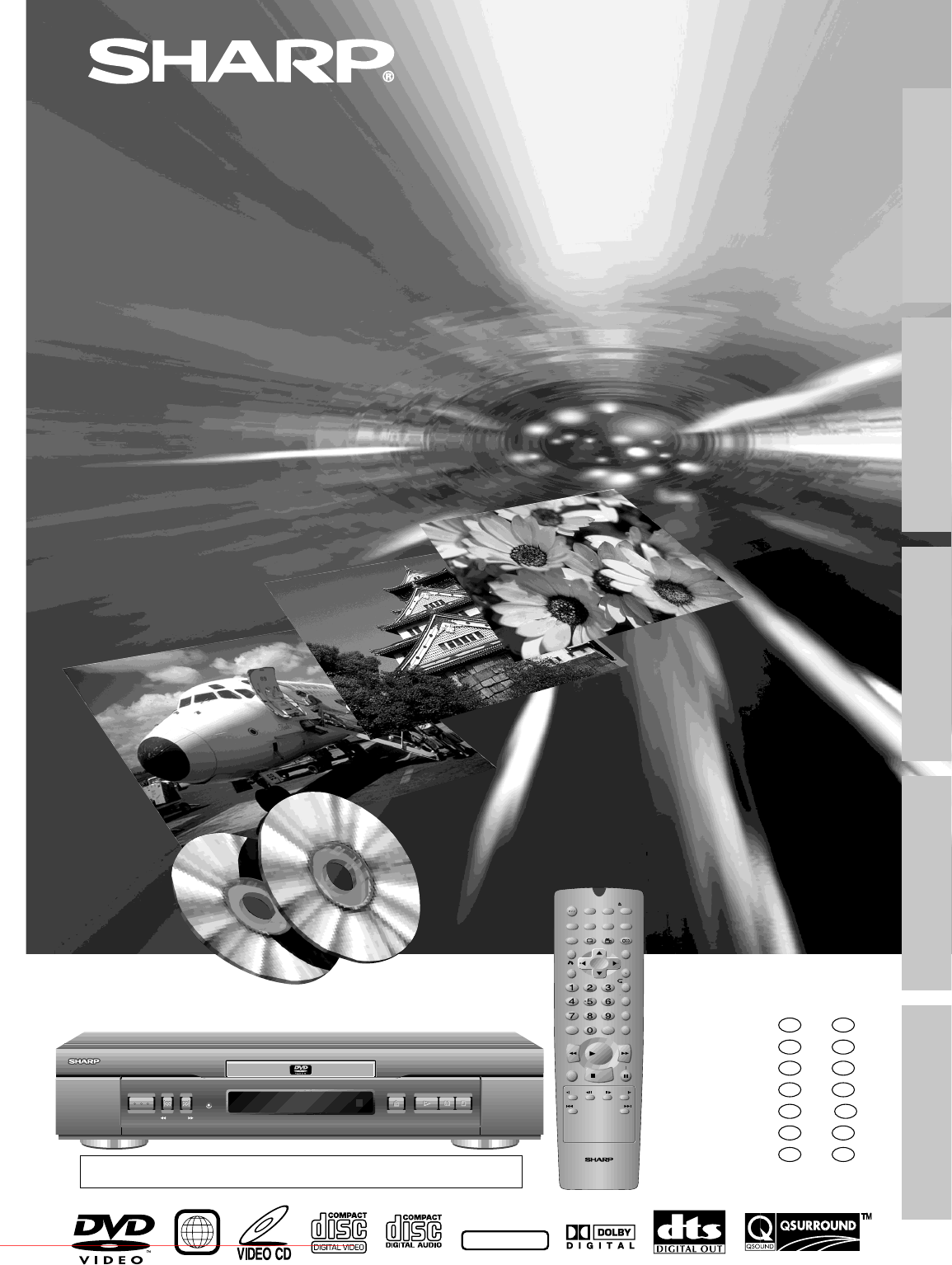
DV-720SMODELOPERATION MANUALBEDIENUNGSANLEITUNGMODE D’EMPLOIMANUAL DE MANEJOMANUALE DI ISTRUZIONIGEBRUIKSAANWIJZINGBRUKSANVISNINGOPERATEOPEN/CLOSEPLAY
GB8GENERAL INFORMATIONFeaturesAccessories• Playback of DVD, VIDEO CD, and Audio CD• Virtual Dolby Surround (QSURROUND*1) for high-quality surround so
9GBGENERAL INFORMATIONMajor ComponentsMain Unit (Front)OPERATEOPEN/CLOSEPLAYSTILL/PAUSESTOPSKIPSTANDBYFWDREVNumbers in refer to the main pag
GB10GENERAL INFORMATIONOPERATEOPEN/CLOSEPLAYSTILL/PAUSESTOPSKIPSTANDBYFWDREVFront panel Display in Main UnitTITLE indicatorWhen a DVD is loaded in th
11GBGENERAL INFORMATIONMajor ComponentsS-VIDEOOUTOUTPUTSELECTORVIDEOOUTAUDIOOUTLRDIGITALOUTOPTICALDIGITAL OUTAV 1(TV)VIDEOS-VIDEORGBAV 217VIDEO OUT j
GB12GENERAL INFORMATIONRemote Control UnitOPEN/CLOSEOPERATEDISPLAY DIMMERSETUPZOOMONSCREENAUDIOTITLEREV FWDMENUVIRTUALFUNCTIONCONTROLSUBTITLE ANGLEEN
13GBGENERAL INFORMATIONo ON SCREENToggles display of on-screen indicators on andoff. (See page 36.)p DISPLAYChanges the mode of the front panel displ
GB14GENERAL INFORMATIONRemote Control UnitLoading the Batteries• Do not subject the Remote to shock, water or excessive humidity.• The Remote may not
15GBSETTING UPConnection Caution:• Be sure to turn off the Player and equipment to be connected before connecting.• Read through the operation manual
GB16SETTING UPConnectionIf your TV has two SCART socketsRequired cablesSCART cable (the other SCARTcable: commercially available)SCART cable (one SCAR
17GBSETTING UPConnection• When the Player is connected to a TV using both a VIDEO cable and an S-VIDEO cable, only the S-VIDEOconnection is enabled (t
This equipment complies with the requirements of Directives 89/336/EEC and73/23/EEC as amended by 93/68/EEC.Dieses Gerät entspricht den Anforderungen
GB18SETTING UPConnecting to Audio EquipmentConnecting the Player to audio equipment provides normal stereo sound plus powerful stereo sound enhancedby
19GBSETTING UP Digital ConnectionConnectionOUTPUTSELECTORDIGITALOUTOPTICALDIGITAL OUTAV 1(TV)VIDEOS-VIDEORGBS-VIDEOOUTVIDEOOUTAUDIOOUTLRDIGITAL INOP
GB20SETTING UPPlaying Dolby Digital (5.1 channel), DTS or MPEG audioConnecting an amplifier with a Dolby Digital/DTS/MPEG Audio digital surround proce
21GBSETTING UPSetupSwitching the TV and the Player On1 Turn on the TV and select the “VIDEO” or “AV” mode.2 Switch the Player on by pressing OPERATE.
GB22SETTING UPAbout the SETUP ScreenThis section describes how to specify various basic settings using theSETUP screen. The list below shows all the i
23GBSETTING UPSetupInitial Setup (OSD LANGUAGE SETUP)When you use the Player for the first time, you should set thelanguage to be used for the OSD (On
GB24SETTING UPMCOPEN/CLOSEOPERATESETUPZOOMONSCREENAUDIOTITLEMENUVIRTUALFUNCTIONCONTROLSUBTITLE ANGLERETURNREV FWDENTERREPEATA B REPEATPROGRAMDIRECTCLE
25GBSETTING UPMCOPEN/CLOSEOPERATESETUPZOOMONSCREENAUDIOTITLEMENUVIRTUALFUNCTIONCONTROLSUBTITLE ANGLERETURNREV FWDENTERREPEATA B REPEATPROGRAMDIRECTCLE
GB26SETTING UPSetupDisplayed when “1234”is being entered as thepassword.MCOPEN/CLOSEOPERATESETUPZOOMONSCREENAUDIOTITLEMENUVIRTUALFUNCTIONCONTROLSUBTIT
27GBSETTING UPSetup5 To confirm your password, re-enter the numbers you entered instep 4 (using the number buttons).• When the correct password is ent
ENGLISHOPERATION MANUALDownloaded from www.Manualslib.com manuals search engine Downloaded From DvDPlayer-Manual.com Sharp Manuals
GB28SETTING UPChanging the parental level• Before changing the parental level, perform the step 1 to 2 onpage 26.1 Press ENTER to display the password
29GBSETTING UPTemporary parental level settingIn addition to “PARENTAL SETUP Setting” on page 26, some DVDswill prompt the viewer to temporarily chang
GB30SETTING UPSetupAUDIO SETUP SettingCOMPRESSION ... Use this setting for increasing the averagevolume of Dolby Digital audio when playing a
31GBSETTING UPSetup3 Press ENTER and then use ' or " to select “COMPRESSION”.• The background colour for the selected item changes to orange
GB32SETTING UPSetupSetting the MPEG• Before setting the “MPEG” , perform the step 1 to 2 on page 30.1 Press ENTER and then use ' or " to sel
33GBSETTING UPSetupDISC LANGUAGE SettingUse this setting for selecting languages of subtitle, audio track anddisc menu.• Note that the language you se
GB34SETTING UPSetupMCOPEN/CLOSEOPERATESETUPZOOMONSCREENAUDIOTITLEMENUVIRTUALFUNCTIONCONTROLSUBTITLE ANGLERETURNREV FWDENTERREPEATA B REPEATPROGRAMDIRE
35GBSETTING UPSetupOSD LANGUAGE SETUP Setting1 Press SETUP to display the SETUP screen. Caution:When you use the Player for the first time, press SETU
GB36SETTING UPDisplay InformationTV Screen Front Panel Display RemarksIf no disc is loaded oran unplayable disc isloaded when the Playeris switched on
37GBBASIC OPERATIONSPlayback DVDDVDC DC DVIDEOVIDEOC DC DPreparations• Switch on the TV set’s power, and select the AV channel you are towatch the DVD
GB2About This Manual• All mentions of “the Player” refer to the DV-720S DVD Player.• All mentions of “the Remote” refer to the remote control unit.• T
GB38BASIC OPERATIONSDVDDVDFast Forward/Fast Reverse1 Press FWDè or È REV when a disc is playing.• The disc begins fast scan at ×2 speed.• Three speeds
39GBBASIC OPERATIONSDVD Playback DVDDVDDVDDVDStill/Pause1Press â STILL/PAUSE during playback.2 If you press ûPLAY while paused (STILL/PAUSE), normalpl
GB40BASIC OPERATIONS :1ZOOMZOOM indicatorDVDDVDZooming an Image1 While a disc is playing, press ZOOM.• Each press of ZOOM cycles through the zoom s
41GBBASIC OPERATIONSC DC DVIDEOVIDEOC DC DFast Forward/Fast Reverse1 Press FWDè or È REV when a disc is playing.• The disc begins fast scan at ×2 spee
GB42BASIC OPERATIONSVIDEO CD and Audio CD Playback C DC DVIDEOVIDEOC DC DC DC DVIDEOVIDEOC DC DStill/Pause1Press â STILL/PAUSE during playback.2 If yo
43GBSPECIAL FUNCTIONS 2/5 8/3001:30:082 ENGLISH11 5 1chON.DVDDVDAbout the FUNCTION CONTROL ScreenUsing FUNCTION CONTROL, you can check at a glance
GB44SPECIAL FUNCTIONSDVD Playback for Special Functions DVDDVDDirect skip (title/chapter/time)Use the following procedure to perform the Direct title
45GBSPECIAL FUNCTIONSDVD Playback for Special Functions DVDDVDSubtitle/angle/audio settingUse the following procedure to perform the Subtitle, Angle,
GB46SPECIAL FUNCTIONSVIRTUAL DOLBY settingUse the following procedure to change the setting between “ON”and “OFF”, and the level for the VIRTUAL DOLBY
47GBSPECIAL FUNCTIONS T I T L E MENUtas1234CsihesFgosDrids B T I T L E MENUtas1 234CsihesFgosDrids BDVDDVDDirect Selection of ScenesSelecting Scen
3GBContentsGENERAL INFORMATIONSAFETY INFORMATION ... 4Types of Discs that Can Be Played on YourPlayer ...
GB48SPECIAL FUNCTIONSDirect Skip FunctionThis function allows you to skip directly to the beginning of any titleor chapter.• Direct Title Skip1 While
49GBSPECIAL FUNCTIONS• Direct Time SkipDirect time skip lets you skip directly to a specific location on a disc.When a disc is playing, make notes of
GB50SPECIAL FUNCTIONSDVDDVDProgrammed PlaybackThe two types of programmed playback provided by this Player aretitle programmed playback, chapter progr
51GBSPECIAL FUNCTIONSDVD Playback for Special Functions DVDDVDA zero (0) or double-zero (00)is automatically insertedbefore the first or second digit.
GB52SPECIAL FUNCTIONSDVDDVDRepeat PlaybackChapter Repeat1 If you press REPEAT while a disc is playing, the current chapteris played repeatedly.Title R
53GBSPECIAL FUNCTIONSDVDDVDA-B RepeatA-B repeat allows you to repeat specified section (from A to B) on adisc.1 While you are playing a disc, press A-
GB54SPECIAL FUNCTIONSDVDDVDResume FunctionThis function enables you to resume the playback from the locationyou specify.1 Press RESUME at the desired
55GBSPECIAL FUNCTIONSDVDDVDAngle SelectionSome DVDs contain scenes which have been shot from a number ofdifferent angles. For these discs, the same sc
GB56SPECIAL FUNCTIONSDVDDVDSubtitle Selection1 While a DVD is playing, press SUBTITLE to display the currentlanguage setting, as shown in the example
57GBSPECIAL FUNCTIONSDVDDVDAudio SelectionOn some discs, the sound is recorded in two or more formats ofDolby Digital (5ch or 5.1ch), DTS, MPEG Audio,
GB4GENERAL INFORMATIONSAFETY INFORMATIONNote:This unit can be used only where the powersupply is AC 220V-240V, 50/60Hz. It cannot beused elsewhere.CA
GB58SPECIAL FUNCTIONSDVDDVDVIRTUAL DOLBY (QSURROUND) SelectionThis function allows you to enjoy a “surround sound” effect when youare using an analogu
59GBSPECIAL FUNCTIONSMaximum numberMCOPEN/CLOSEOPERATESETUPZOOMONSCREENAUDIOTITLEMENUVIRTUALFUNCTIONCONTROLSUBTITLE ANGLERETURNREV FWDENTERREPEATA B R
GB60SPECIAL FUNCTIONSC DC DVIDEOVIDEOC DC DProgrammed PlaybackThis function provides track programmed playback for VIDEO CDs/Audio CDs.Track Programme
61GBSPECIAL FUNCTIONSVIDEO CD and Audio CD Playback for Special Functions C DC DVIDEOVIDEOC DC DC DC DVIDEOVIDEOC DC DRepeat PlaybackA-B RepeatA-B rep
GB62SPECIAL FUNCTIONSC DC DVIDEOVIDEOC DC DDisc Repeat / Track Repeat1 While a disc is playing, press REPEAT.• The disc currently playing is played re
63GBSPECIAL FUNCTIONSC DC DVIDEOVIDEOC DC DAudio SelectionSome VIDEO CDs and Audio CDs are recorded using two separatechannels named “L” (left) and “R
GB64OTHER INFORMATIONCode Language NameAA AfarAB AbkhazianAF AfrikaansAM AmeharicAR ArabicAS AssameseAY AymaraAZ AzerbaijaniBA BashkirBE Byelorussia
65GBOTHER INFORMATIONDefinition of TermsThis refers to a high-density optical disc on which high-quality pictures and sound havebeen recorded by means
GB66OTHER INFORMATIONDefinition of TermsPickupTitle NumberChapterNumberTrack NumberTime NumberDolby Digital(5.1 channel)DTSLinear PCMSoundLetter BoxLB
67GBOTHER INFORMATIONDefinition of TermsSubtitlesVirtual Dolby(QSURROUND)Title MenuPlaybackControl (PBC)These are the printed lines appearing at the b
5GBGENERAL INFORMATIONSAFETY INFORMATIONLocation and Handling• Do not place your Player in closed spaces or donot cover it to prevent excessive tempe
GB68OTHER INFORMATIONThe following problems do not always denote a broken Player.Perform the checks listed below before calling service.Troubleshootin
69GBOTHER INFORMATIONSignal System NTSC/PALVideo input Input jack: Pin-jack/SCARTVideo output Output jack: Pin-jack/SCARTOutput level: 1 Vp-p (75Ω)S v
GB70OTHER INFORMATIONHandling Precautions• Hold the disc by the edges so the surface will not be soiled withfingerprints. (A)Fingerprints, dirt and sc
SHARP CORPORATIONOsaka, JapanPrinted in MalaysiaIn Malaysia gedrucktImprimé en MalaisieImpreso en MalasiaStampato in MalaysiaGedrukt in MaleisiëTryckt
DV-720SNTSC/PALOPEN/CLOSEOPERATEDISPLAY DIMMERSETUPZOOMONSCREENAUDIOTITLEREV FWDMENUVIRTUALFUNCTIONCONTROLSUBTITLE ANGLEENTERREPEATA B REPEATPROGRAMDI
GB6GENERAL INFORMATIONTypes of Discs that Can Be Played on Your PlayerThe Player can play back discs bearing any of the following marks:DVDs See 1[8
7GBGENERAL INFORMATIONDisc Function or Operation that is Not AvailableIn the cases listed below, the or indicator may appear on the TV screen, wh
Prodotti e manuali riguardandi Lettori DVD Sharp DV-720S

 (45 pagine)
(72 pagine)
(216 pagine)
(45 pagine)
(72 pagine)
(216 pagine)
 (78 pagine)
(24 pagine)
(40 pagine)
(65 pagine)
(78 pagine)
(24 pagine)
(40 pagine)
(65 pagine)
 (24 pagine) (109 pagine)
(100 pagine)
(44 pagine)
(41 pagine)
(41 pagine)
(58 pagine)
(55 pagine)
(24 pagine) (109 pagine)
(100 pagine)
(44 pagine)
(41 pagine)
(41 pagine)
(58 pagine)
(55 pagine)
© 2020, manymanuals.it. Tutti i diritti riservati | 0.045 s |
 Manymanuals.com
 Manymanuals.de
 Manymanuals.fr
 Manymanuals.it
 Manymanuals.pl
 Manymanuals.cz
 Manymanuals.es
 Manymanuals-pt.com
Commenti su questo manuale