∗ Perform procedure 1) of ADJ M17 ADJ 3 in the adjustment section
to check the color balance and the density level.
(Note) When performing checking only, do not change the adjust-
ment value.
For details and the judgement criteria, refer to ADJ M17
ADJ3.
If the color balance and the density level are not within the specified
range, make an adjustment according to the flowchart of ADJ M17.
9. Specification setup
Execute SIM 26 to set the specifications according to the customer’s
need.
Sim No. Content
26 1 Used to set options. (When installing an option, use this
simulation to set the option (software). (AR-C150 only)
2 1) Used to set the paper size of the large capacity tray.
(When the paper size is changed, this simulation must
be executed to change the paper size in software.)
2) Used to detect 8.5 × 13" size paper and documents
and to set the display mode. (All paper feed modes)
3) Used to set the paper size in the manual paper feed
mode. (AR-C150 only)
3 Used to set the auditor specification mode. Setting must
be made according to the use conditions of the auditor.
5 Used to set the count mode of the total counter, the
developer counter, and the maintenance counter.
6 1) Used to set the specifications (paper, fixed copy
magnification ratio, machine operations at an image
(process) correction error) depending on the destination.
2) Used to set the user logo. (AR-C100 only)
15 Used to set the fusing operation mode (paper curl
prevention mode).
18 Used to set Enable/Disable of the toner save operation.
(The function of this simulation is effective only in Japan
and UK version. (Depending on the setting of SIM 6-6
(Destination).) For the other destinations, the same
setting can be made with the user program P22.
(AR-C150 only)
22 Used to set the destination specifications (language
display). (AR-C150 only)
28 Used to set the AC power voltage. (For the fusing
section heater lamp power control)
30 Used to set the CE mark complying operation mode.
(Soft start when driving the fusing heater lamp.)
35 Used to set whether the trouble history display of SIM
22-4 is displayed as one time trouble or continuous
troubles when the same trouble repeatedly occurred.
45 Used to set the coy fee. (AR-C100 only)
10. Function and operation check
Check the following operations.
Check item Note
Paper feed operation
(manual paper feed)
AR-C150
only
Paper feed by the paper
tray
Paper feed by the large
capacity paper feed tray
When the large
capacity tray is
installed.
AR-C150
only
Paper size detection
Document size detection
RADF copy (S-S mode) When RADF is
installed.
AR-C150
only
RADF copy (S-D mode) When RADF is
installed
When the duplex
unit is installed.
AR-C150
only
RADF copy (D-D mode) When RADF is
installed
When the duplex
unit is installed.
AR-C150
only
RADF copy (D-S mode) When RADF is
installed
AR-C150
only
Sort mode copy When RADF is
installed.
AR-C150
only
Check item Note
Group mode copy When RADF is
installed
AR-C150
only
Staple When RADF is
installed
AR-C150
only
11. Recording of setup and adjustment
data
Execute SIM 22-6 to print and keep the various setup data and the
adjustment data (list).
In case of memory trouble, when the PCU PWB or the ICU PWB is
replaced, if there is not the above information, all adjustment must be
made from the beginning.
With the record of the above information, the setup data and the ad-
justment data can be directly inputted efficiently.
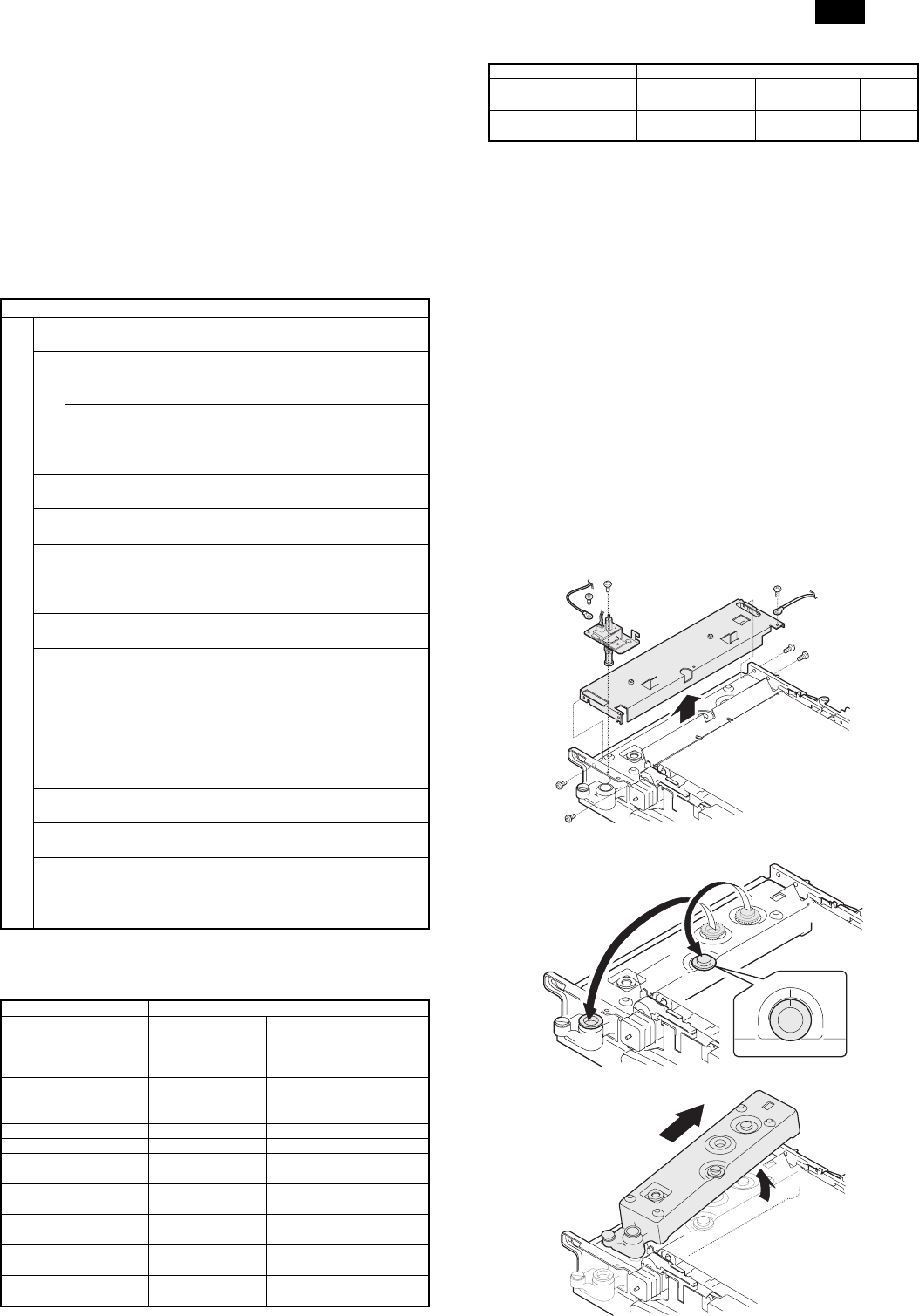
12. Procedures for transit
When moving the copier, the following procedures must be per-
formed.
(1) Remove paper from the paper trays.
(2) Remove the developing unit from the copier.
(3) Lock all the locks again.
(4) Remove the fusing unit.
(5) Remove the fusing oil bottle.
After removing the fusing unit, perform the following procedures.
1) Remove the fusing oil bottle cover.
2) Attach the caps (which are appended to the fusing oil bottle) to the
three holes in the fusing oil bottle.
3) Remove the fusing oil bottle from the copier.
AR-C150
4 – 14
Commenti su questo manuale