Sharp PG-A20X Manuale di Servizio Pagina 1
Navigare online o scaricare Manuale di Servizio per Proiettori Sharp PG-A20X. Sharp PG-A20X Service manual Manuale Utente
- Pagina / 124
- Indice
- SEGNALIBRI

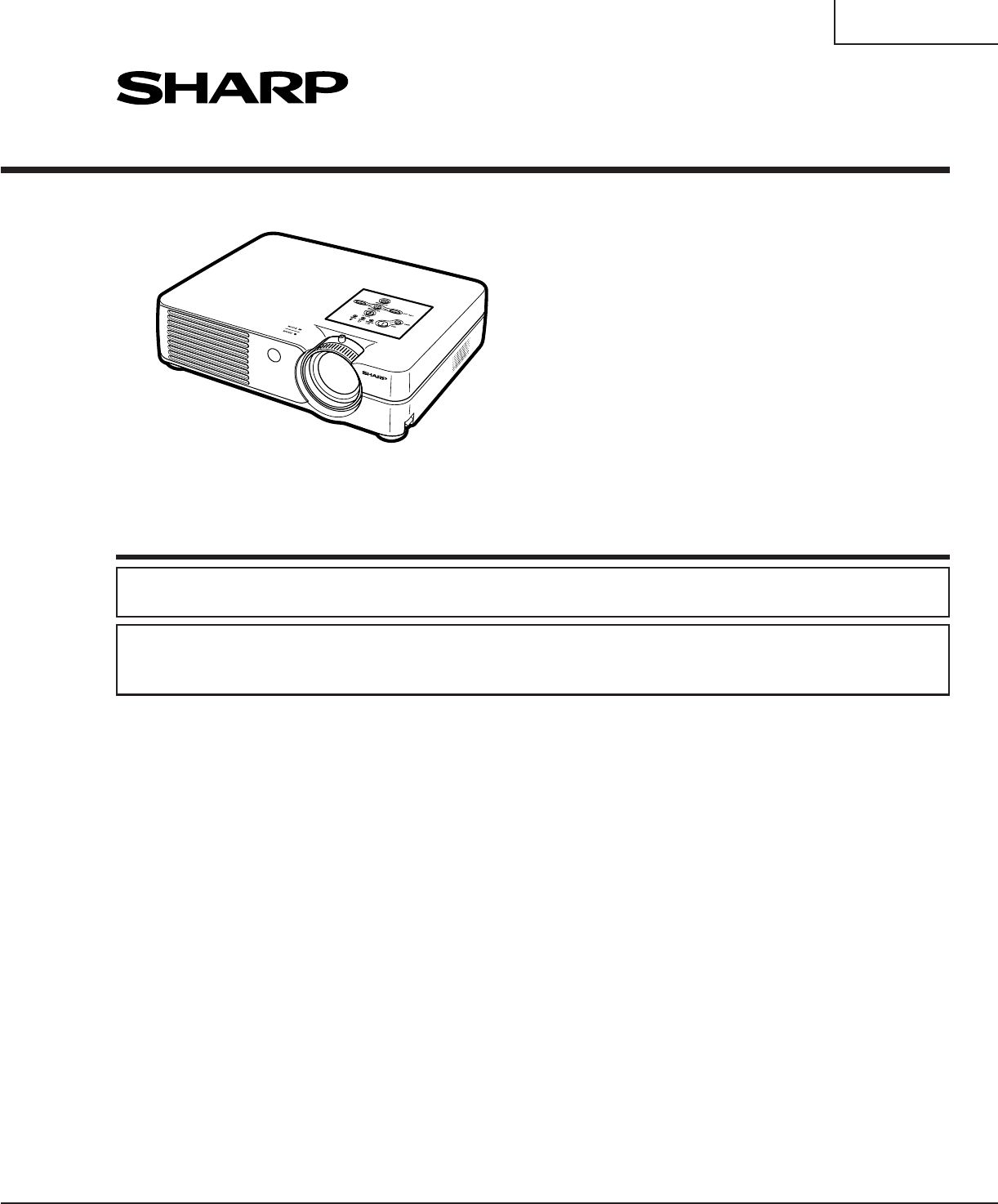
- SERVICE MANUAL 1
- SERVICE-ANLEITUNG 1
- CONTENTS 2
- Specifications 3
- SAFETY NOTICE 4
- AVIS POUR LA SECURITE 4
- NOTE POUR LE PERSONNEL 5
- D’ENTRETIEN 5
- NOTE TO SERVICE 5
- PERSONNEL 5
- Lamp Replacement 6
- Remplacement de la lampe 6
- ATTENTION 7
- PRECAUTION 7
- Operation Manual 9
- Projector (Rear View) 10
- Remote Control (Front View) 11
- 2 Insert the batteries 12
- PC control 13
- Communication conditions 13
- Basic format 13
- Commands 13
- Connection Pin Assignments 14
- DIMENSIONS 15
- REMOVING OF MAJOR PARTS 16
- 3.Removing the main PWB unit 17
- Cleaning and Replacing 20
- THE OPTICAL UNIT OUTLINE 21
- ELECTRICAL ADJUSTMENT 23
- White-to-White 24
- Amplitude 24
- Process menu1 29
- Process menu2 30
- TROUBLE SHOOTING TABLE 31
- Technische Daten 38
- HINWEISE FÜR DAS 39
- WARTUNGSPERSONAL 39
- Projektor (Hintersicht) 42
- Fernbedienung (Vordersicht) 43
- Einlegen der Batterien 44
- Reichweite 44
- PC-Steuerung 45
- Kommunikationsbedingungen 45
- Grundformat 45
- ABMESSUNGEN 47
- ENTFERNEN DER HAUPTTEILE 48
- Reinigung und Austausch 52
- G-Reflektor 53
- ELEKTRISCHE EINSTELLUNG 55
- Prozeßmenü 1 61
- Prozeßmenü 2 62
- FEHLERSUCHTABELLE 63
- DESCRIPTION OF 76
- SCHEMATIC DIAGRAM 76
- BESCHREIBUNG DES 76
- SCHEMATISCHEN SCHALTPLANS 76
- WAVEFORMS / WELLENFORMEN 77
- MAIN UNIT / HAUPTEINHEIT-1/12 78
- MAIN UNIT / HAUPTEINHEIT-2/12 80
- MAIN UNIT / HAUPTEINHEIT-3/12 82
- MAIN UNIT / HAUPTEINHEIT-4/12 84
- MAIN UNIT / HAUPTEINHEIT-5/12 86
- MAIN UNIT / HAUPTEINHEIT-6/12 88
- MAIN UNIT / HAUPTEINHEIT-7/12 90
- MAIN UNIT / HAUPTEINHEIT-8/12 92
- MAIN UNIT / HAUPTEINHEIT-9/12 94
- 1716 1918151413121110 101
- POWER UNIT / NETZTEILEINHEIT 102
- LEITERPLATTENEINHEITEN 105
- ERSATZTEILLISTE 108
- PARTS LIST 108
- DUNTKB979FE01 109
- RDENCA029WJN1 117
- CABINET AND MECHANICAL PARTS 118
- OPTICS MECHANISM PARTS 120
- SUPPLIED ACCESSORIES 122
- PACKING PARTS 122
- SERVICE JIGS 122
- Design : Japan 124
- Production : Japan 124
Sommario
PG-A20XIn the interests of user-safety (Required by safety regulations in some countries) the set should be re-stored to its original condition and on
10PG-A20XAC socketRear adjustment foot(on the bottom of the projector)Intake ventKensington Security Standard connectorINPUT 1 terminalTerminal for co
87109654321AB CDEFGH100PG-A20XË MAIN UNIT / HAUPTEINHEIT-12/12
1716 1918151413121110101PG-A20X
87109654321AB CDEFGH102PG-A20XË POWER UNIT / NETZTEILEINHEIT
1716 1918151413121110103PG-A20X
104654321ABCDEFGHPG-A20XË R/C RECEIVER UNIT / FERNBEDIENUNGSEMPFänGERSEINHEIT
105654321ABCDEFGHPG-A20XPRINTED WIRING BOARD ASSEMBLIESLEITERPLATTENEINHEITENPower Unit (Wiring Side)Netzteinheit (Leiterbahnseite)Power Unit (Compone
106654321ABCDEFGHPG-A20XMain Unit (Side-A)Haupt-einheit (Seite-A)R/C Receiver Unit (Side-A)Fernbedienungsempfängerseinheit(Seite-A)
107654321ABCDEFGHPG-A20XMain Unit (Side-B)Haupt-einheit (Seite-B)R/C ReceiverUnit (Side-B)Fernbedienungsempfängerseinheit(Seite-B)
Ref. No. Part No. ★ Description Code Ref. No. Part No. ★ Description Code108PG-A20XERSATZTEILLISTEAUSTAUSCH VON TEILENErsatzteile, die besondere Siche
Ref. No. Part No. ★ Description Code Ref. No. Part No. ★ Description Code109PG-A20XDUNTKB979FE01MAIN UNITINTEGRATED CIRCUITSIC1101 VHiCXA7005R-1Y J CX
11PG-A20XRemote Control (Front View)STANDBY buttonFor putting the projector into the standby mode.MENU buttonFor displaying adjustment and setting scr
Ref. No. Part No. ★ Description Code Ref. No. Part No. ★ Description Code110PG-A20XDUNTKB979FE01MAIN UNIT (Continued)D1718 VHDHSU119//-1Y J Diode ABD2
Ref. No. Part No. ★ Description Code Ref. No. Part No. ★ Description Code111PG-A20XDUNTKB979FE01MAIN UNIT (Continued)C1748 VCEAPF1EW226MY J 22 25V Ele
Ref. No. Part No. ★ Description Code Ref. No. Part No. ★ Description Code112PG-A20XDUNTKB979FE01MAIN UNIT (Continued)C3502 VCKYCY1EF104ZY J 0.1 25V Ce
Ref. No. Part No. ★ Description Code Ref. No. Part No. ★ Description Code113PG-A20XDUNTKB979FE01MAIN UNIT (Continued)R402 VRS-TW2ED750JY J 75 1/4W Met
Ref. No. Part No. ★ Description Code Ref. No. Part No. ★ Description Code114PG-A20XDUNTKB979FE01MAIN UNIT (Continued)R2047 VRS-CY1JF000JY J 0 1/16W Me
Ref. No. Part No. ★ Description Code Ref. No. Part No. ★ Description Code115PG-A20XDUNTKB979FE01MAIN UNIT (Continued)R4009 VRS-CY1JF473JY J 47k 1/16W
Ref. No. Part No. ★ Description Code Ref. No. Part No. ★ Description Code116PG-A20XDUNTKB979FE01MAIN UNIT (Continued)FB1301 RBLN-0061TAZZY J Ferrite B
Ref. No. Part No. ★ Description Code Ref. No. Part No. ★ Description Code117PG-A20XRDENCA029WJN1POWER UNITINTEGRATED CIRCUITSIC701 95CH1156AC001 J FA5
Ref. No. Part No. ★ Description Code Ref. No. Part No. ★ Description Code118PG-A20XCABINET AND MECHANICAL PARTS1 Not Available– Top Body Ass’y —1-
Ref. No. Part No. ★ Description Code Ref. No. Part No. ★ Description Code119PG-A20X654321ABCDEFGHCABINET AND MECHANICAL PARTS7-77-57-631197-41-31-21-1
12PG-A20XInserting the BatteriesThe batteries (two R-6 batteries (“AA” size, UM/SUM-3, HP-7 or similar)) are supplied in thepackage.1 Press the ▲ mark
Ref. No. Part No. ★ Description Code Ref. No. Part No. ★ Description Code120PG-A20X13 QEARPA058WJFW J Earth Plate AE14 XBBSD20P03000 J Screw, x1 AA15
Ref. No. Part No. ★ Description Code Ref. No. Part No. ★ Description Code121PG-A20X654321ABCDEFGHOPTICS MECHANISM PARTS4-5-14-5-24-54-24-5-34-5-14-5-6
Ref. No. Part No. ★ Description Code Ref. No. Part No. ★ Description Code122PG-A20XSUPPLIED ACCESSORIESPFiLDA008WJZZ J Extra Air Filter ADGCASNA006WJS
Ref. No. Part No. ★ Description Code Ref. No. Part No. ★ Description Code123PG-A20XPACKING OF THE SET / VERPACKEN DES GERÄTS★ Polyethylene Bag (SSAKA0
PG-A20XCOPYRIGHT © 2003 BY SHARP CORPORATIONALL RIGHTS RESERVED.No part of this publication may be reproduced,stored in a retrieval system, or transmi
13PG-A20XRS-232C Specifications and Command SettingsReturn code ( )Response code formatNormal responseProblem response (communication error or incorre
14PG-A20XConnection Pin Assignments15695196896521437510151611RS-232C Terminal:9-pin Mini DIN female connectorPin No. Signal Name I/O Reference1 Not co
15PG-A20XDIMENSIONSUnit: inches (mm)Side View Side ViewTop ViewRear ViewFront ViewBottom Viewø 66.41013/64 (258.8)39/64 (79.5)1145/64 (297)135/64 (39.
16PG-A20X2.Removing the top body2-1. Remove a screw from behind of the set.2-2. Remove the six lock screws from bottom of the set.2-3. Remove the two
17PG-A20XOperation ButtonMAIN PWB3-13-33-13-13-13-23-23-2[FA][FC][EA][TF][FD][BP][GP][RP][FG][RC][LF][FE][TI][SP][FB][TH]3-43.Removing the main PWB un
18PG-A20X5.Removing the AC inlet, power/ballast unit and cooling fan5-1. Remove a screw from behind of the set.5-2. Remove a screw and take out of the
19PG-A20X6.Removing the intake duct assembly6-1. Remove the two screws and take out of the intake duct assembly.6-2. Remove a screw and detach the lea
2PG-A20XCONTENTS• SPECIFICATIONS ... 3• IMPORTANT SERVICE SAFETYNOTES (for USA)...
20PG-A20XRESETTING THE TOTAL LAMP TIMERResetting the Lamp TimerReset the lamp timer after replacing the lamp.1Connect the power cord.Plug the power co
21PG-A20XTHE OPTICAL UNIT OUTLINELayout for proper setup of the optical components and parts (top view)LIGHT SOURCE(LAMP)Mirror R,G,BCondensing lensB
22PG-A20XReplacing the prism holder unit1. Remove the two lock screws, and take the prism holder unit and the projection lens assembly out of the opti
23PG-A20XELECTRICAL ADJUSTMENT1 EEPROMinitialization1. Turn on the power (with thelamp on) and warm up theset for 15 minutes.» Make the following sett
No. Adjusting point Adjusting conditions Adjusting procedure24PG-A20X5 Video Bright-ness/Contrastadjustment1. Feed an NTSC compositevideo 10-step sign
No. Adjusting point Adjusting conditions Adjusting procedure25PG-A20X8 RGBcountervoltageadjustment1. Using the remote controller’s button, adjust thes
No. Adjusting point Adjusting conditions Adjusting procedure26PG-A20X20 DTV Colorsaturationadjustment1. Select the following groupand subject.Group :
No. Adjusting point Adjusting conditions Adjusting procedure27PG-A20X1. Select OFF from the process mode.Make sure the off-timer starts with 5 minutes
28PG-A20X1. Calling and quitting the process mode with the control keys on this model.1-1. Calling and quittingWith no menu onscreen, press the "
29PG-A20XProcess menu1Adjustment Process MenuFirst layer DTV PedestalDVD VERSIONVIDEO SSAD TEMPOUTPUT1 PATTERNOUTPUT2 LAMPOUTPUT3 LINEVIDEO1 EXITsecon
3PG-A20XSpecificationsLCD ProjectorPG-A20XNTSC3.58/NTSC4.43/PAL/PAL-M/PAL-N/PAL-60/SECAM/DTV480 /DTV480P/DTV540P/DTV580 /DTV580P/DTV720P/DTV1035 /DTV1
30PG-A20XProcess menu2Pedestal R-Bright -10G-Bright -10B-Bright -10R-Contrast +10G-Contrast +10B-Contrast +10EXITVERSION BuildBoot CodeConfigRom CodeG
31PG-A20XTROUBLE SHOOTING TABLEYESYESNOChecking the basic performanceIs the POWER LED on or flickering in red or green?Go to "Checking the power
32PG-A20XYESYESYESYESNOChecking the power unitAre the connectors CN701, CN702 and CN751 inserted completely?Insert the connectors CN701, CN702 and CN7
33PG-A20XYESYESYESYESYESNOChecking the microprocessor peripheralsIs a voltage of about 3.3V DC applied to pins (3) and (5) of IC1703?Check IC1703 and
34PG-A20XYESYESYESYESChecking the lamp light-upReconnect the CN751 and CN752 harnesses tight enough. Or replace these harnesses.Go to "Checking t
35PG-A20XYESYESNOYESYESNOYESYESNOChecking the RGB signalAre their RIN2-RIN9, GIN2-GIN9, BIN2-BIN9 signals inputted into IC2601?Check IC8003 and its pe
36PG-A20XYESNONo colour or unusual tone(NTSC, PAL)Are there RGB outputs at pins (23)(R-Y), (22)(B-Y) of IC3105? Check C3126 and C3124. Check IC3105 an
37PG-A20XNOYESNONONOYESNONOYESNONONOChecking the S-video systemIs the specified voltage EA connectors?Check power circuit and its parts.Is the lamp on
38PG-A20XTechnische DatenLCD-ProjektorPG-A20XNTSC3.58/NTSC4.43/PAL/PAL-M/PAL-N/PAL-60/SECAM/DTV480 /DTV480P/DTV540P/DTV580 /DTV580P/DTV720P/DTV1035 /D
39PG-A20X12LampeReflektorDa eine geringe Menge UV-Strahlung an der Öffnungzwischen den Lüftern austritt, wird empfohlen, währendder Wartungsarbeiten d
4PG-A20XIMPORTANT SERVICE SAFETY NOTES (for USA)Ë Service work should be performed only by qualified service technicians who arethoroughly familiar wi
40PG-A20XVorsichtsmaßregeln für bleifreien Lötzinn1 Verwendung von bleifreiem LötzinnBei den Platinen für dieses Modells wird bleifreies Lot verwendet
41PG-A20XBedienungsanleitungON-TasteSchaltet die Stromversorgung ein.Netz-AnzeigeLeuchtet rot, wenn sich der Projektor im Bereitschaftsbetrieb befinde
42PG-A20XNetzanschlussHintererEinstellfuß(auf der Unterseite des Projektors)EinsaugöffnungKensington-Sicherheits-standardanschlussINPUT 1-AnschlussAns
43PG-A20XFernbedienung (Vordersicht)STANDBY-TasteSchaltet den Projektor in den Standby-Modus.MENU-TasteFür die Anzeige des Justierungs- und Einstellun
44PG-A20XEinlegen der BatterienDie Batterien (zwei R 6-Batterien (“AA”, UM/SUM-3, HP-7 oder entsprechend)) sind in derPackung enthalten.1 Auf die ▲-Ma
45PG-A20XRS-232C-Spezifikationen und BefehlseinstellungenSTEUERUNGSINHALTEBereitschaftStrom EinEINGANG 1EINGANG 2EINGANG 3OK oder ERROK oder ERROK ode
46PG-A20XPin-Belegung1569896521437RS-232-Anschluss: 9-Pin Mini-DIN weiblichPin-Nr. Signal Name I/O Referenz1 Nicht angeschlossen2 RD Daten empfangen E
47PG-A20XABMESSUNGENEinheit:mmAnsichtvon hintenAnsicht vonobenAnsicht vonder SeiteAnsicht vonder SeiteAnsicht vonvorneAnsicht vonuntenø 66,41013/64 (2
48PG-A20X2.Ausbau des oberen Gehäuses.2-1. Die Schraube an der Rückseite des Geräts entfernen.2-2. Die sechs Halteschrauben an der Unterseite des Gerä
49PG-A20X3-13-33-13-13-13-23-23-2[FA][FC][EA][TF][FD][BP][GP][RP][FG][RC][LF][FE][TI][SP][FB][TH]3-4BedienungstastenHauptleiterplatte 3.Ausbau der Hau
5PG-A20XNOTE POUR LE PERSONNELD’ENTRETIEN PRECAUTION POUR LES RADIATIONS UVLa source de lumière, la lampe UHP, dans le projecteurLCD émet de petites q
50PG-A20X5.Ausbau der AC-Netzsteckdose, Netzgerät-/Vorschaltwiderstands-Einheit unddes Kühlgebläses5-1. Die Schraube an der Rückseite des Geräts entfe
51PG-A20X6.Ausbau der Einlaßluftführungs-Einheit6-1. Die beiden Schrauben entfernen, dann die Einlaßluftführung herausnehmen.6-2. Die Schraube entfern
52PG-A20XRÜCKSTELLEN DES LAMPENBETRIEBSZEIT-TIMERSRückstellung des Lampen-TimersDen Lampen-Timer nach dem Lampenaustausch zurückzustellen.1Das Netzkab
53PG-A20XBESCHREIBUNG DER OPTIK-EINHEITErläuterungen für das korrekte Setup der optischen Komponenten und Baugruppen (An-sicht von oben)Projektionsobj
54PG-A20XAuswechseln der Prismenhalter-Einheit1. Die beiden Halteschrauben entfernen, dann den Prismenhalter und die Projektionslinsen-Einheit aus der
55PG-A20XELEKTRISCHE EINSTELLUNG1 EEPROM wirdinitialisiert1.Den Netzschaltereinschalten und das Gerätfür ca. 15 Minutenvorwärmen lassen.(Sicherstellen
Nr.EinstellgegenstandEinstellbedingungen Einstellverfahren56PG-A20X5 Einstellung derVideo-Helligkeitund desKontrastes1. Ein NTSC-Komposit-10-Stufensig
Nr.EinstellgegenstandEinstellbedingungen Einstellverfahren57PG-A20X8 Einstellung derRGB-Gegenspannung1. Die Taste der Fernbedienungseinheit verwenden,
Nr.EinstellgegenstandEinstellbedingungen Einstellverfahren58PG-A20X20 DTV-Farbsättigungs-einstellung1. Die folgenden Gruppenund Positionen wählen:Grup
Nr.EinstellgegenstandEinstellbedingungen Einstellverfahren59PG-A20X1. Im Prozeßmodus die Position OFF wählen.Sich vergewissern, daß der Ausschalt-Time
6PG-A20X12LampReflectorComme de petites quantités de radiation UV sontémises par une ouverture entre les ventilateurs as-pirants, il est recommandé de
60PG-A20X1. Aktivieren und Deaktivieren des Prozeßmodus unter Verwendung der Steuertasten diesesModells.1-1. Aktivieren und DeaktivierenWenn am Bildsc
61PG-A20XProzeßmenü 1Prozeßmenü für EinstellungenFirst layer DTV PedestalDVD VERSIONVIDEO SSAD TEMPOUTPUT1 PATTERNOUTPUT2 LAMPOUTPUT3 LINEVIDEO1 EXITs
62PG-A20XProzeßmenü 2Pedestal R-Bright -10G-Bright -10B-Bright -10R-Contrast +10G-Contrast +10B-Contrast +10EXITVERSION BuildBoot CodeConfigRom CodeGU
63PG-A20XFEHLERSUCHTABELLEJAJANEINÜberprüfung der grundlegenden FunktionenIst die POWER LED eingeschaltet, oder blinkt sie rot oder grün?Mit dem Absch
64PG-A20XJAJAJAJANEINÜberprüfen des NetzteilsSind die Stecker CN701, CN702 und CN751 fest angeschlossen?Sind die Stecker CN701, CN702 und CN751 fest e
65PG-A20XJAJAJAJAJANEINÜberprüfung der Mikrocomputer-PeripherieschaltkreiseLiegt eine Gleichspannung von ca. 3,3 V an den Stiften (3) und (5) von IC17
66PG-A20XJAJAJAJAÜberprüfung der LampenfunktionDie Zuleitungskabel für CN751 und CN752 fest anschließen, bzw. die Kabel ersetzen.Mit dem Abschnitt &qu
67PG-A20XJAJANEINJAJANEINJAJANEINÜberprüfung des RGB-SignalsWerden die Signale RIN2 - RIN9, GIN2 - GIN9 und BIN2 - BIN9 zu IC2601 übermittelt?IC8003 u
68PG-A20XJANEINKeine Farbe, oder abweichender Farbton (NTSC, PAL)Liegen RGB-Ausgangssignale an den Stiften (23) (R-Y) und (22) (B-Y) von IC3105 an?C31
69PG-A20XNEINJANEINNEINNEINJANEINNEINJANEINNEINNEINÜberprüfen des S-Video-SystemsLiegt die spezifizierte Spannung an den EA-Steckern an?Den Leistungss
7PG-A20XWARNING: High brightness light source, do not stare into the beam of light, or view directly. Be especiallycareful that children do not sta
87109654321AB CDEFGH70PG-A20XCHASSIS LAYOUT / CHASSIS-ANORDNUNG
1716 191815141312111071PG-A20X
87109654321AB CDEFGH72PG-A20XBLOCK DIAGRAM / BLOCKSCHALTBILD
1716 191815141312111073PG-A20X
87109654321AB CDEFGH74PG-A20XOVERALL WIRING DIAGRAM / GESAMTSCHALTPLAN
1716 191815141312111075PG-A20X
PG-A20X76DESCRIPTION OFSCHEMATIC DIAGRAMVOLTAGE MEASUREMENT CONDITION:1. Voltages at test points are measured at thesupply voltage of AC 220V. Signal
PG-A20X1716 191815141312111077WAVEFORMS / WELLENFORMEN1 RTP(P1301-1)H:5µsec/divV:2V/div2 GTP(P1301-2)H:F5µsec/divV:2V/div3 BTP(P1301-3)H:5µsec/divV:2V
87109654321AB CDEFGH78PG-A20XË MAIN UNIT / HAUPTEINHEIT-1/12
1716 191815141312111079PG-A20X
8PG-A20XPrecautions for using lead-free solder1 Employing lead-free solder"PWBs" of this model employs lead-free solder. The LF symbol indic
87109654321AB CDEFGH80PG-A20XË MAIN UNIT / HAUPTEINHEIT-2/12
1716 191815141312111081PG-A20X
87109654321AB CDEFGH82PG-A20XË MAIN UNIT / HAUPTEINHEIT-3/12
1716 191815141312111083PG-A20X
87109654321AB CDEFGH84PG-A20XË MAIN UNIT / HAUPTEINHEIT-4/12
1716 191815141312111085PG-A20X
87109654321AB CDEFGH86PG-A20XË MAIN UNIT / HAUPTEINHEIT-5/12
1716 191815141312111087PG-A20X
87109654321AB CDEFGH88PG-A20XË MAIN UNIT / HAUPTEINHEIT-6/12
1716 191815141312111089PG-A20X
9PG-A20XOperation ManualON buttonFor turning the power on.STANDBY buttonFor putting the projector into the standby mode.Power indicatorIlluminates red
87109654321AB CDEFGH90PG-A20XË MAIN UNIT / HAUPTEINHEIT-7/12
1716 191815141312111091PG-A20X
87109654321AB CDEFGH92PG-A20XË MAIN UNIT / HAUPTEINHEIT-8/12
1716 191815141312111093PG-A20X
87109654321AB CDEFGH94PG-A20XË MAIN UNIT / HAUPTEINHEIT-9/12
1716 191815141312111095PG-A20X
87109654321AB CDEFGH96PG-A20XË MAIN UNIT / HAUPTEINHEIT-10/12
1716 191815141312111097PG-A20X
87109654321AB CDEFGH98PG-A20XË MAIN UNIT / HAUPTEINHEIT-11/12
1716 191815141312111099PG-A20X
Più documenti per Proiettori Sharp PG-A20X

Prodotti e manuali riguardandi Proiettori Sharp PG-A20X
 (137 pagine)
 (2 pagine)
(27 pagine)
(2 pagine)
(2 pagine)
(27 pagine)
(2 pagine)
 (71 pagine)
(110 pagine)
(71 pagine)
(110 pagine)
 (24 pagine)
(40 pagine)
(37 pagine)
(165 pagine)
(122 pagine)
(24 pagine)
(40 pagine)
(37 pagine)
(165 pagine)
(122 pagine)
 (66 pagine)
(142 pagine)
(73 pagine)
(26 pagine)
(66 pagine)
(142 pagine)
(73 pagine)
(26 pagine)
© 2020, manymanuals.it. Tutti i diritti riservati | 0.077 s |
 Manymanuals.com
 Manymanuals.de
 Manymanuals.fr
 Manymanuals.it
 Manymanuals.pl
 Manymanuals.cz
 Manymanuals.es
 Manymanuals-pt.com
Commenti su questo manuale