Sharp MX-2301N Specifiche Pagina 17: CHANGING PAPER IN A TRAY
 1
 2
 3
 4
 5
 6
 7
 8
 9
 10
 11
 12
 13
 14
 15
 16
 17
 18
 19
 20
 21
 22
 23
 24
 25
 26
 27
 28
 29
 30
 31
 32
 33
 34
 35
 36
 37
 38
 39
 40
 41
 42
 43
 44
 45
 46
 47
 48
 49
 50
 51
 52
 53
 54
 55
 56
 57
 58
 59
 60
 61
 62
 63
 64
 65
 66
 67
 68
 69
 70
 71
 72
 73
 74
 75
 76
 77
 78
 79
 80
 81
 82
 83
 84
 85
 86
 87
 88
 89
 90
 91
 92
 93
 94
 95
 96
 97
 98
 99
 100
 101
 102
 103
 104
 105
 106
 107
 108
 109
 110
 111
 112
 113
 114
 115
 116
15
CHANGING PAPER IN A TRAY
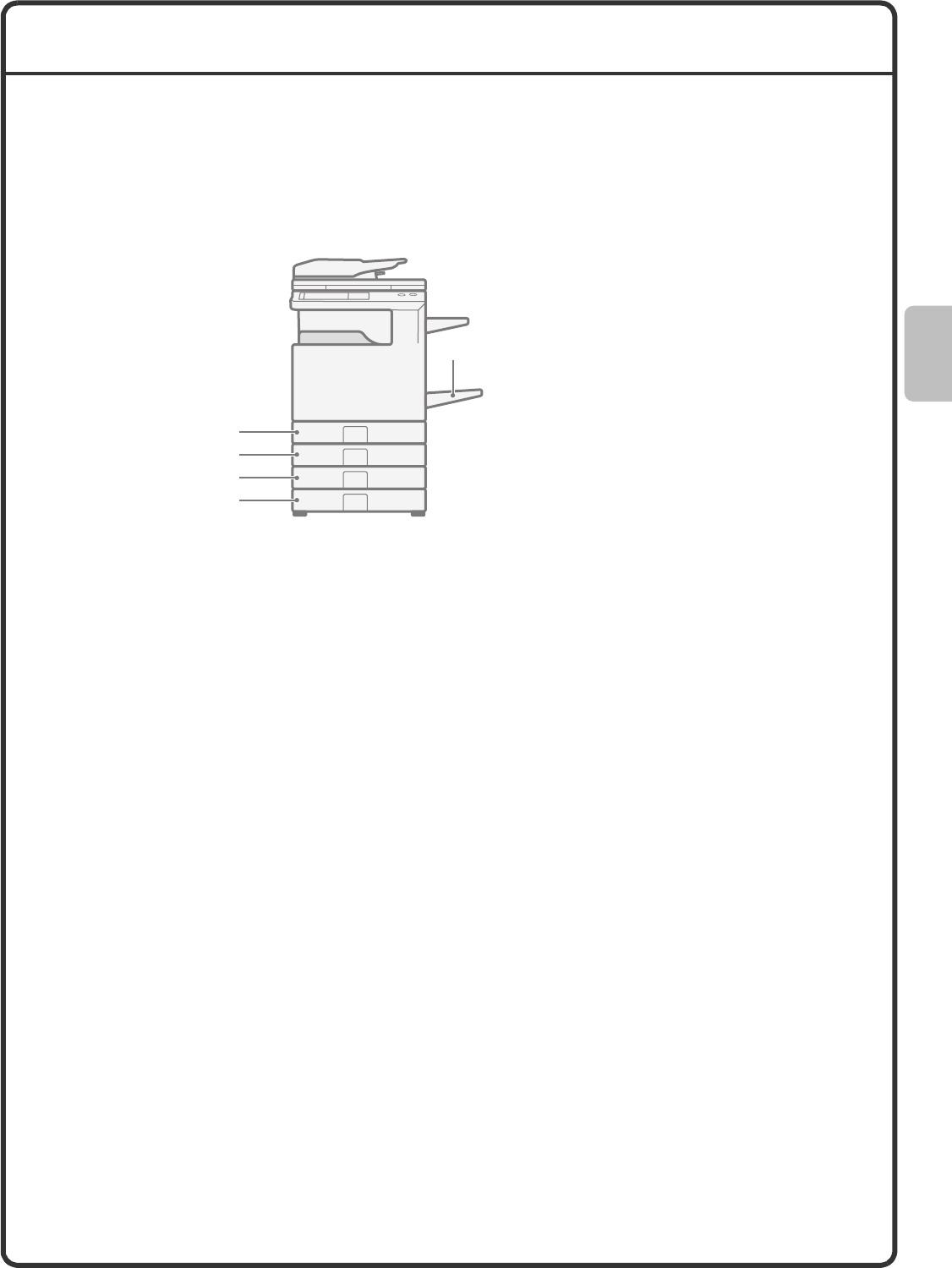
Names of the trays
The names of the trays are shown below.
For the number of sheets of paper that can be loaded in each tray, see the following manuals:
• Operation Guide, "Paper Tray Settings" in "7. SYSTEM SETTINGS"
• Safety Guide / Software setup guide, "SPECIFICATIONS"
Print side face up or face down
Paper is loaded with the print side face up or face down depending on the paper type and tray.
Trays 1 to 4
Load the paper with the print side face up.
However, if the paper type is "Pre-Printed" or "Letter Head", load the paper with the print side face down*.
Bypass tray
Load the paper with the print side face down.
However, if the paper type is "Pre-Printed" or "Letter Head", load the paper with the print side face up*.
* If "Disabling of Duplex" is enabled in the system settings (administrator), load the paper in the normal way (face
up in trays 1 to 4; face down in the bypass tray).
(5)
(1)
(2)
(3)
(4)
(1) Tray 1
(2) Tray 2
(3) Tray 3
(4) Tray 4
(5) Bypass tray
File PDF · ·
Domande su Sharp MX-2301N
Non ci sono ancora domande su questo manuale. Fate la prima.
Prodotti e manuali riguardanti Apparecchi multifunzione Sharp MX-2301N
- Apparecchi multifunzione Sharp MX-4101N Specifiche
 (76 pagine)
- Apparecchi multifunzione Sharp JW-20FLT Manuale Utente
(197 pagine)
- Apparecchi multifunzione Sharp MX-C381 Specifiche
(148 pagine)
- Apparecchi multifunzione Sharp MX-M260 Manuale Utente
 (160 pagine)
- Apparecchi multifunzione Sharp MX-4101N Specifiche
(12 pagine)
- Apparecchi multifunzione Sharp MX-M564N Manuale Utente
(8 pagine)
- Apparecchi multifunzione Sharp MX-M564N Manuale Utente
(8 pagine)
- Apparecchi multifunzione Sharp CPD-3830 Manuale Utente
(1 pagine)
- Apparecchi multifunzione Sharp MX-2010U Manuale Utente
(12 pagine)
- Apparecchi multifunzione Sharp MX-B381 Manuale Utente
(12 pagine)
- Apparecchi multifunzione Sharp MX-7500N Manuale Utente
(30 pagine)
- Apparecchi multifunzione Sharp AL-2021 Specifiche
(91 pagine)
- Apparecchi multifunzione Sharp MX-B402 Manuale Utente
(50 pagine)
- Apparecchi multifunzione Sharp FO-155 Specifiche

 (165 pagine)
- Apparecchi multifunzione Sharp MX-4140N Manuale di Installazione
(19 pagine)
- Apparecchi multifunzione Sharp JW-50FL Manuale Utente
(201 pagine)
- Apparecchi multifunzione Sharp MX-4140N Manuale Utente
(12 pagine)
- Apparecchi multifunzione Sharp CPD-3830 Manuale Utente
(12 pagine)
- Apparecchi multifunzione Sharp CD600 - B/W - Fax Manuale Utente
(23 pagine)
- Apparecchi multifunzione Sharp AR-810 Manuale delle Istruzioni
(178 pagine)