Sharp MX-2301N Specifiche Pagina 74: Transmission
 1
 2
 3
 4
 5
 6
 7
 8
 9
 10
 11
 12
 13
 14
 15
 16
 17
 18
 19
 20
 21
 22
 23
 24
 25
 26
 27
 28
 29
 30
 31
 32
 33
 34
 35
 36
 37
 38
 39
 40
 41
 42
 43
 44
 45
 46
 47
 48
 49
 50
 51
 52
 53
 54
 55
 56
 57
 58
 59
 60
 61
 62
 63
 64
 65
 66
 67
 68
 69
 70
 71
 72
 73
 74
 75
 76
 77
 78
 79
 80
 81
 82
 83
 84
 85
 86
 87
 88
 89
 90
 91
 92
 93
 94
 95
 96
 97
 98
 99
 100
 101
 102
 103
 104
 105
 106
 107
 108
 109
 110
 111
 112
 113
 114
 115
 116
72
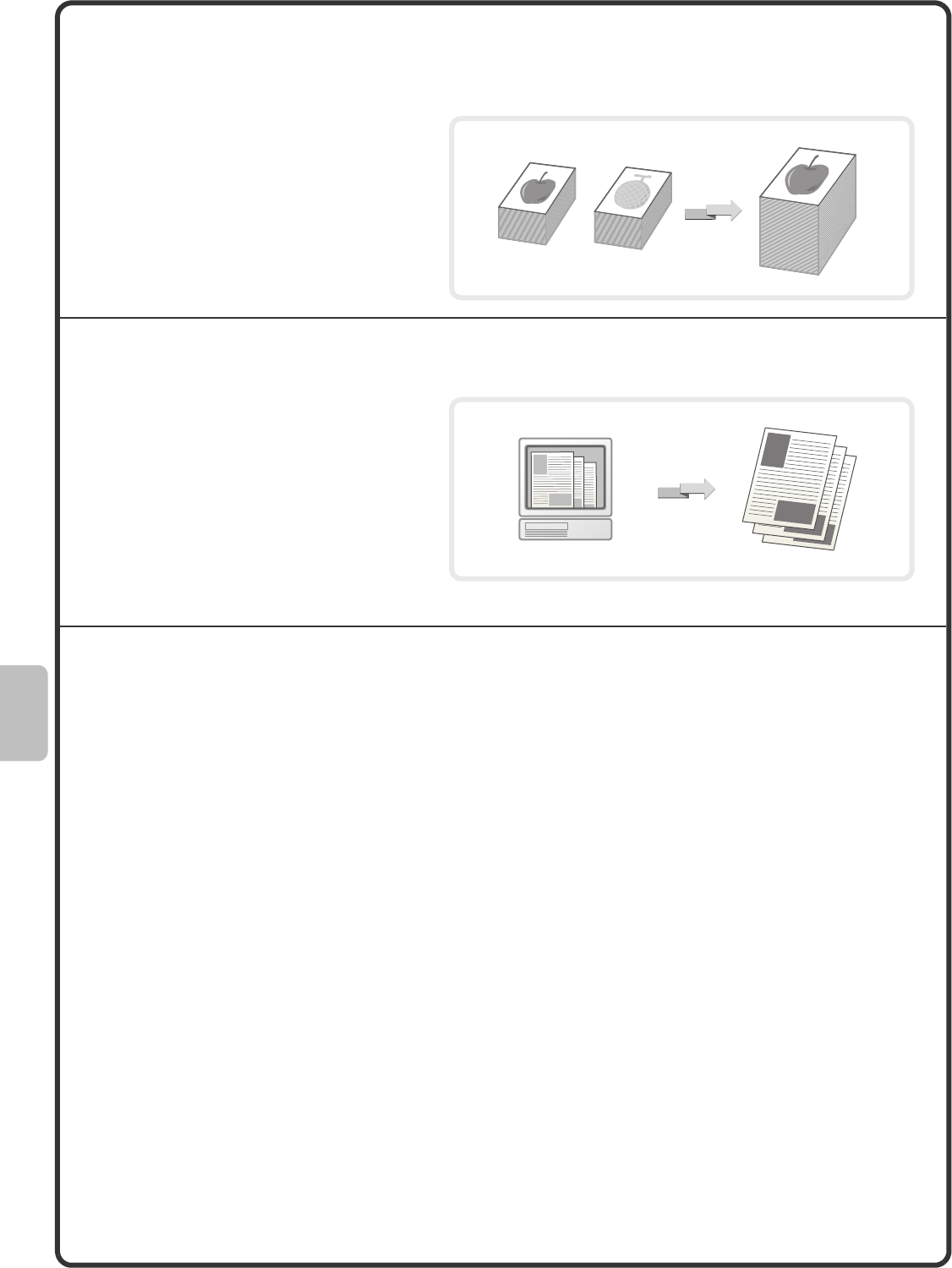
Sending a large number of pages as a single
transmission job (Job Build)
Sending a fax directly from a computer (PC-Fax)
The machine also has these functions
• Forwarding a received fax to a network address (Inbound Routing Settings)
☞ Operation Guide "FAX RECEPTION" in "4. FACSIMILE"
• Sending a fax at a specified time (Timer)
• Storing fax operations (Program)
• Changing the print settings for the transaction report (Transaction Report)
• Temporarily changing the sender information (Own Name Select)
• Transmitting originals of different sizes (Mixed Size Original)
• Faxing thin originals (Slow Scan Mode)
• Checking the number of scanned original sheets before transmission (Original Count)
• Calling a fax machine and initiating fax reception (Polling)
• Sending a fax when another machine polls your machine (Polling Memory)
• Stamping scanned originals (Verification Stamp)
☞ Operation Guide "SPECIAL MODES" in "4. FACSIMILE"
• Performing F-code communication
☞ Operation Guide "PERFORMING F-CODE COMMUNICATION" in "4. FACSIMILE"
• Connecting and using an existing phone (Extension Phone Connection)
☞ Operation Guide "USING AN EXTENSION PHONE" in "4. FACSIMILE"
A stack of originals higher than the
indicator line on the automatic document
feeder cannot be fed through the feeder.
The job build function lets you divide the
stack of originals into sets, feed each set,
and send the sets as a single
transmission.
A document on a computer can be sent
via the machine as a fax. Select the
PC-Fax driver as the printer driver on your
computer and then select the Print
command in the software application.
Image data for transmission will be
created and sent as a fax.
This function can only be used on a
Windows computer.
For more information, see the Help file for the PC-Fax driver.
Transmission
Transmission
mx2301_ex_qck.book 72 ページ 2009年8月7日 金曜日 午後4時6分
File PDF · ·
Domande su Sharp MX-2301N
Non ci sono ancora domande su questo manuale. Fate la prima.
Prodotti e manuali riguardanti Apparecchi multifunzione Sharp MX-2301N
- Apparecchi multifunzione Sharp MX-4101N Specifiche
 (76 pagine)
- Apparecchi multifunzione Sharp JW-20FLT Manuale Utente
(197 pagine)
- Apparecchi multifunzione Sharp MX-C381 Specifiche
(148 pagine)
- Apparecchi multifunzione Sharp MX-M260 Manuale Utente
 (160 pagine)
- Apparecchi multifunzione Sharp MX-4101N Specifiche
(12 pagine)
- Apparecchi multifunzione Sharp MX-M564N Manuale Utente
(8 pagine)
- Apparecchi multifunzione Sharp MX-M564N Manuale Utente
(8 pagine)
- Apparecchi multifunzione Sharp CPD-3830 Manuale Utente
(1 pagine)
- Apparecchi multifunzione Sharp MX-2010U Manuale Utente
(12 pagine)
- Apparecchi multifunzione Sharp MX-B381 Manuale Utente
(12 pagine)
- Apparecchi multifunzione Sharp MX-7500N Manuale Utente
(30 pagine)
- Apparecchi multifunzione Sharp AL-2021 Specifiche
(91 pagine)
- Apparecchi multifunzione Sharp MX-B402 Manuale Utente
(50 pagine)
- Apparecchi multifunzione Sharp FO-155 Specifiche

 (165 pagine)
- Apparecchi multifunzione Sharp MX-4140N Manuale di Installazione
(19 pagine)
- Apparecchi multifunzione Sharp JW-50FL Manuale Utente
(201 pagine)
- Apparecchi multifunzione Sharp MX-4140N Manuale Utente
(12 pagine)
- Apparecchi multifunzione Sharp CPD-3830 Manuale Utente
(12 pagine)
- Apparecchi multifunzione Sharp CD600 - B/W - Fax Manuale Utente
(23 pagine)
- Apparecchi multifunzione Sharp AR-810 Manuale delle Istruzioni
(178 pagine)